
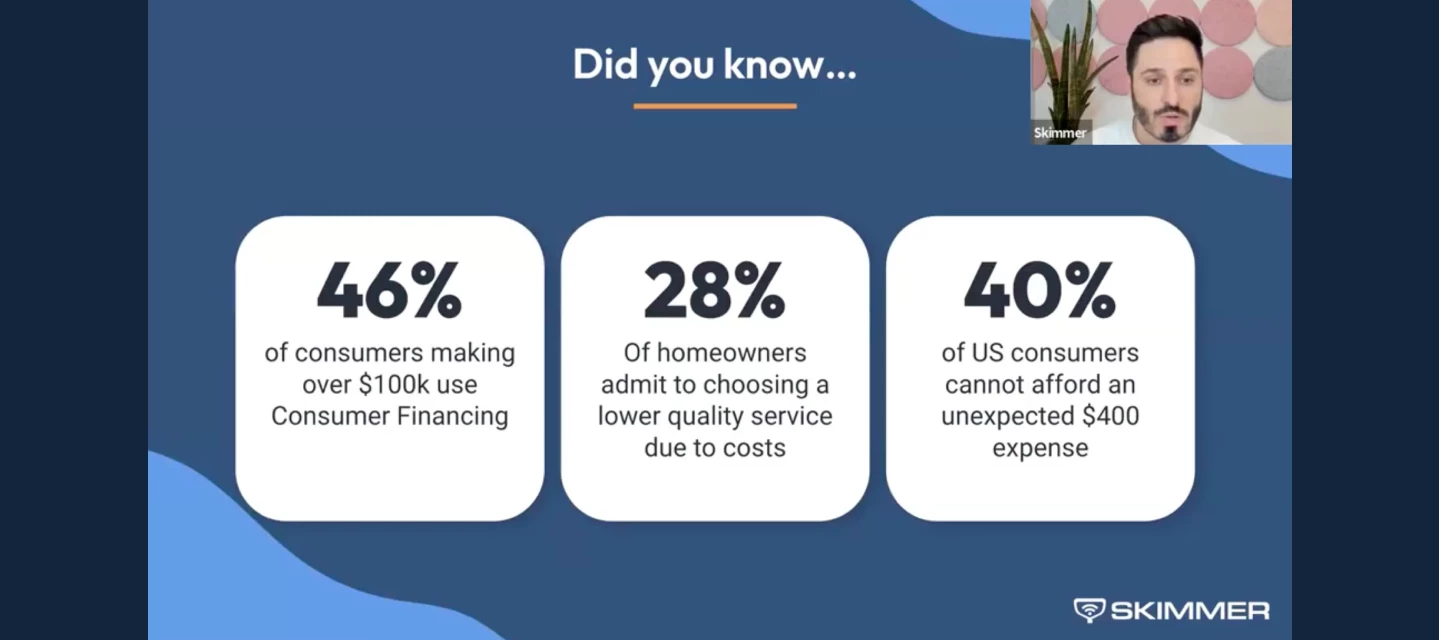



During our recent webinar, hundreds of pool pros joined us to learn how Consumer Financing powered by Sunbit can help close more jobs and speed up payments. The questions that followed were practical, thoughtful, and right on point. Below, we’ve pulled together the most common questions we heard and answered them clearly so you can decide if and when financing makes sense for your business.
Do I need to use Skimmer Payments?
Yes. Consumer Financing is integrated directly with Skimmer's invoicing and payment tools as a payment method.
How does financing work with deposits?
Consumer Financing works with your existing deposit workflow, and there are two common ways pool pros use it.
Option 1: Customer pays the deposit, finances the remainder
If you require a deposit, the customer can pay that portion using a standard payment method (card, ACH, etc.). When the final invoice is sent, they can choose Consumer Financing to pay the remaining balance over time.
Option 2: Customer finances the full job across invoices
If you split a job into a deposit invoice and a final invoice, the customer can choose Consumer Financing for each invoice. This means they may apply for financing more than once, but each application is fast, and they can select available payment plans each time.
In both cases, financing follows your existing invoicing structure. You don’t need to change how you quote or bill — customers simply choose how they want to pay when each invoice is due.
Can my customers pre-qualify before I send a quote or invoice?
Yes. You can send them this link: https://apply.sunbit.com/YourPoolPro-gv466urt
Who pays the 5.5% fee?
The pool pro. The fee cannot be passed on to the customer.
Are there any other monthly or setup fees?
No. There are no setup fees, integration fees, or monthly fees.
Is there an additional processing fee(credit card or ACH) in addition to the Sunbit fee?
No. Sunbit transactions only include the 5.5% financing fee.
Can I charge different prices based on payment method?
No. Financing rules do not allow adding surcharges, price increases, or different pricing when a customer chooses Sunbit.
What interest rates do customers pay?
Rates vary based on creditworthiness and range from 0% to 35.99%.
Can customers use 0% financing for different milestones on a larger job?
Yes, in many cases. Customers can have multiple Sunbit loans at the same time. They do not need to pay off an existing loan before applying again. If a customer is approved, each new loan issued includes access to the 3-month 0% interest option, even if another Sunbit payment plan is already in progress.
For example, a customer could finance a $3,000 phase of an $8, 000 project using the 3-month 0% plan, then apply again for financing on the next phase and receive another 3-month 0% option if approved.
Is 0% interest available?
Yes. Every approved customer has access to a 3-month 0% APR option.
Can the 0% plan be extended beyond 3 months?
No. The 0% interest option applies only to the 3-month plan. Longer plans, up to 18 months, include interest.
How long can customers pay over time?
Payment plans range from 3 to 18 months.
What is the minimum and maximum amount that can be financed?
Sunbit supports invoices from $60 up to $20,000.
Can I choose which jobs or invoices offer financing?
No. The pay over time option appears automatically on all eligible quotes and quote-based invoices.
When do I get paid?
Once your customer submits a payment through Sunbit, payment is initiated. Funds typically arrive within 1–5 business days, depending on your bank, similar to other payment methods.
Does Skimmer share my ACH or bank information with Sunbit?
No. Sunbit payments run through the same tool(Skimmer) you already use. Your bank and payout information stays within Skimmer and Sunbit payments are included in your existing payouts just like card or ACH payments.
What happens if the customer doesn’t pay Sunbit?
You are still paid in full. Sunbit handles all customer repayment and collections.
Does Sunbit run a hard credit check?
No. Only a soft credit check is used during the application process.
Is pre-approval tied to the deposit amount?
No. Pre-approval is not tied to the quote or deposit amount.
What if I need to issue a refund?
Refunds follow Skimmer’s existing refund process and are coordinated with Sunbit.
Where does the financing option appear?
On quotes and invoices created from quotes or jobs.
Does the customer still need a payment method on file?
It depends on your settings. A payment method may be required to approve the quote, but when it’s time to pay the invoice, the customer can choose to use Sunbit instead.
What types of work can be financed?
Any invoice created from a quote or job, including labor, repairs, equipment, and upgrades.
Can I use this for retail sales like hot tubs?
Yes, as long as those transactions are quoted and invoiced through Skimmer.
Why can’t I pass the Sunbit fee to customers if I can surcharge credit cards?
Financing fees follow different rules from credit card payments. Sunbit fees cannot be passed on to customers, regardless of state surcharging laws.
Can I turn Consumer Financing on or off?
Yes. You can enable or disable it at any time, but it can’t be controlled per customer or per invoice.
If you’re curious how Consumer Financing could fit into your workflow, the best next step is to learn more and see how it works in practice. We’ve put together detailed guidance to walk you through when to use financing, how to present it to customers, and what to expect once it’s enabled.
If you’re already using Skimmer for invoicing and payments and want help getting started, or if you’re still billing outside Skimmer and want to understand what’s required, our Payments team is here to help you think it through and decide what makes sense for your business.
Ready to learn more? Check out the links below:
Book time with a Skimmer Payments expert to discuss eligibility, setup, and best practices