


Quick question: Have you ever wished you could give someone almost admin access… without actually making them an admin?
For a long time, Skimmer had two main role levels: Admin and Tech. That worked well for smaller teams. But as businesses grow, roles get more nuanced. Maybe you’ve got a repair contractor who doesn’t need to see billing data. Or a senior tech who needs more access than the rest of the crew. Forcing everyone into one of two boxes starts to feel limiting fast, so it became clear we needed a better way to match access to how teams actually work.
Why this matters for your growing business
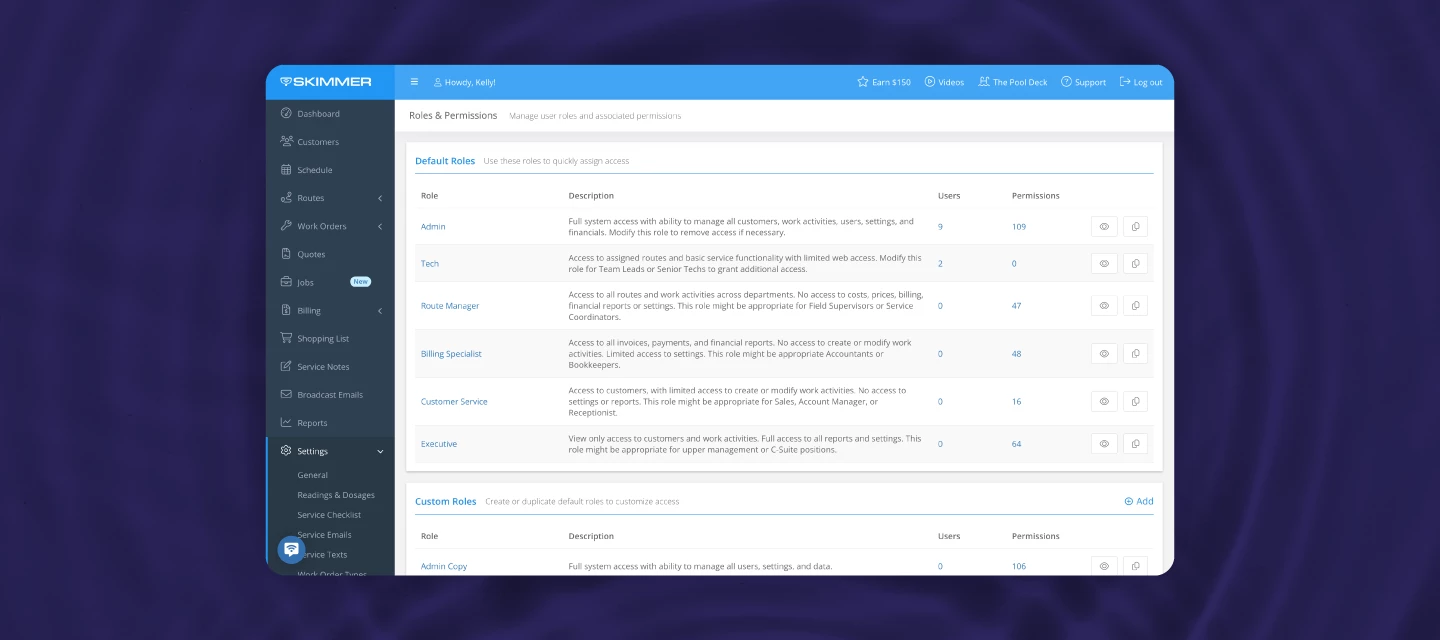
With advanced roles and permissions, you can now control exactly what each team member can see and do across both desktop and mobile. There are over 100 individual permissions you can toggle on or off, covering everything from customers and routes to invoices, reports, settings, and more.
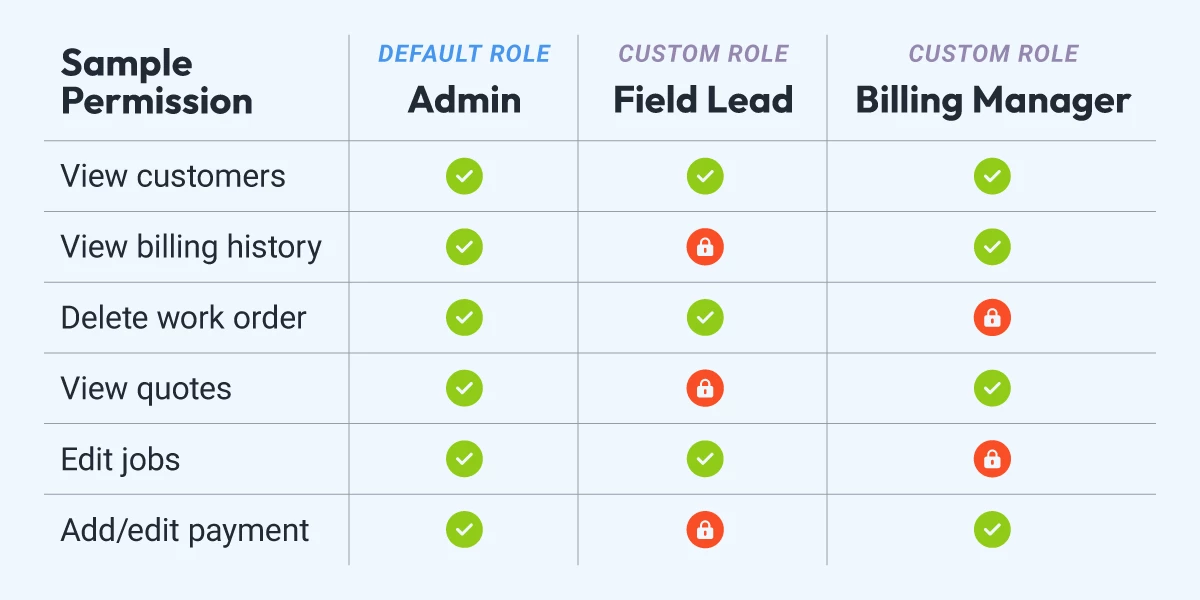
Curious what that looks like in practice? Check out the walkthrough video below to see it in action:
Here's how it works:
- Start with one of six default roles (like Admin, Tech, Route Manager, or Billing Specialist) and use them as-is, or duplicate and customize them to fit your team.
- NOTE: You can also create unlimited custom roles with any name and access level that makes sense for your business.
- You can delete any role whenever you choose to.
- Assign roles to existing users to expand or limit access as needed.
- Update roles over time as responsibilities change
- NOTE: When updating roles or permissions, it’s a good idea to let your team know what’s changing and why. A quick heads-up helps avoid confusion and makes it clear when access has been intentionally updated.
Good news: nothing changes on day one. Current legacy admins and techs keep the same access they have today, and you can start customizing when it makes sense for your team.
We’ve put together this 👉 permissions help sheet that organizes each permission by category, so you can review what’s available before you start.
Want the full setup details?
Read the help article →
Now we want to hear from you: Which role on your team could benefit most from more tailored access?
And if you’ve got questions, drop them in the comments. Chances are someone else is wondering the same thing, and we’ll answer them here so everyone can benefit.