


Until now, Skimmer didn't have a clear way to distinguish between potential and active customers. Leads, inactive accounts, and current customers were all on the same list, with no easy way to tell them apart or track how they got there. These new enhancements change that.
Customer status and lead tracking
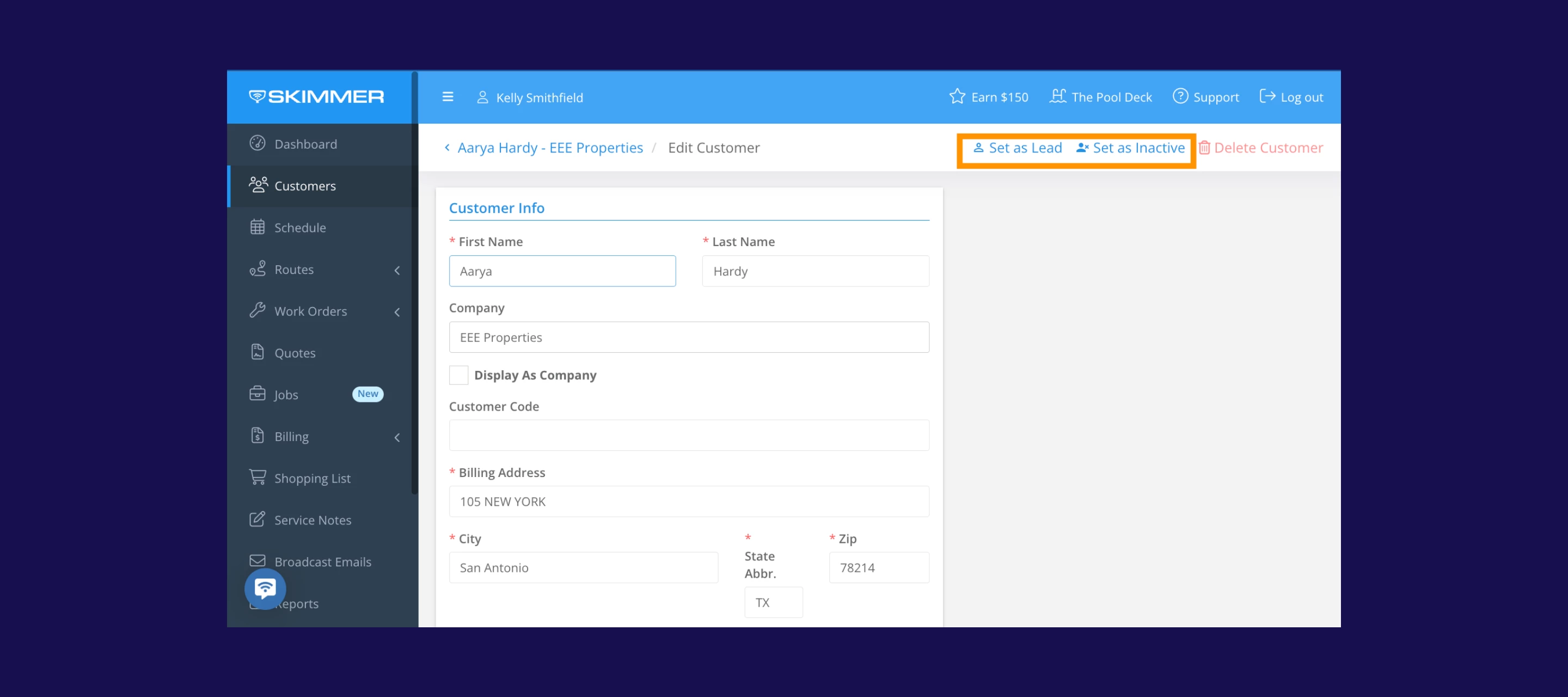
You can now segment customers by status: Lead, Active, or Inactive. This makes it easier to manage your pipeline, follow up on prospects, and keep your customer list organized.
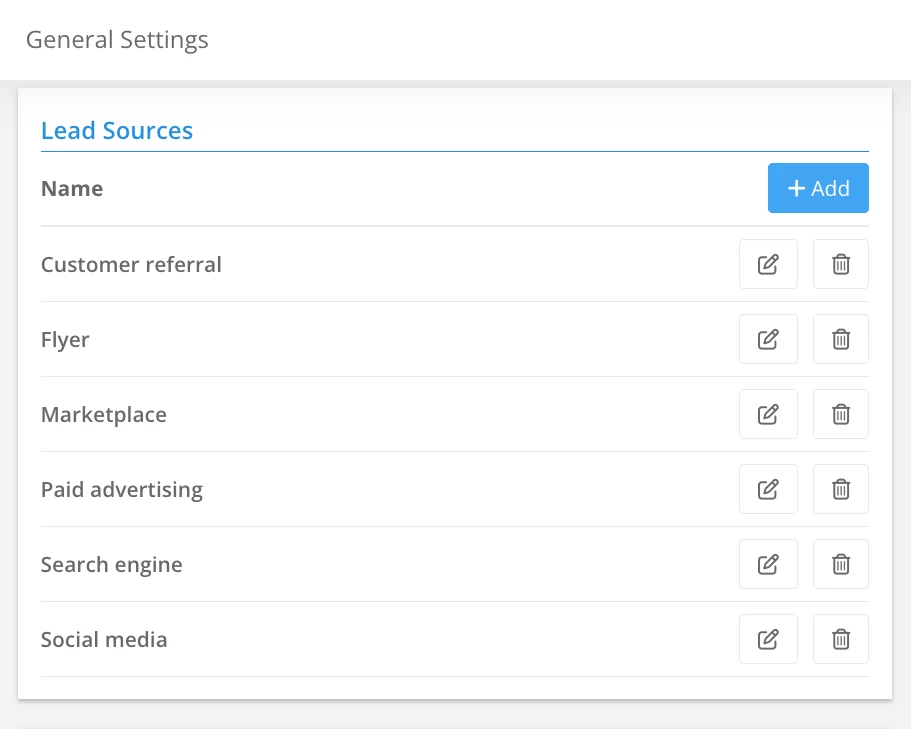
When you add a new contact who isn't a customer yet, you can mark them as a Lead. You can track where they came from using lead sources, helping you understand which marketing or referral channels are actually driving new business. Leads automatically convert to Active when a quote or job is created, so your data stays accurate without extra manual steps. You can also bulk-update statuses directly from the customer listing.
Customer activity feed
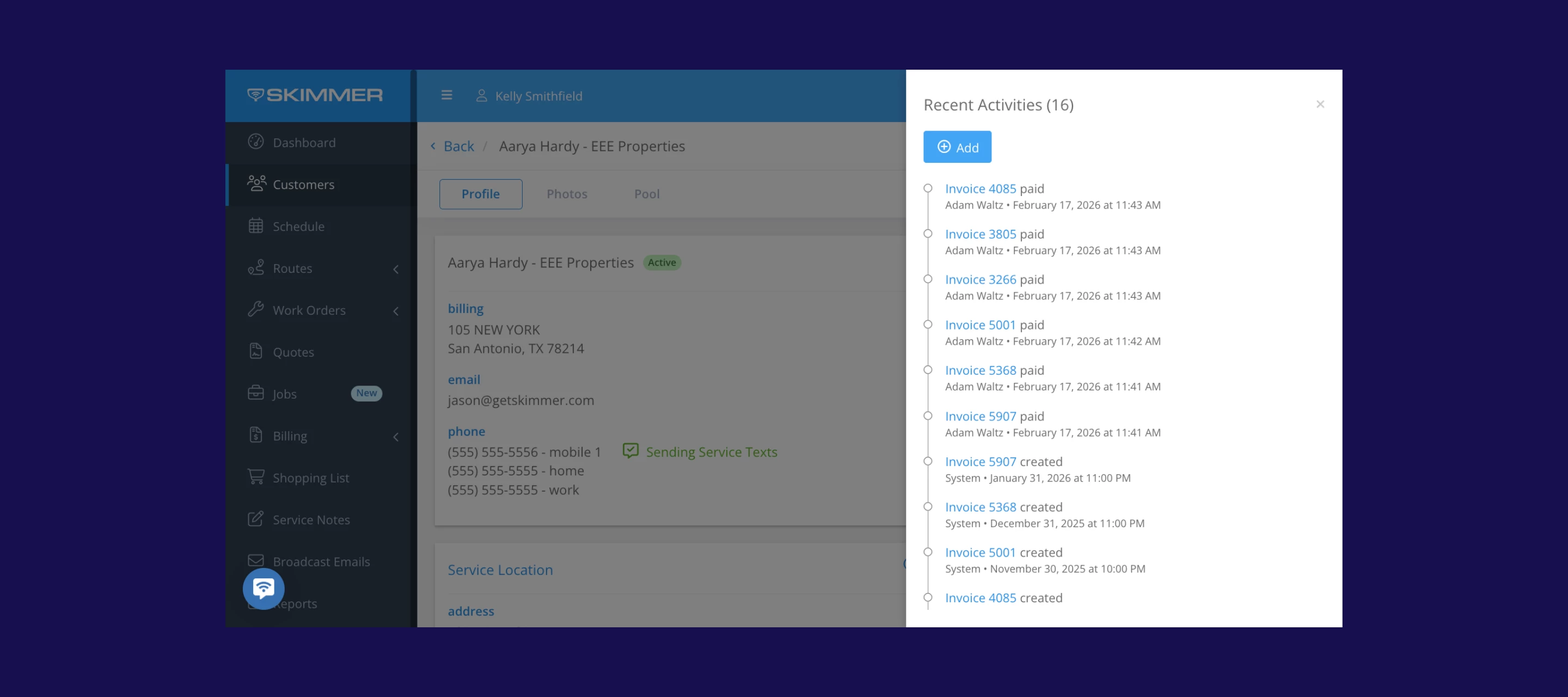
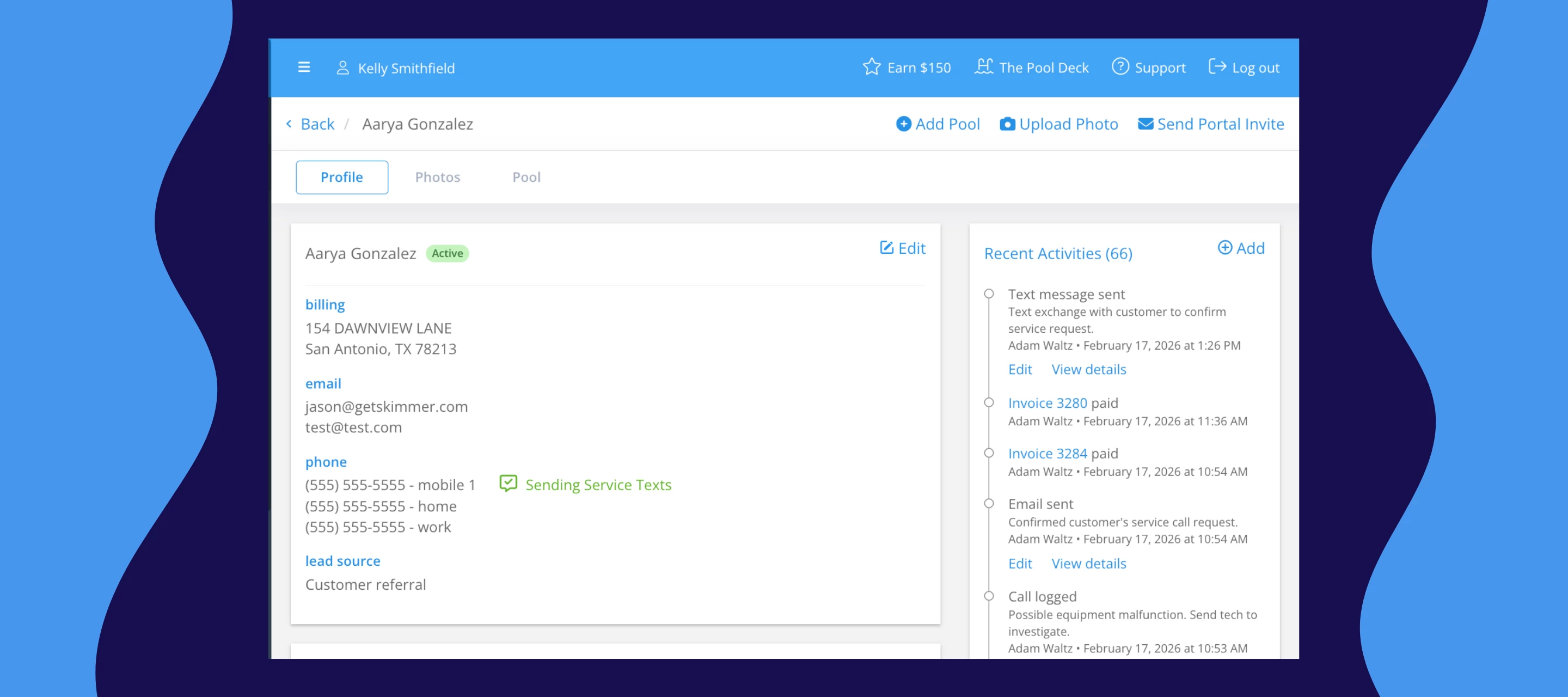
Each customer's detail page now includes an activity feed — a centralized timeline of every interaction in Skimmer. Quotes, invoices, payments, and customer portal invites all show up in one place, in chronological order. And this is just the beginning — we'll be adding more activity types to the feed as we continue rolling out new capabilities.
This is especially useful when you need a quick read on a customer's history without jumping between different parts of the app.
A few things to know about the activity feed:
- It's currently available on web only.
- You can have up to 10 lead sources per company.
These updates are available to all Skimmer customers.
This is just the start of how we're building out customer management in Skimmer. We'd love to hear what's working and what you'd like to see next. Share your thoughts in the comments.