



October’s updates focus on cutting the busywork out of running your pool service business: new integrations, smarter marketing tools, cleaner invoicing, and a safer way to log in. Here’s everything that shipped this month.
Integrations Marketplace
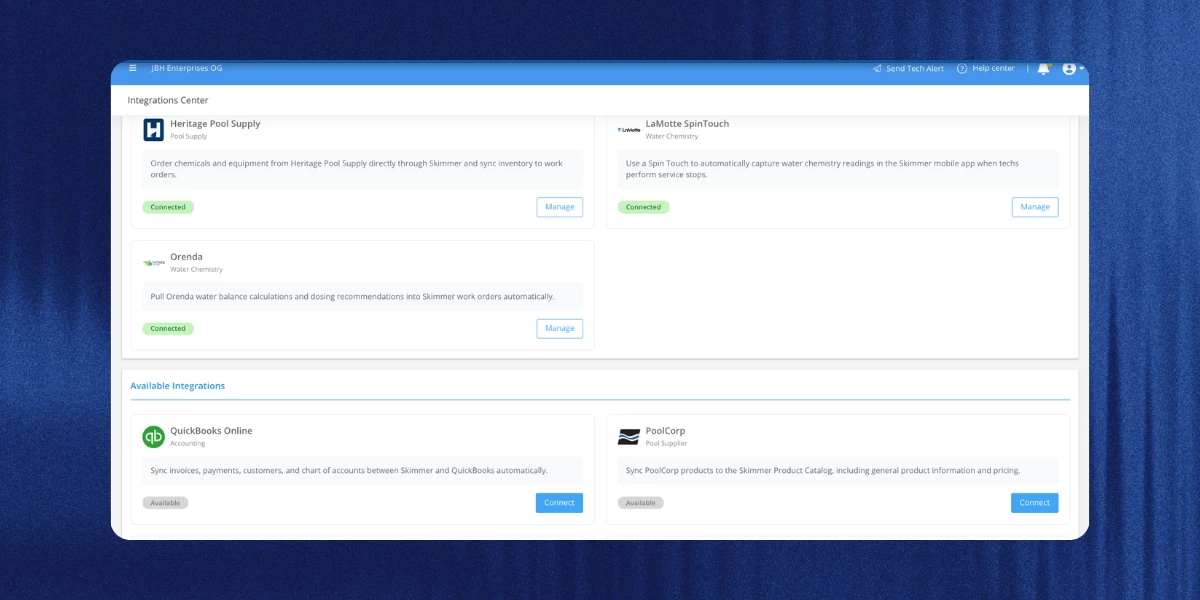
Your Integrations Center now has two kinds of integrations in one place: the ones Skimmer builds and maintains, and the marketplace integrations that connect Skimmer to other apps you already use, with a guided setup wizard to get you going. New marketplace integrations this month include FieldPay, which sends completed route stops and work orders over automatically so you can approve payouts without entering each job by hand, and Google Calendar, which can send customers a calendar invite for new work orders and turn calendar events into work orders. Four CRM integrations, GoHighLevel, HubSpot, Nutshell, and Zoho CRM, also joined the marketplace, each one keeping your contacts and Skimmer customers in sync so you’re not entering the same person twice.
Learn more →
Marketing Suite updates
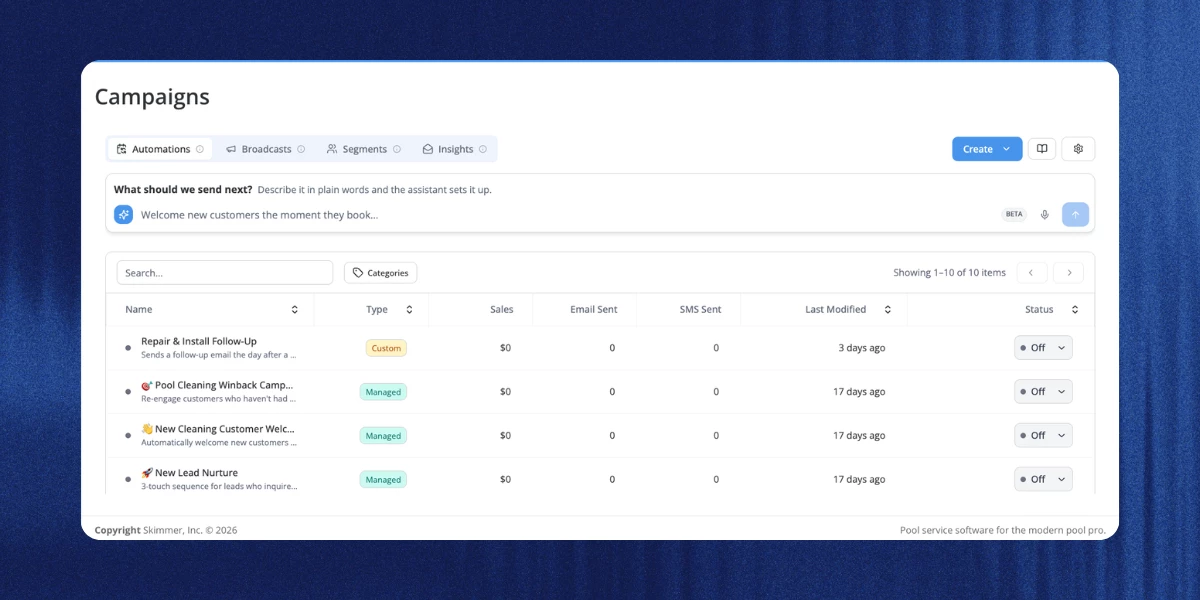
You can now build your own automations and segments right from your Skimmer data: describe what you want in plain language, and it gets built for you. On the campaigns page, create now includes automation (sends on a set date or whenever a customer joins a segment) and segment (a saved audience you can reuse), and the type column shows whether each one is custom or managed. Campaign emails, texts, and review requests also show up in each customer’s activity log now, filterable by all activity, customer activity, or marketing activity. Plus customers can review and change their own text marketing consent from a new settings page in their customer portal.
Learn more →
Service rate benchmarks report
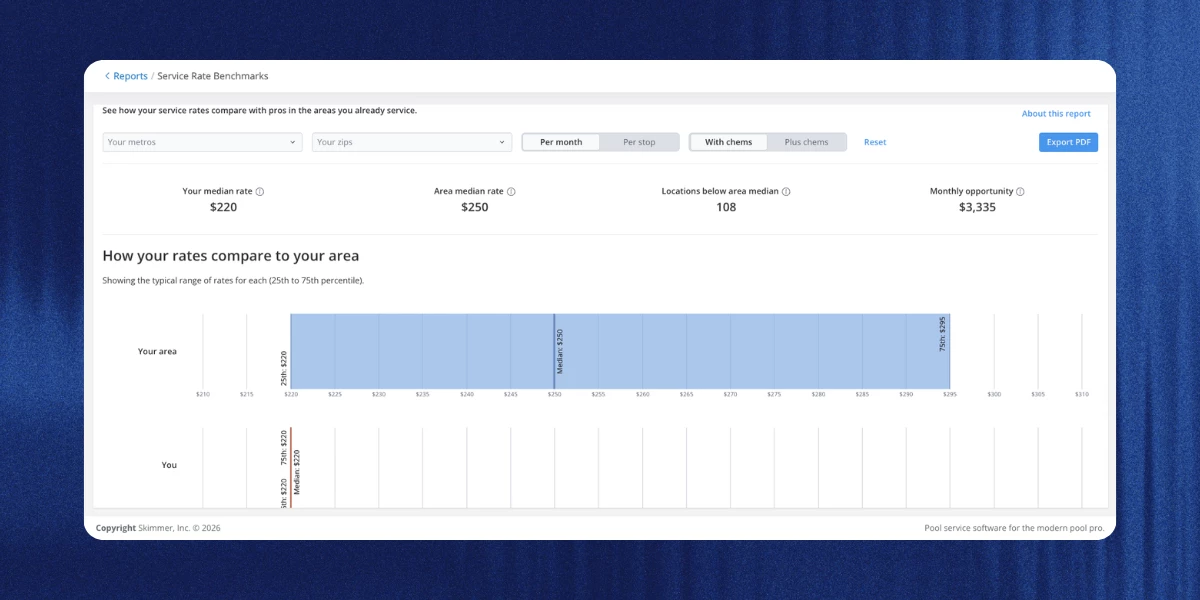
The new service rate benchmarks report shows how your service rates stack up against other pool service companies in the zip codes and metro areas you work in, and flags the locations where you’re pricing below the area median so you know where a rate change might make sense. To keep everyone’s numbers private, Skimmer only shows a benchmark when there are enough companies and service locations in an area. You’ll find it in the operation reports section of the reports page.
Note: this report is visible by default to owners, admins, and executives. Other roles need the “can view service rate benchmarks report” permission.
Learn more →
Bulk print for invoices and quotes
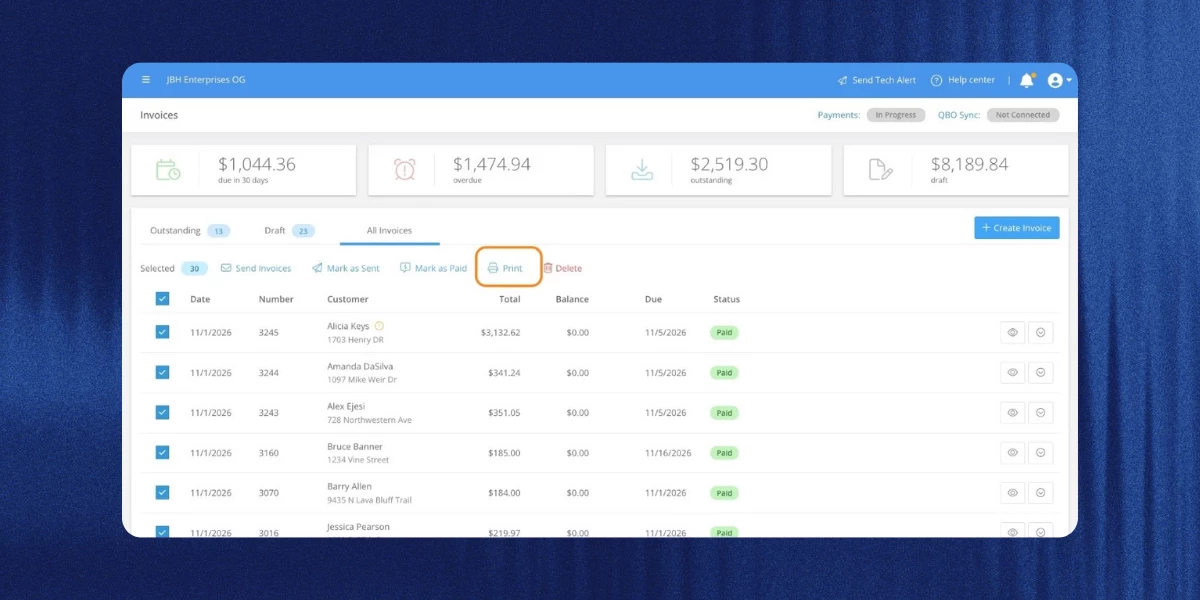
You can now select multiple invoices or quotes and print them all at once, instead of one at a time, using a cleaner new layout that also matches the PDF attached to emailed invoices. Printed invoices include a pay online link when you accept online payments, and quotes include a get pre-approved link when a customer has a Sunbit financing offer. They also no longer show your customer’s phone number, use smaller text, and fit single and double window #10 envelopes.
Login security updates
Skimmer now checks every login for signs that something’s off, like a new device or browser, a new network or location, or a long time since your last login, and emails you a short verification code when something looks unusual so you can confirm it’s you. A few other changes came with this: you can log in with a one-time email code instead of a password now, and it keeps you signed in just as long as a password would.
You’ll also get an email alert any time your password changes, and the forgot password flow now emails a link to a reset page where your new password works across web, and the mobile app.
Skimmer Bookkeeping updates
A few changes if you use Skimmer Bookkeeping:
- Canceling the add-on now depends on your current month’s payment: a paid or in-progress month runs Bookkeeping through the end of the billing period, a failed payment ends access right away at no extra charge, and an uncharged month ends access immediately if you cancel before the 15th (or bills through the period if you cancel on or after).
- Each draw on a working capital line of credit also now creates its own loan in your books, with repayments tracked against the right draw, so your balance sheet shows what you actually owe. And owners can give other roles access to working capital by turning on the new “can view Stripe capital” permission.
Invoicing updates
- The select customers step now has the same filters as the customers page, so you can layer route assignment, payment method, or suspended route filters on top of all customers, customers with tags, or specific customers. It also loads reliably now for companies with a lot of route stops, even at month-end, so you’re not stuck waiting on a page that times out.
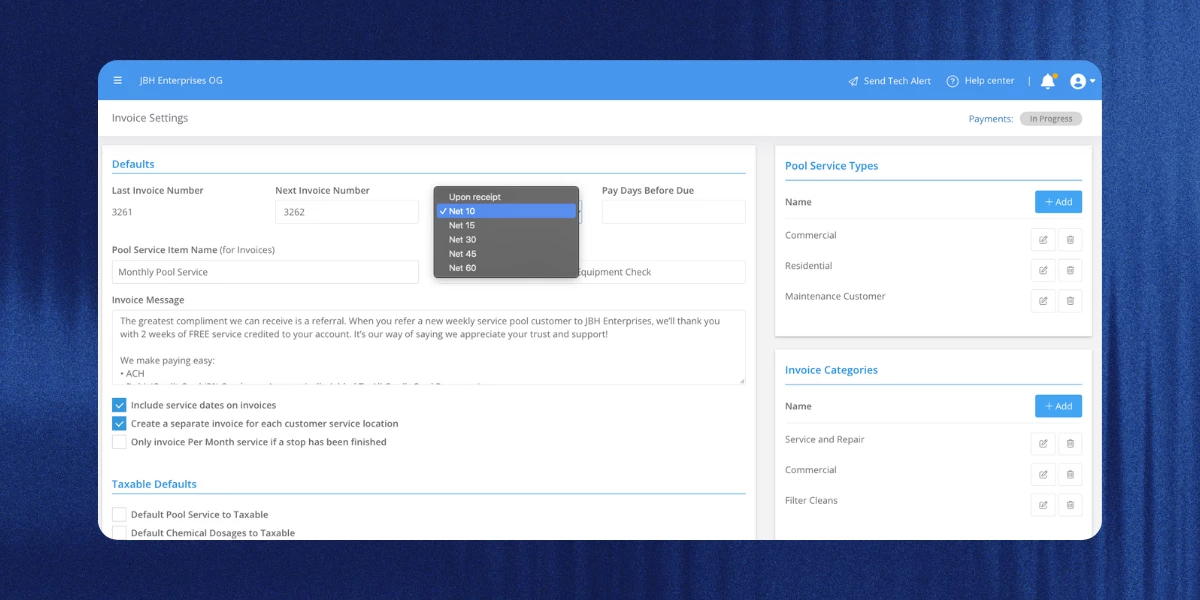
- You can now choose net 10 as a payment due option, both on the invoice settings page and in the onboarding wizard, so invoices come due 10 days after the invoice date.
Scheduled work order emails got a redesign
The email your customers get when a work order is scheduled now uses Skimmer’s styled email design, opening with the customer’s name and a banner showing the scheduled date, your company logo, and your footer. The message text still comes from the email message field on your work order types settings page, so anything you’ve customized there carries over.
A few more things worth knowing
- What used to be called service reviews is now service feedback everywhere in Skimmer, to make clear these are private ratings, not public reviews. Your alert thresholds, settings, emails, and links all work the same as before.
- AI phone notification emails now show call times in your company’s time zone, and the AI phone page shows a heading above its tabs when it’s active.
- Voided payments now show up on the payouts report as a negative line item, same as a standard refund, starting with this release.
- The link back on a customer profile now reads “back” and takes you right there, even after you’ve clicked into other pages on the profile.
- Picking a customer on a Heritage order now shows the overdue invoices icon and count right next to the clear button.
- The public API now lets you filter invoice searches by payment status as well as invoice status.
- Every webhook now includes the event type and timestamp, and new webhooks are available for customer status changes, late-payment suspensions, completed route stops, and invoice status changes.
That’s all for October. More to come next month.
Heads up: Skimmer Pro now requires version 12.16 or later. If you or your techs are on an older version, update before your next sign-in.
Update for iOS → | Update for Android →