


A tech finds a broken pump and leaves a note. Back at the office, someone copies that note into a work order, fixes an address that carried over from the last customer you added, then moves a stop to even out a busy day. None of it’s hard. It just eats up time.
This set of releases takes those jobs off your plate. Tech notes carry over for you, addresses fill in as you type, and moving a stop takes one simple drag.
🙌 See who added each work order
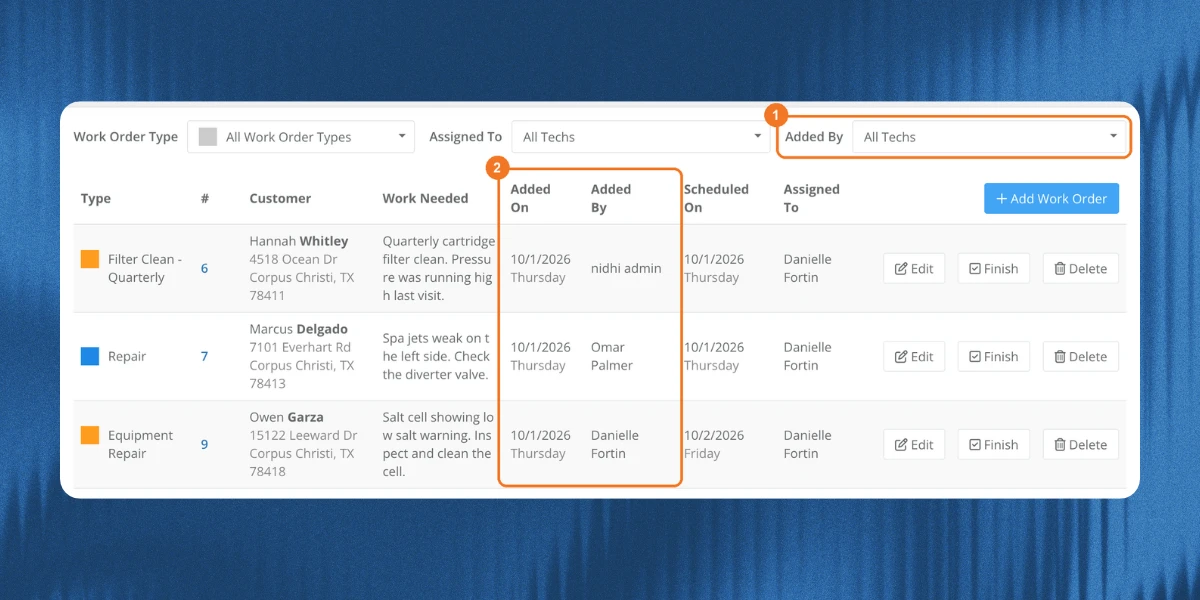
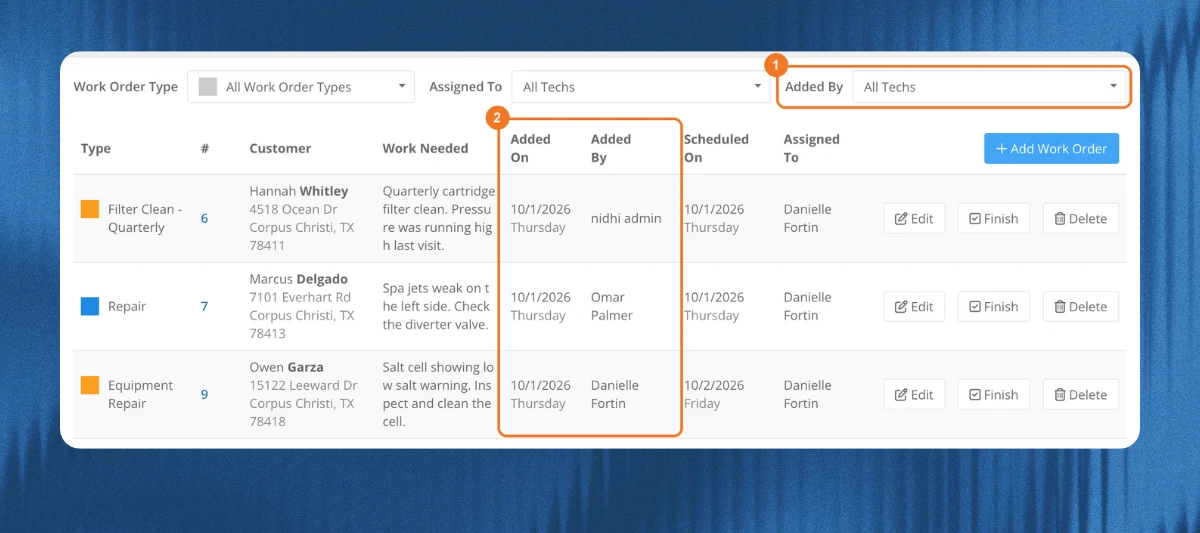
Now you can see which techs are finding repair work and give them credit for it. Some of you even asked for this at the 2026 Skimmer Pro Summit, where owners and admins wanted this data to build a reward system for their techs.
- The Scheduled list now shows Added On and Added By
- Filter the list by who added the work order
📝 Tech notes go straight into work orders and quotes
No more copying and pasting notes in the office, which means less admin work.
- Create a work order from a service note or issue, and the tech’s notes fill in Tech Instructions, with the issue name, tech, and date
- Create a quote from a service note or issue, and the tech’s notes and office notes fill in Internal Notes
- Tech Instructions and Internal Notes are never shown to the customer
🔀 Move a stop on the route dashboard
Now you can rebalance a day without changing the regular route.
- Drag a stop onto another tech to move it for that day
- It goes to the end of that tech’s route
🏠 Address suggestions when you add a customer
Adding a customer is faster, with fewer typos, and new customers don’t end up with the wrong address.
- Start typing the billing address and pick a suggestion
- City, state, and zip fill in for you
- Skimmer no longer carries over the city, state, and zip from the last customer you added
🛒 Office notes on shopping list items
The office can track follow-ups right on the item.
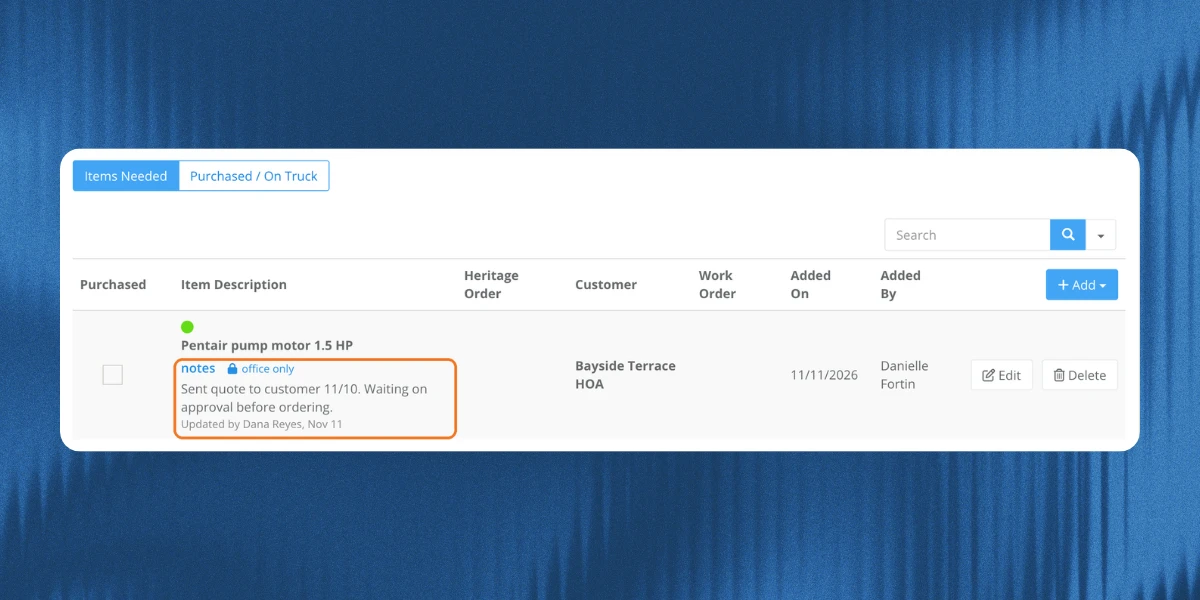
- Add a note to a shopping list item, like “waiting on customer approval”
- Each note shows who updated it and when
- Notes are office only. They don’t show in the app or to the customer
Give these a try and tell us what you think in the comments. Got feedback or an idea for what’s next? Drop it below :)