


Introducing the schedule: A smarter, more efficient way to view and manage your team’s work

Related products:Schedule
  • March 10, 2025
  • 24 replies
  • 690 views
Introducing the schedule: A smarter, more efficient way to view and manage your team’s work
alex
Team Skimmer
Forum|alt.badge.img+3

Running a pool service business is no easy task. Between managing crew schedules, handling customer cancellations, and optimizing routes, scheduling can become overwhelming especially as your business grows. 

Many of you have told us that you need:

  • A calendar view to see your team’s work over a week
  • A map view to schedule efficiently and group nearby jobs
  • An easy way to create and adjust schedules without jumping between screens.

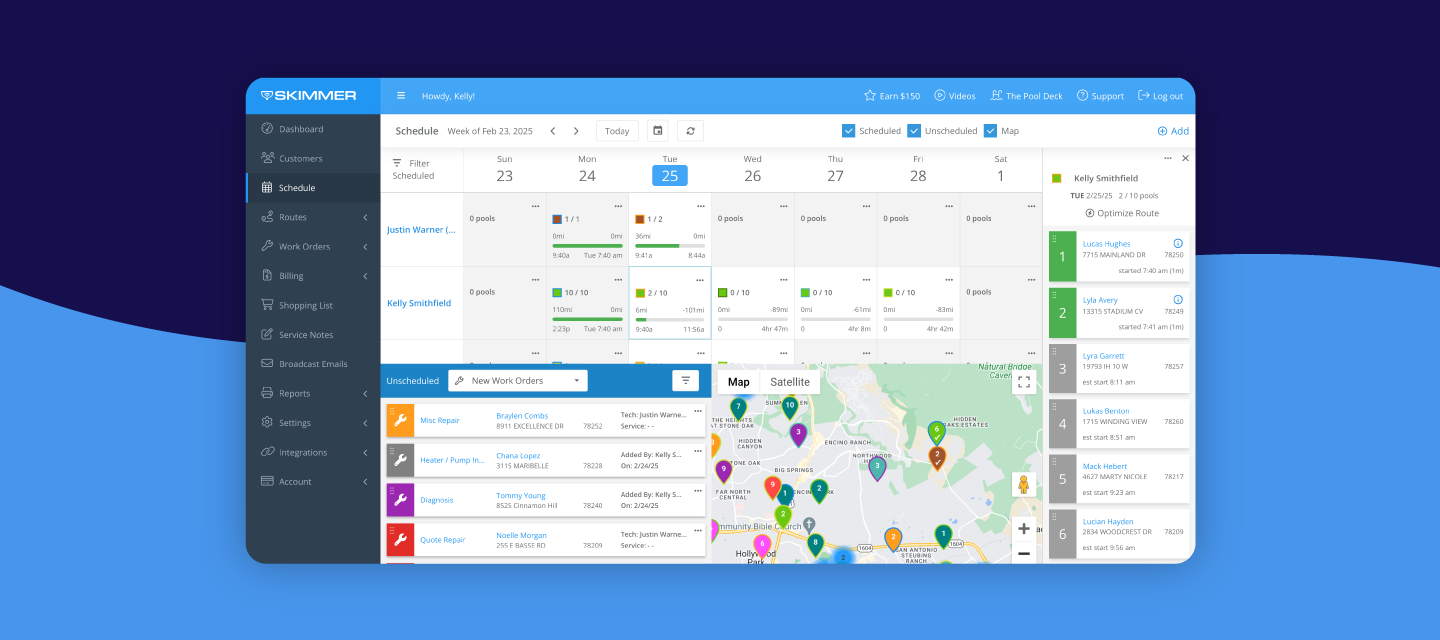
We heard you loud and clear, that’s why we’re excited to introduce the schedule, a new feature in Skimmer designed to give you complete control over your weekly operations*. 

NOTE*: The schedule is included in the Scaling Up and Owning The Market tiers


Watch this video to see the schedule in action 🎥


With the schedule, you can:


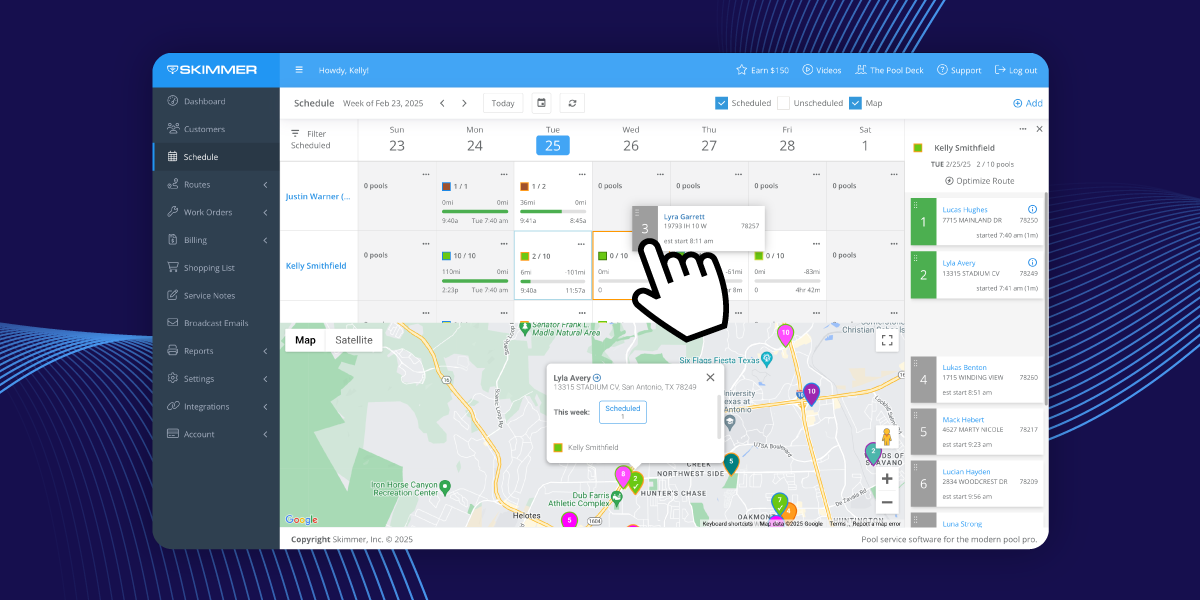
✅ View and adjust scheduled weekly assignments across all techs on the calendar with a drag-and-drop interface
 

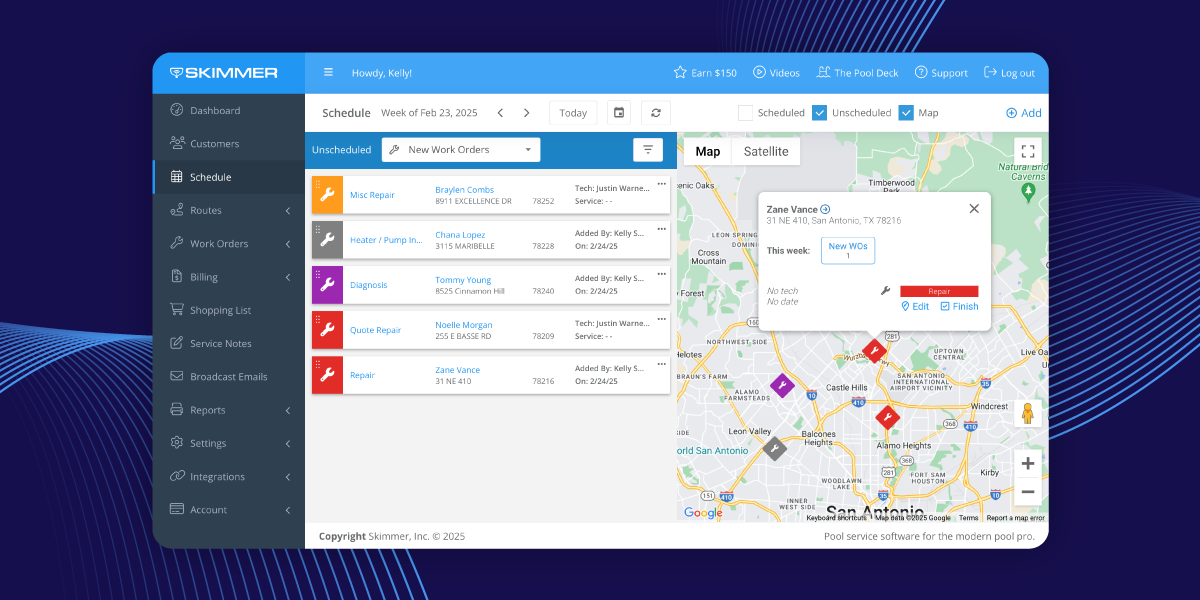
✅ Easily schedule upcoming routine maintenance or work orders from the unscheduled bin


See scheduled and unscheduled work at a glance on a single interactive map


Getting started

  • Check out this guide that covers an overview of the schedule feature, including how to utilize the calendar, schedule unassigned activities, and make the most of the map for better planning.
    ACCESS GUIDE

Get ready to take control of your team’s schedule like never before! Jump in, explore the new feature, and start optimizing your routes today. We can’t wait to hear what you think! 🚀🎉


24 replies

Forum|alt.badge.img
  • Rookie Member
  • March 11, 2025

Great!  Can we please now have the feature to charge customer for credit card fees?


blueoasispools
Conversation Starter
Forum|alt.badge.img+3
  • Conversation Starter
  • March 11, 2025

Great!  Can we please now have the feature to charge customer for credit card fees?

Yes!!!!! 


blueoasispools
Conversation Starter
Forum|alt.badge.img+3
  • Conversation Starter
  • March 11, 2025

@alex when I drag in drop in the new schedule feature-is it “permanent” or temporary. As in moving route stops between techs


  • Team Skimmer
  • March 11, 2025

Good question! When dragging and dropping to move a route stop from one tech to another, a confirmation window will open and you can choose to move one-time or permanent. The window will also confirm the tech and day / date being moved.


blueoasispools
Conversation Starter
Forum|alt.badge.img+3
  • Conversation Starter
  • March 11, 2025

Good question! When dragging and dropping to move a route stop from one tech to another, a confirmation window will open and you can choose to move one-time or permanent. The window will also confirm the tech and day / date being moved.


awesome thank you!


Forum|alt.badge.img+5
  • Contributor
  • March 11, 2025

I’m trying to figure out how to show how many regular maintenance stops each team member has each week.  Some of our customers are still on winter bi-weekly schedule, and I don’t want to count the work orders assigned to weekly techs, such as replacing a filter pressure gauge.

What is the best way to do this?  

Note:  Route Assignments is close, but doesn’t quote do it.  It counts if a route is assigned to a tech during a given week, regardless if the customer has service that week or not - - i.e. an “off” week for bi-weekly service. 


alex
Team Skimmer
Forum|alt.badge.img+3
  • Author
  • Team Skimmer
  • March 11, 2025

Hi ​@Dave ​@blueoasispools  request received! I’ll pass your feedback to the product team. Thank you.


alex
Team Skimmer
Forum|alt.badge.img+3
  • Author
  • Team Skimmer
  • March 11, 2025

I’m trying to figure out how to show how many regular maintenance stops each team member has each week.  Some of our customers are still on winter bi-weekly schedule, and I don’t want to count the work orders assigned to weekly techs, such as replacing a filter pressure gauge.

What is the best way to do this?  

Note:  Route Assignments is close, but doesn’t quote do it.  It counts if a route is assigned to a tech during a given week, regardless if the customer has service that week or not - - i.e. an “off” week for bi-weekly service. 

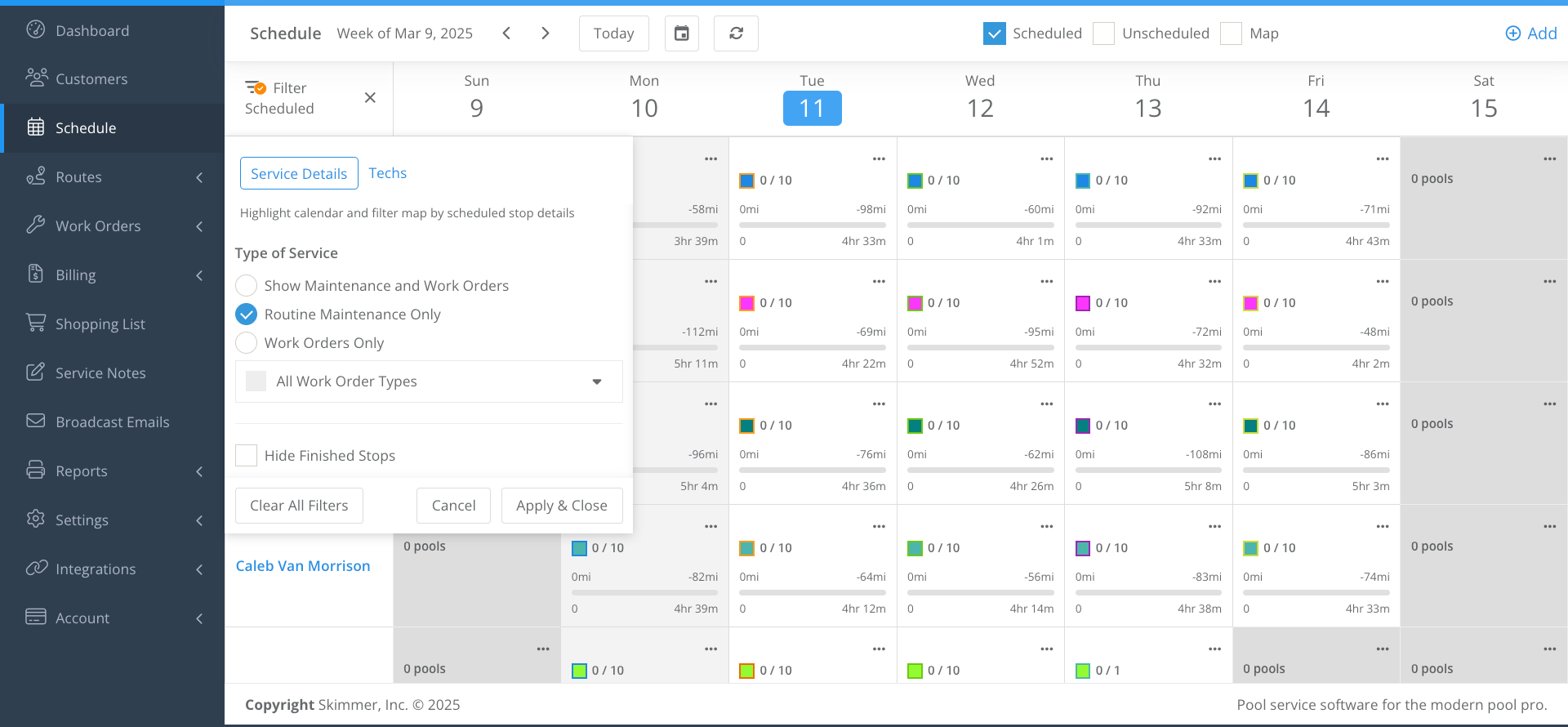
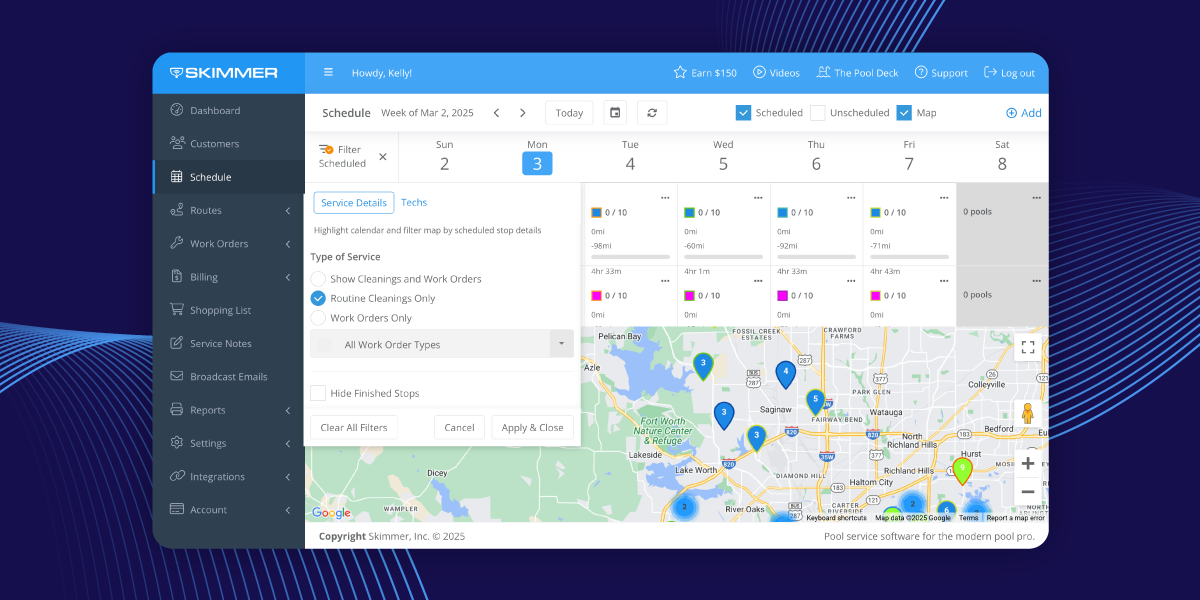
Hi! You can filter to show only “routine maintenance” as shown in the screenshot below. 


blueoasispools
Conversation Starter
Forum|alt.badge.img+3
  • Conversation Starter
  • March 12, 2025

Hi ​@Dave ​@blueoasispools  request received! I’ll pass your feedback to the product team. Thank you.

Thank you!!! This would be amazing!!


Limadooley1
New Member
  • New Member
  • March 12, 2025

Hello


Can you sync any calendars like Google Calendar or merge? 


Thank you!


  • New Member
  • March 16, 2025

when will the schedule be active


alex
Team Skimmer
Forum|alt.badge.img+3
  • Author
  • Team Skimmer
  • March 17, 2025

Hi ​@HRPools11 The schedule is already live for Skimmer customers in the Scaling Up and Owning The Market tiers.


alex
Team Skimmer
Forum|alt.badge.img+3
  • Author
  • Team Skimmer
  • March 17, 2025

Hi ​@Limadooley1 We do not have any external calendar integrations at this time. Thank you!


tom180
Rookie Member
Forum|alt.badge.img+3
  • Rookie Member
  • March 21, 2025

Can we schedule 2 employees to one work order? A pool opening for example.


alex
Team Skimmer
Forum|alt.badge.img+3
  • Author
  • Team Skimmer
  • March 21, 2025

Hi ​@tom180 Right now, you can’t assign two employees to the same work order. Instead, you’d create two separate work orders—one for each employee. Both can be for the same work order type and at the same location, but they won’t be linked unless they’re tied to a quote.


BlueHeartPools
Rookie Member

I would love to see a toggle that allows us to “bypass toll roads” as the optimizer always assumes our trucks are taking the toll roads when in fact we never take the toll roads.


Bduprest
Conversation Starter
Forum|alt.badge.img+3
  • Conversation Starter
  • July 11, 2025

I love this feature as I have just gone from single pole to hiring my first employee. Thank you!


Forum|alt.badge.img+2
  • Conversation Starter
  • February 3, 2026

I  would love to be able to run a printable report to see each techs full customer list (with frequency of visit) and also print reports to show frequency of visits for all customers (weekly, biweekly, monthly). Maybe there is a way and I’m not seeing it?


alex
Team Skimmer
Forum|alt.badge.img+3
  • Author
  • Team Skimmer
  • February 5, 2026

Hi ​@AndreaB 

Right now, Skimmer doesn’t have a single printable report that shows each tech’s full customer list with visit frequency or a breakdown of customers by weekly, biweekly, or monthly service.

We know this would be useful for staffing and planning, and I’ve passed this feedback along to the PM responsible for reporting. ​@aminard 
Thanks for calling it out, and keep the ideas coming! 


Forum|alt.badge.img+2
  • Conversation Starter
  • February 5, 2026

I  have some more thoughts...is there a place I  can send those?

Some are billing related and some are customer or scheduling related.


Forum|alt.badge.img+2
  • Conversation Starter
  • February 5, 2026

Temporary solution I  found for the original inquiry...Ran a labor report, exported/downloaded and then sorted by number of visits in January report. Deleted columns I  didn’t need/added a column for frequency - manually entered “monthly/biweekly/weekly/daily”. It doesn’t include the contact info but its a starting point. We want to reach out to customers who are biweekly or monthly to preplan for summer season increase of visits. It will also help us determine extra seasonal staffing needs. A check box within customer accounts to indicate those we KNOW switch every season would be a nice addition. 


Forum|alt.badge.img+2
  • Conversation Starter
  • February 5, 2026

BUT just in case you are wondering….I  love skimmer. I  have been utilizing the webinars and videos regularly and am really grateful. Thanks for all the hardwork behind the scenes!


alex
Team Skimmer
Forum|alt.badge.img+3
  • Author
  • Team Skimmer
  • February 10, 2026

Can we schedule 2 employees to one work order? A pool opening for example.


Hi ​@tom180 This just launched! Let me know if this was what you wanted?


alex
Team Skimmer
Forum|alt.badge.img+3
  • Author
  • Team Skimmer
  • February 10, 2026

I  have some more thoughts...is there a place I  can send those?

Some are billing related and some are customer or scheduling related.


Yes, please email minard@getskimmer.com. He’s the Product Manager in charge of reporting. 
FYI ​​​​@aminard