



Watch the video or scroll down for step-by-step instructions.
Tiers: All
Before You Start:
Step-by-step instructions
1. Select Customers > Service Rates.
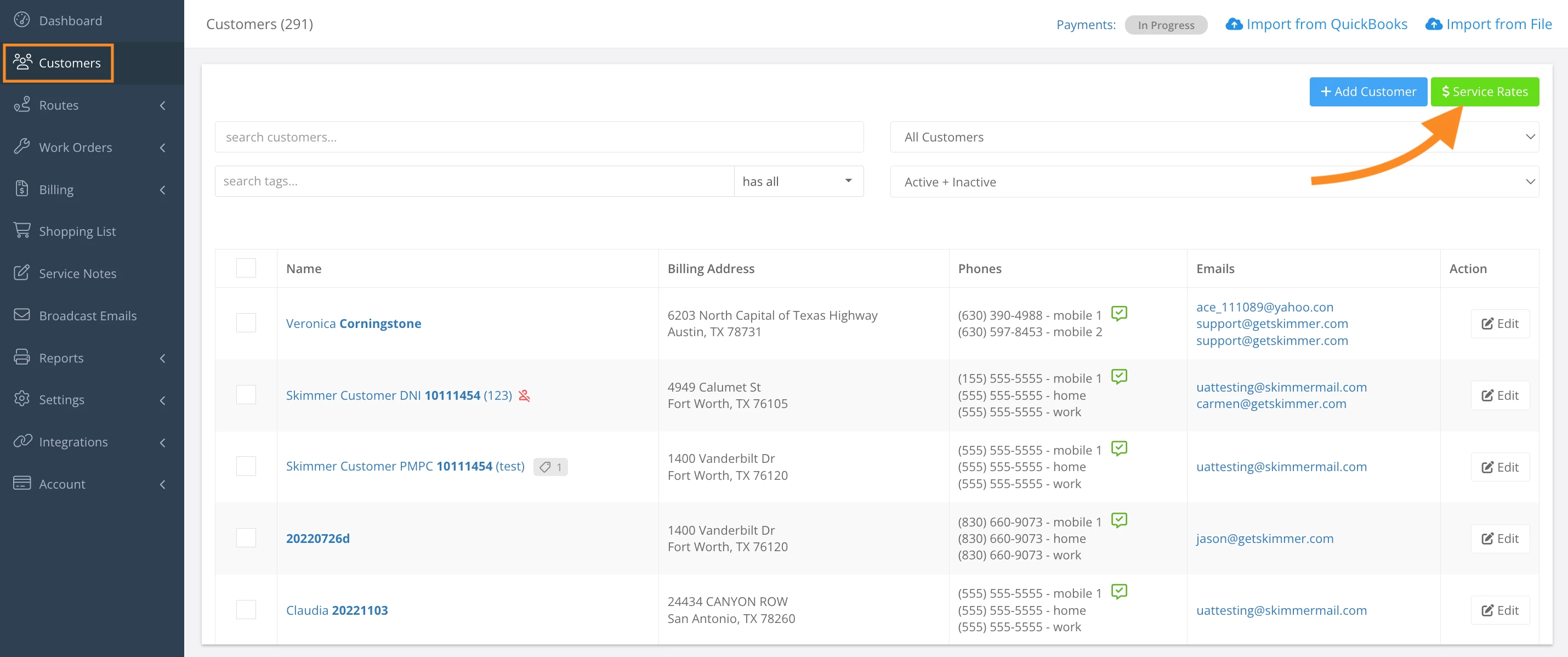
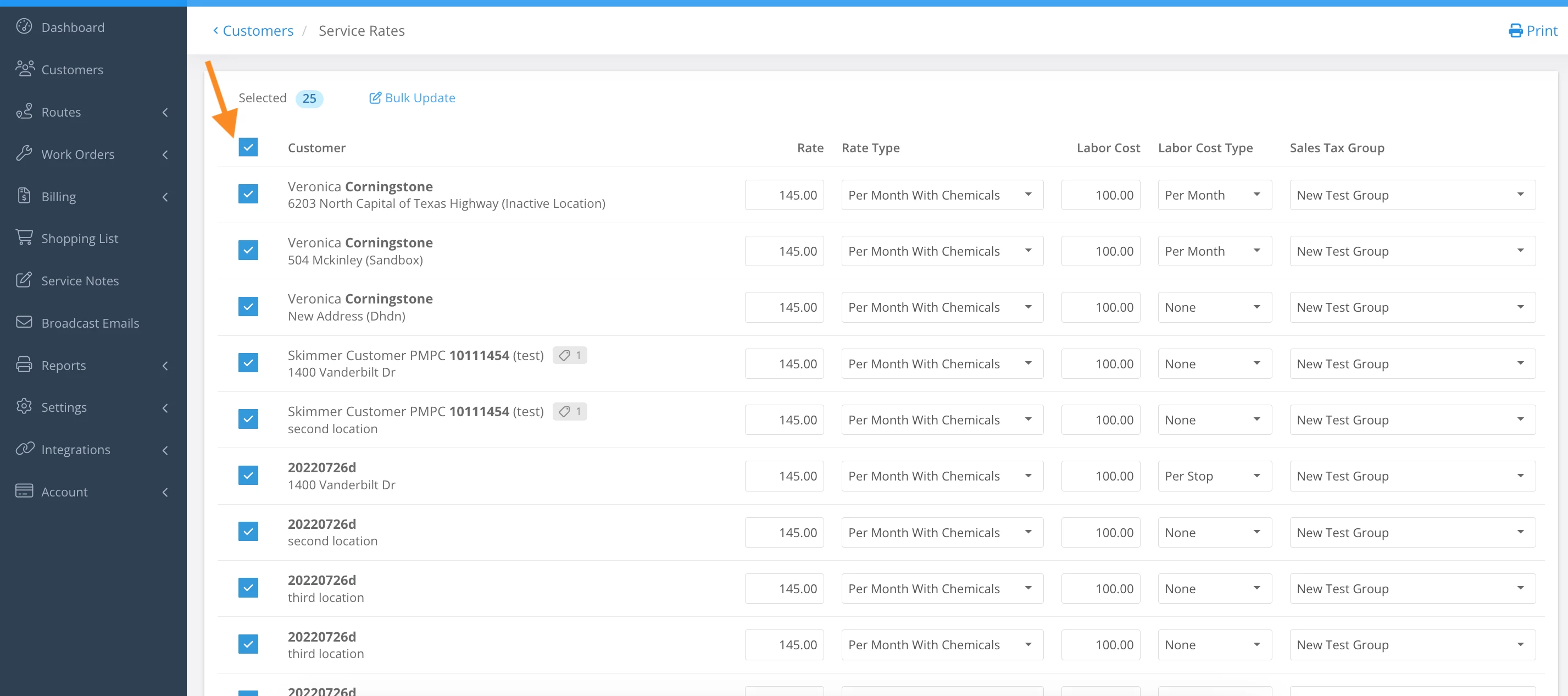
2. Select the checkbox left of the Customer column.
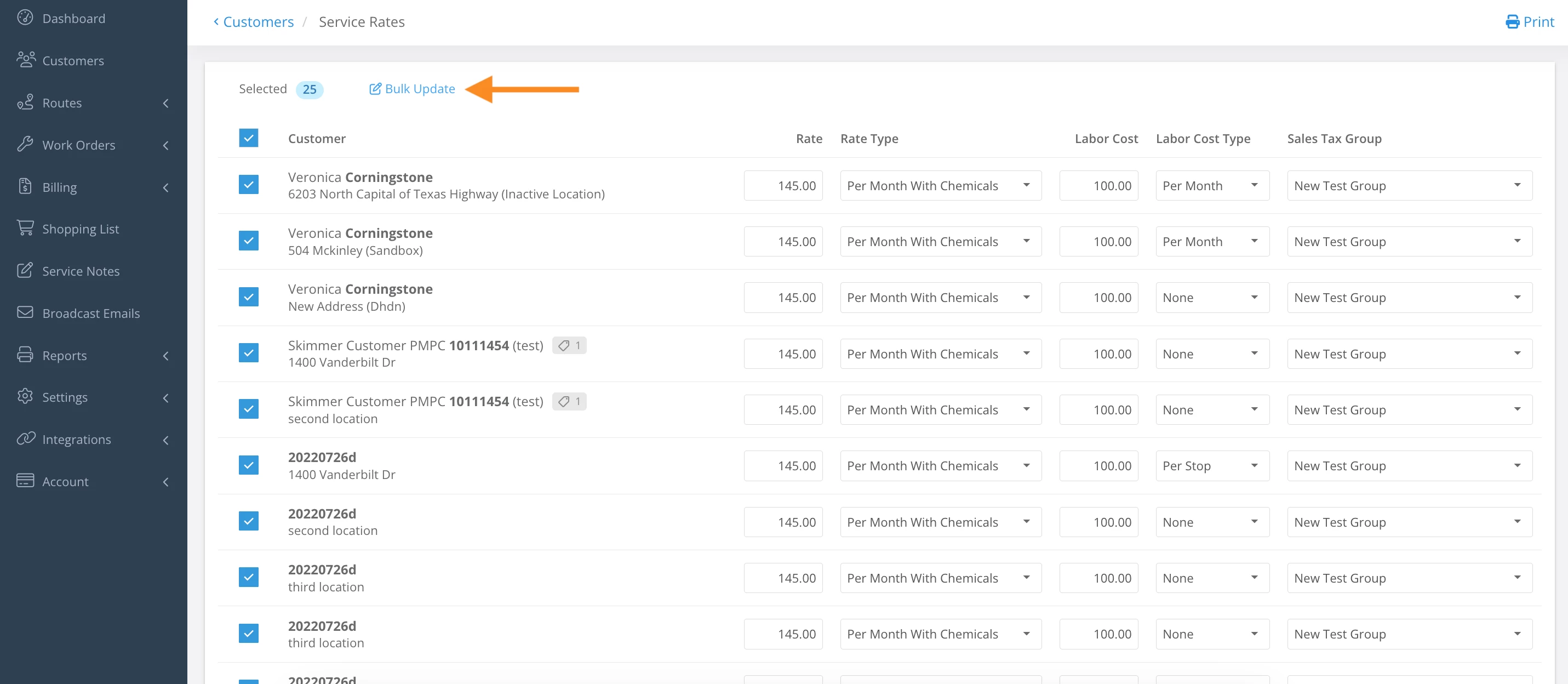
3. Click Bulk Update.
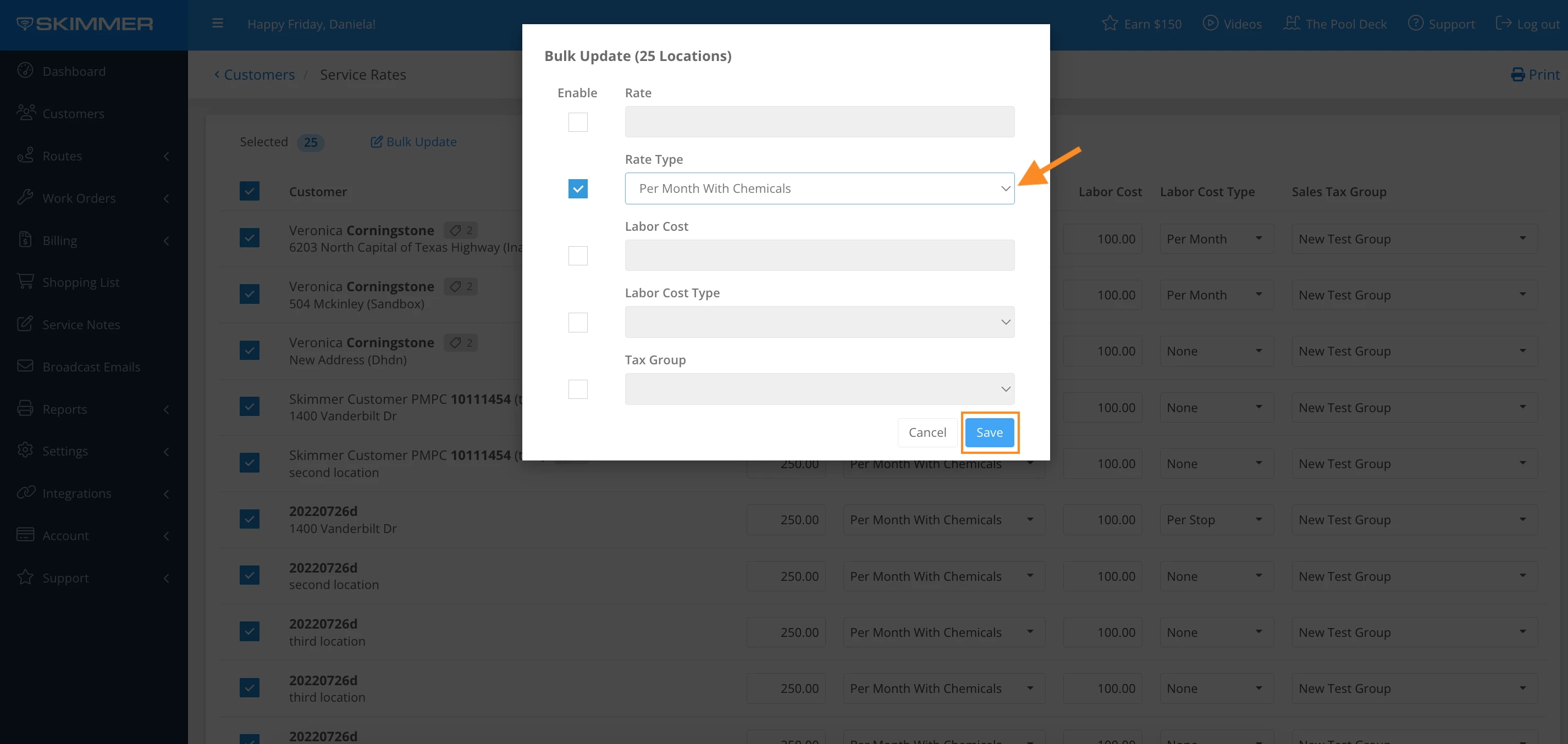
4. Select checkbox under Enable
- Note: It is not required to apply changes for every category.
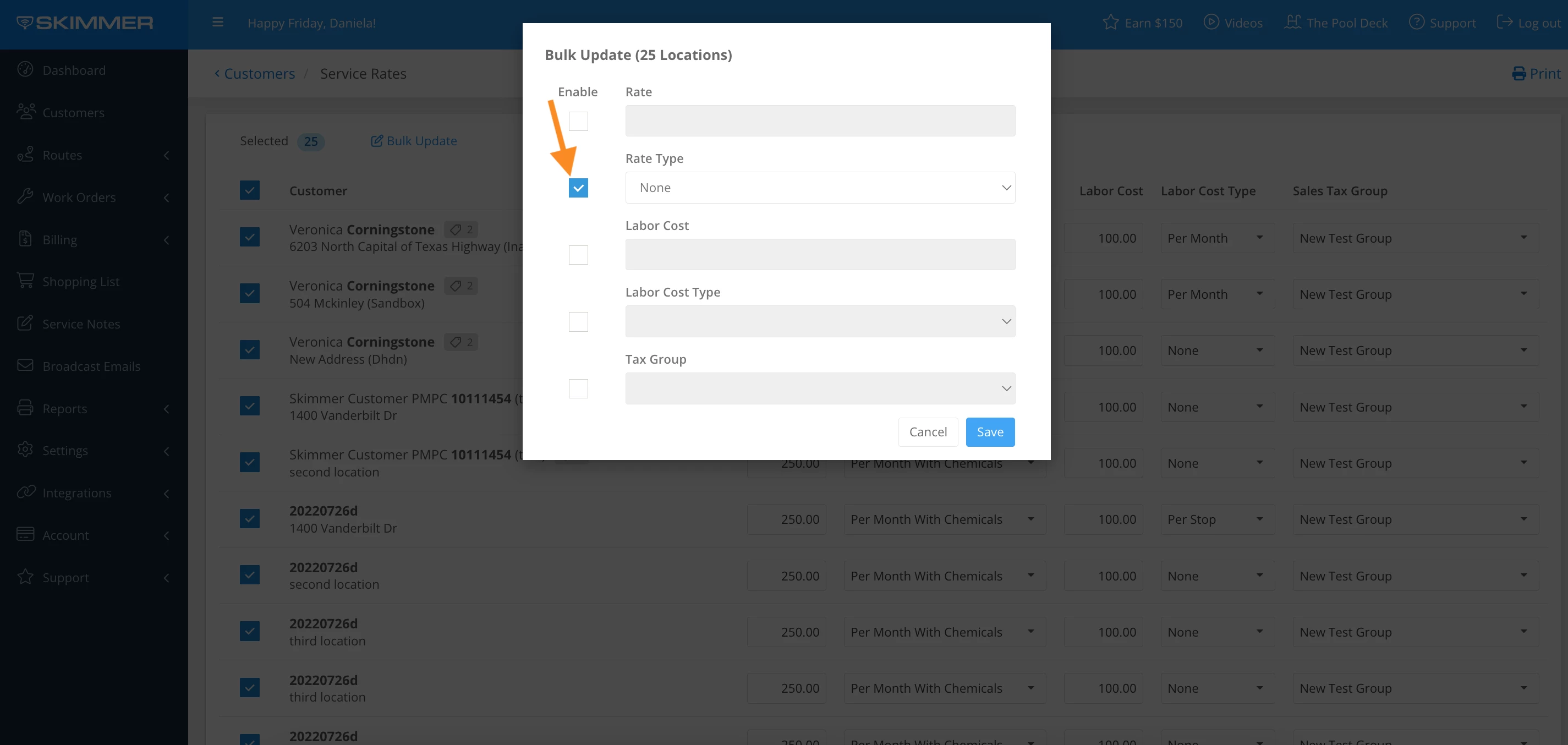
5. Click the dropdown bar and select the options listed > Save
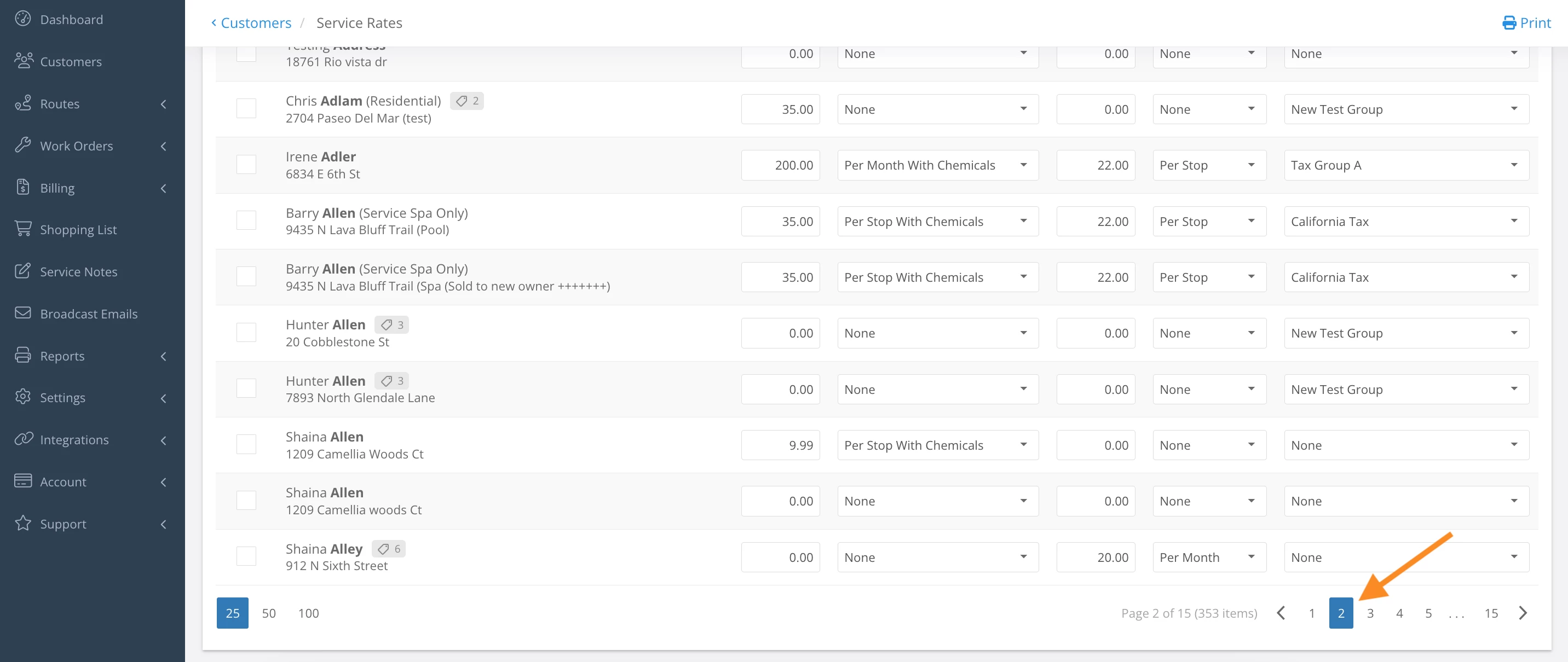
6. Scroll to the bottom on the page > click the next page and repeat Bulk Action steps
Last updated on September 9, 2024