
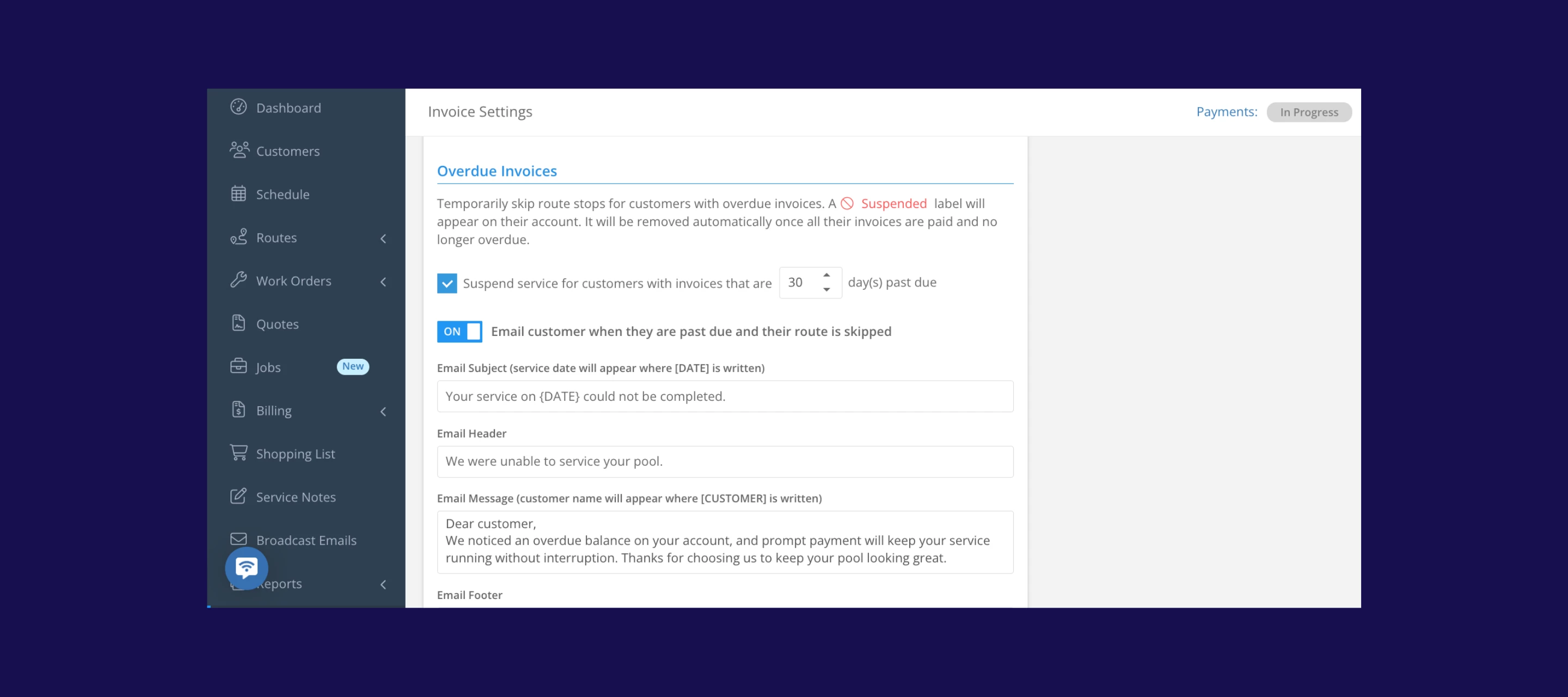



We just released a new automation that helps you protect your time, your routes, and your bottom line. When a customer’s invoices go overdue by a threshold you choose, they can now automatically be marked as Suspended 🚫 and you can skip their stop until payment is received.
This applies retroactively the moment you enable it, so your current overdue customers are handled right away.
What’s new
- Automatic suspensions based on overdue invoices: Admins can set the number of days before service is suspended (default is 30; adjustable 1–99days) to match your billing policy. Once a customer hits that threshold, Skimmer automatically flags them as suspended and stops adding them to daily routes.
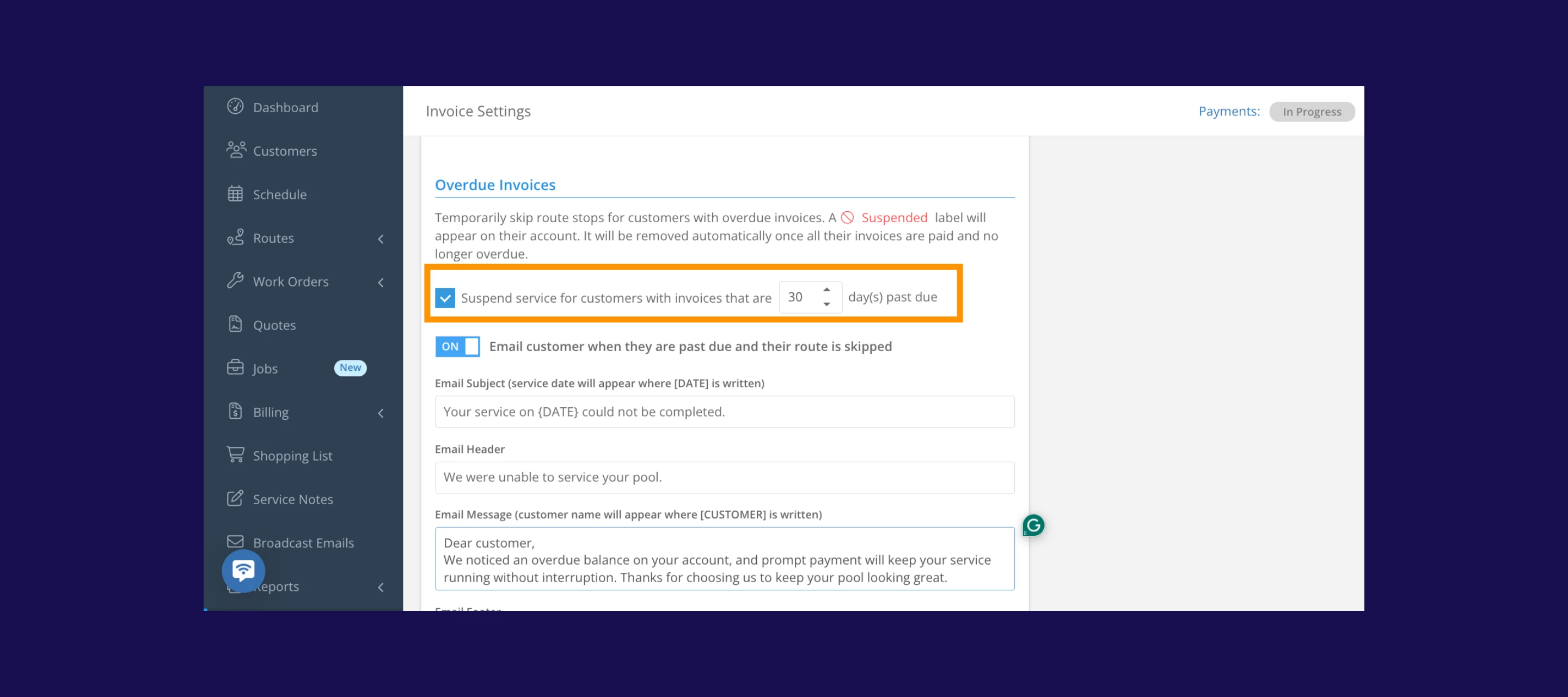
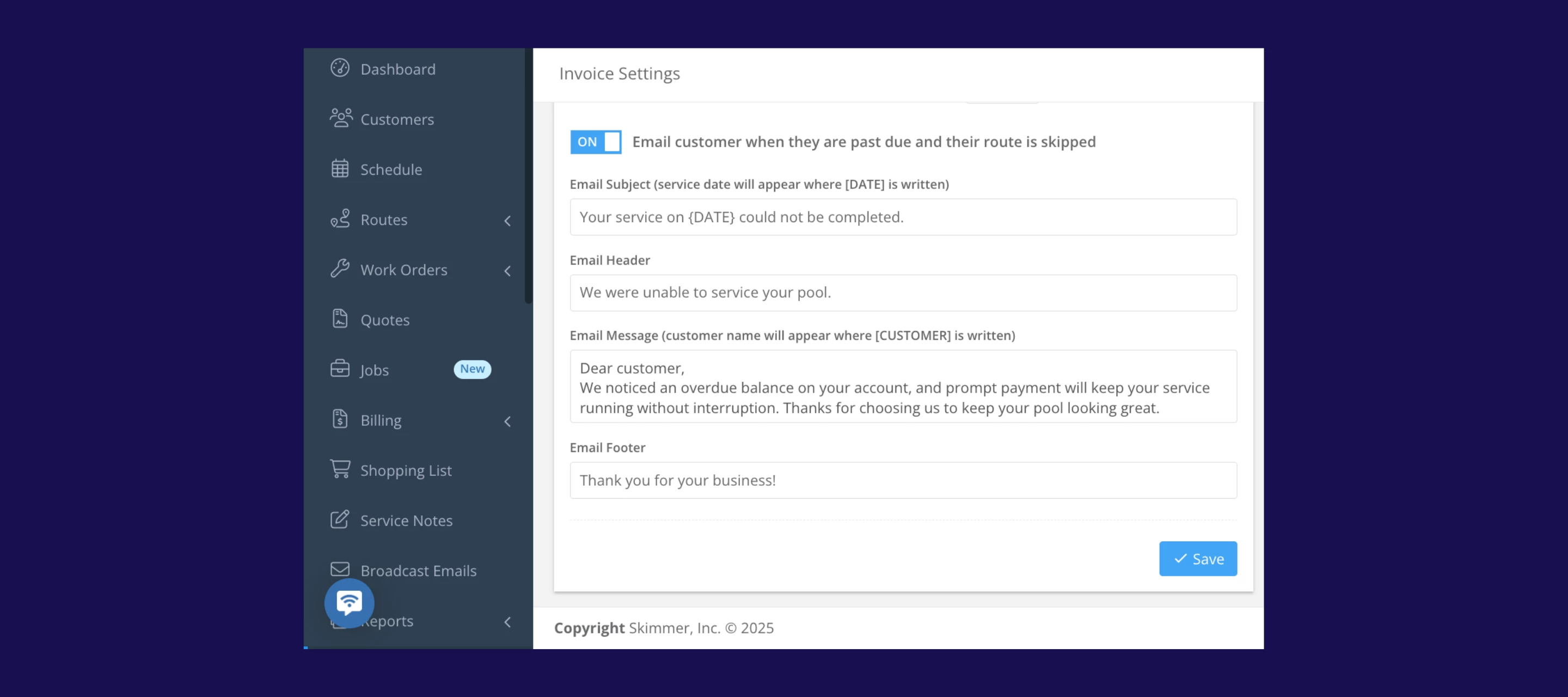
- Clear communication to customers: When a customer becomes suspended, they are sent an automatic email explaining why service stopped, with direct links to their overdue invoices so they can fix the issue quickly.
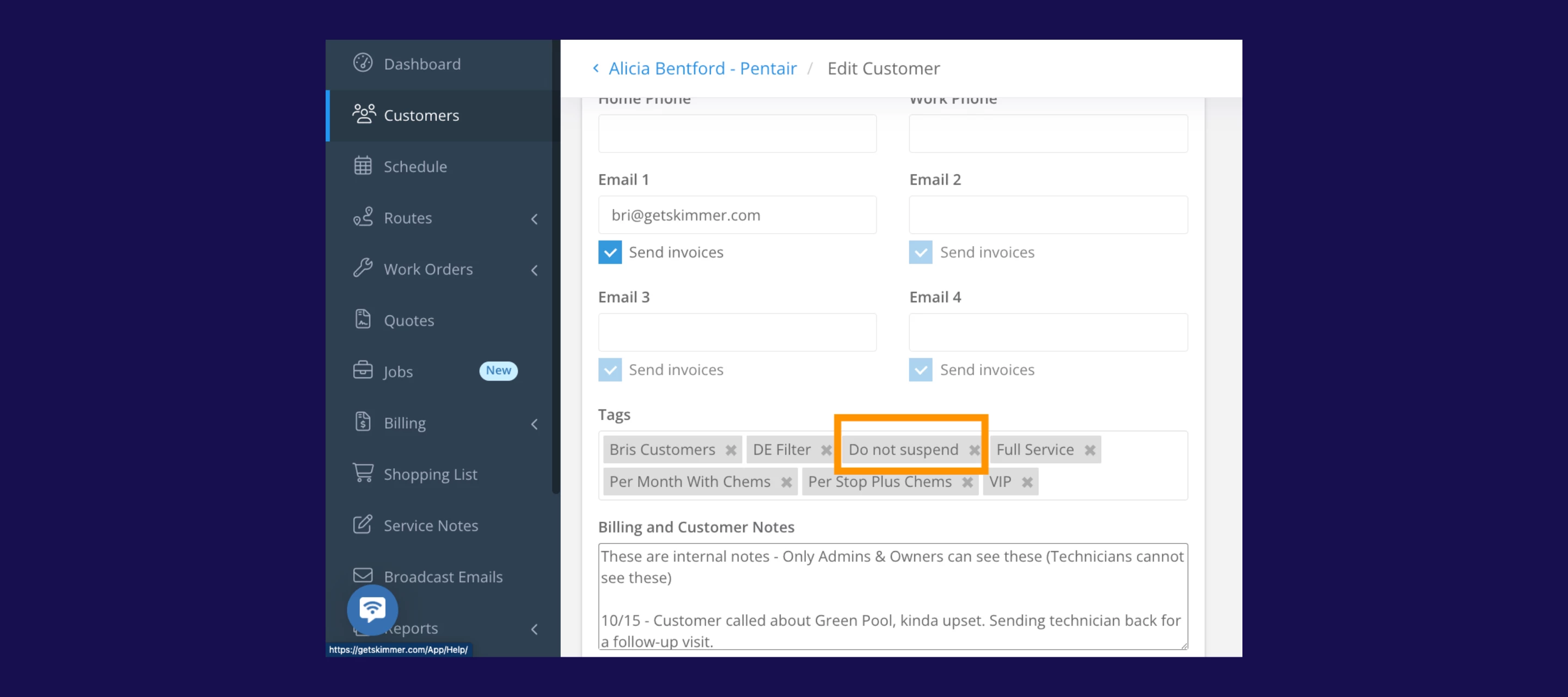
- Flexibility for customers you trust: If you have a trusted commercial client or a customer on special terms, you can mark them as Do Not Suspend, so service continues even if they fall behind.
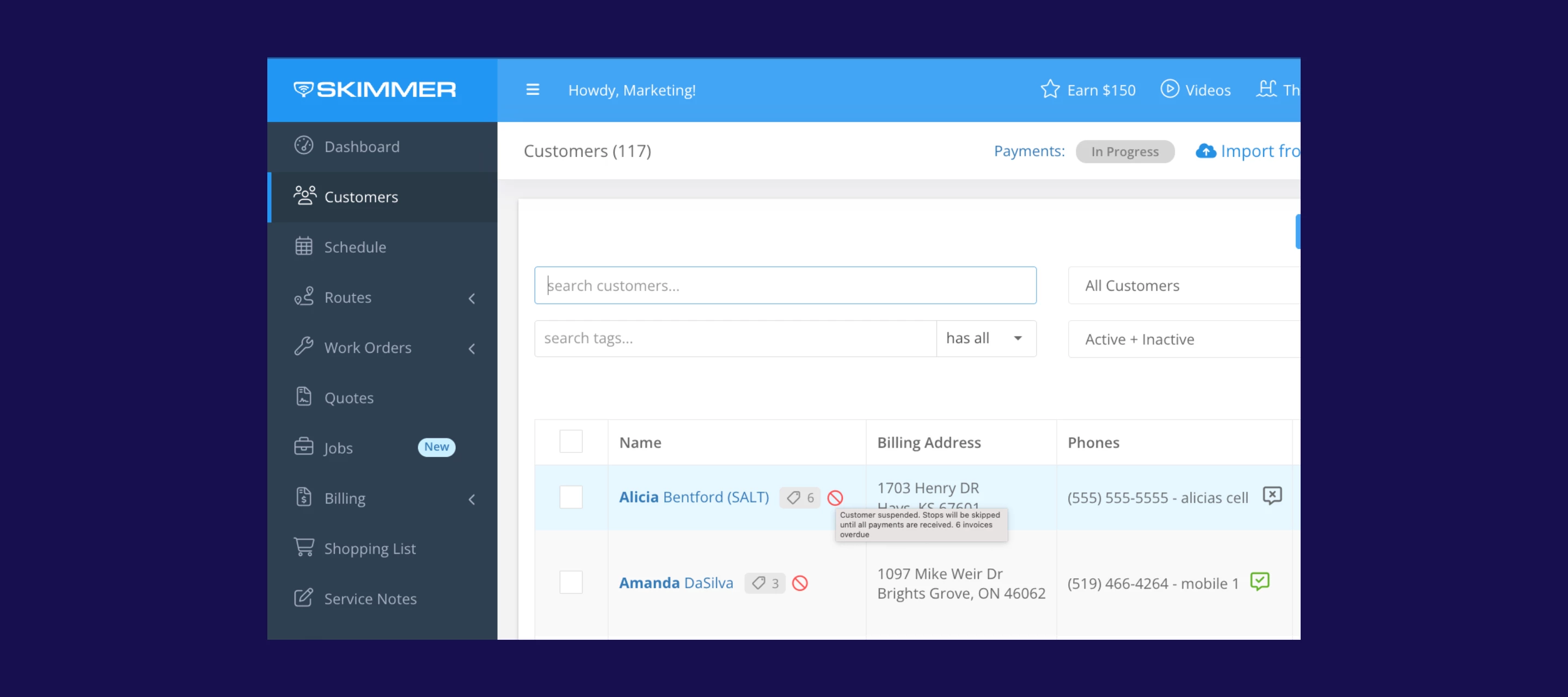
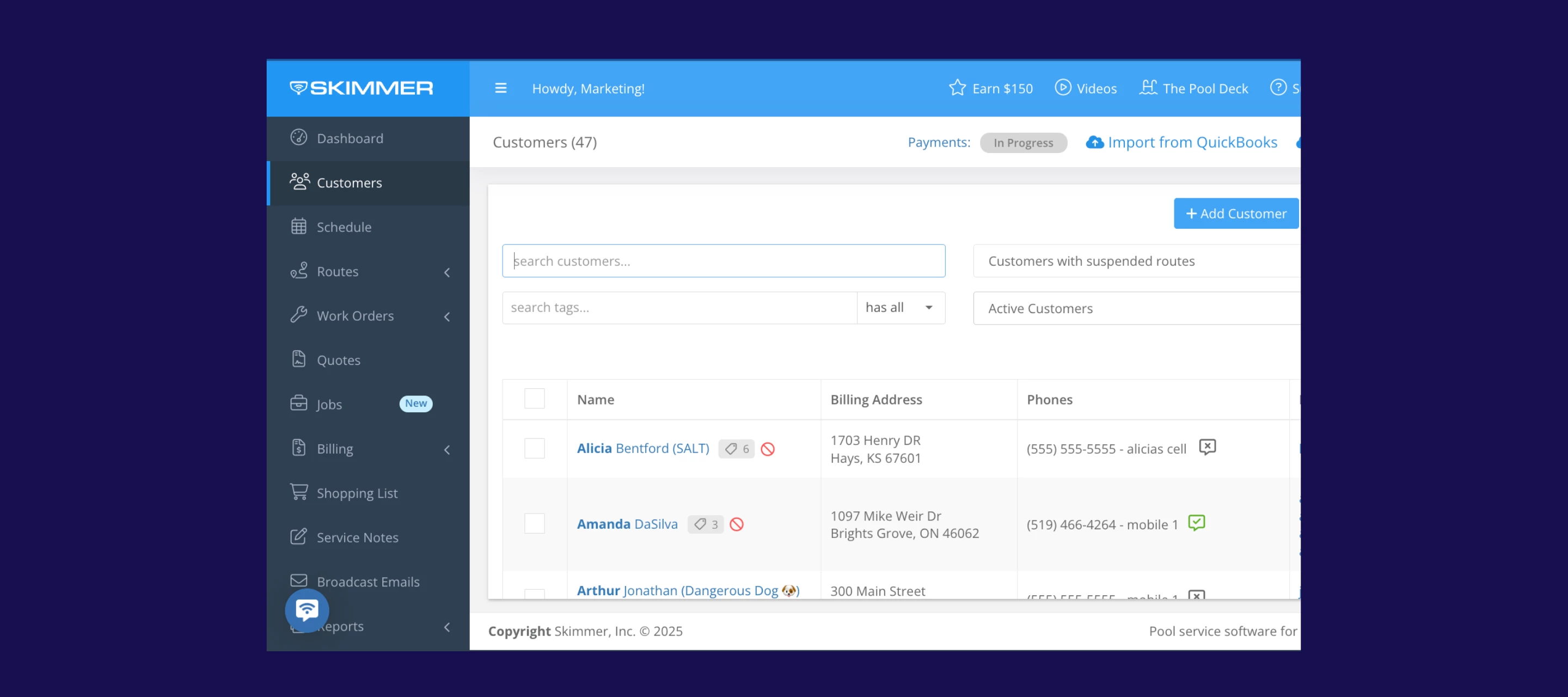
- Updated customer dashboard: Anywhere you view customers within Skimmer, you’ll now see a clear Suspended🚫 label instead of “Past Due.” We’ve also added a new filter so admins can instantly see all suspended accounts—making collections follow-up a whole lot easier.
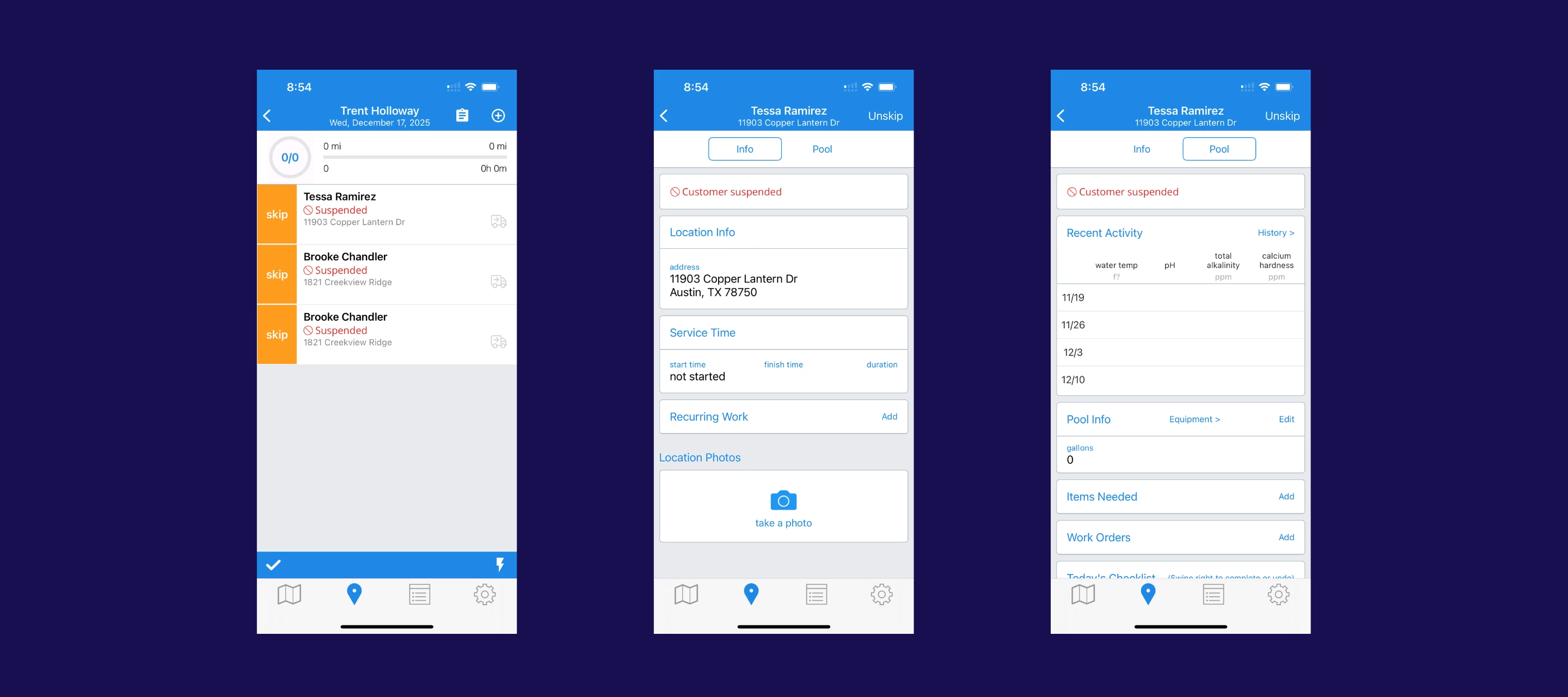
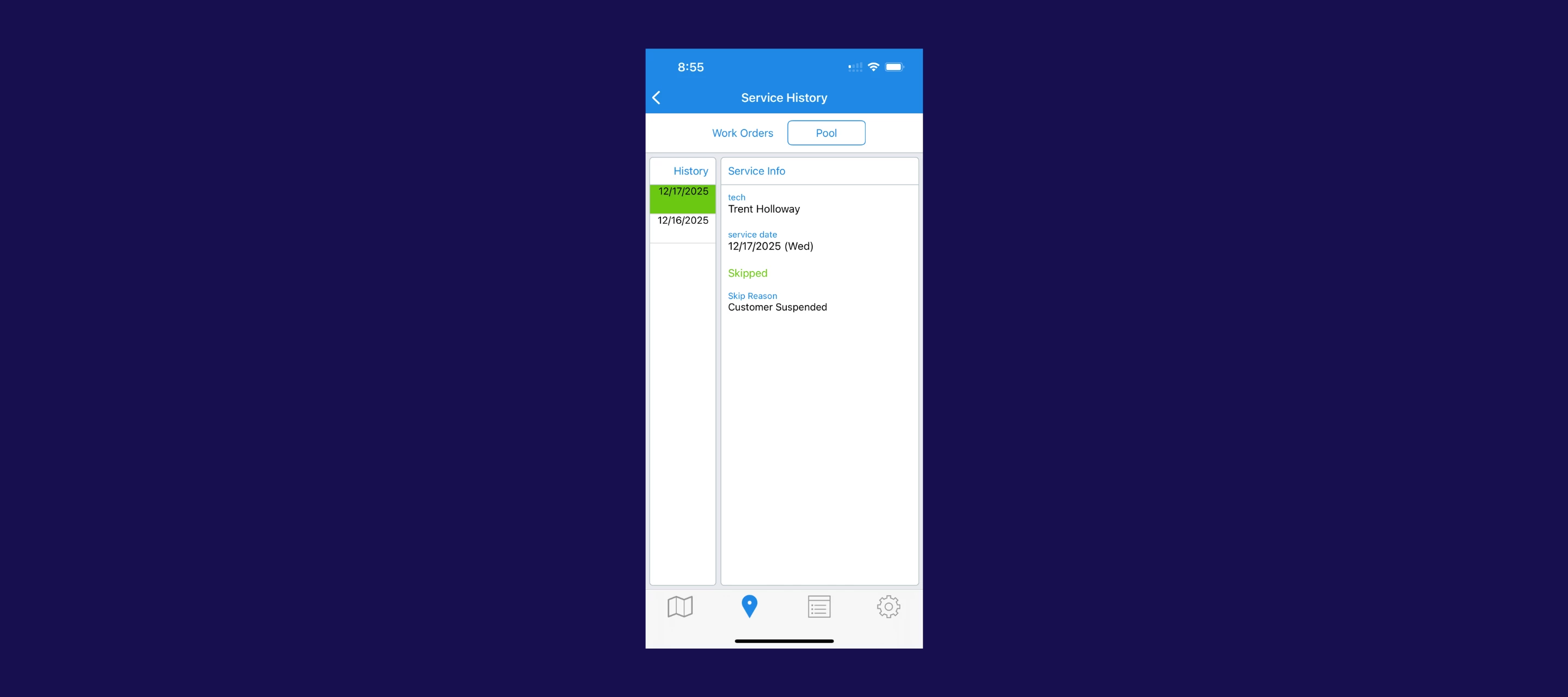
- Route impact for technicians in the field: Suspended stops are automatically skipped, and techs will see a clear “Suspended” tag in the mobile app. The stop also stays visible in service history as Skipped — Customer Suspended for full documentation.
If a tech gets approval to service anyway, they can manually un-skip the stop. Once payment is made and the account is reinstated, the customer reappears in the route on the next sync, no extra admin work required.
NOTE
- Techs need to be on the latest version of the mobile app for suspended stops to show correctly.
- Suspension changes apply during daily route generation.
- If you suspend a customer after routes are created, that update will take effect the next day or the next time the tech syncs. The “Suspended” label, though, will show right away after sync for visibility.
How does this help your business?
This update removes all the guesswork around overdue customers. No more mental checklists, no more deleting stops, and no more technicians accidentally servicing accounts that haven’t paid. Now you can save time, reduce mistakes, and protect revenue that might otherwise slip through the cracks.
Want to set it up?
You can enable auto-suspension and configure your overdue threshold right from the web app by going to Settings->Invoices->Overdue Invoices. Once it’s enabled, Skimmer handles the rest.
You can also learn more about how it works by visiting our help centre link here →
If you haven’t set up Skimmer Payments yet, this is a great time to get started—online payments make it easier for customers to clear overdue invoices. And if you already use Payments but want help fine-tuning your suspension settings or tightening up your collections workflow, we’ve got you covered too. You can book time with our Payments team anytime using this link.