


This release brings a big update to how techs log in, plus some improvements under the hood that make syncing more dependable and diagnostic data easier to understand. You'll see a new sign-in screen, tighter password protections, and a handful of fixes that clean up rough edges on mobile. Here's everything that's changing.
A new way to log in
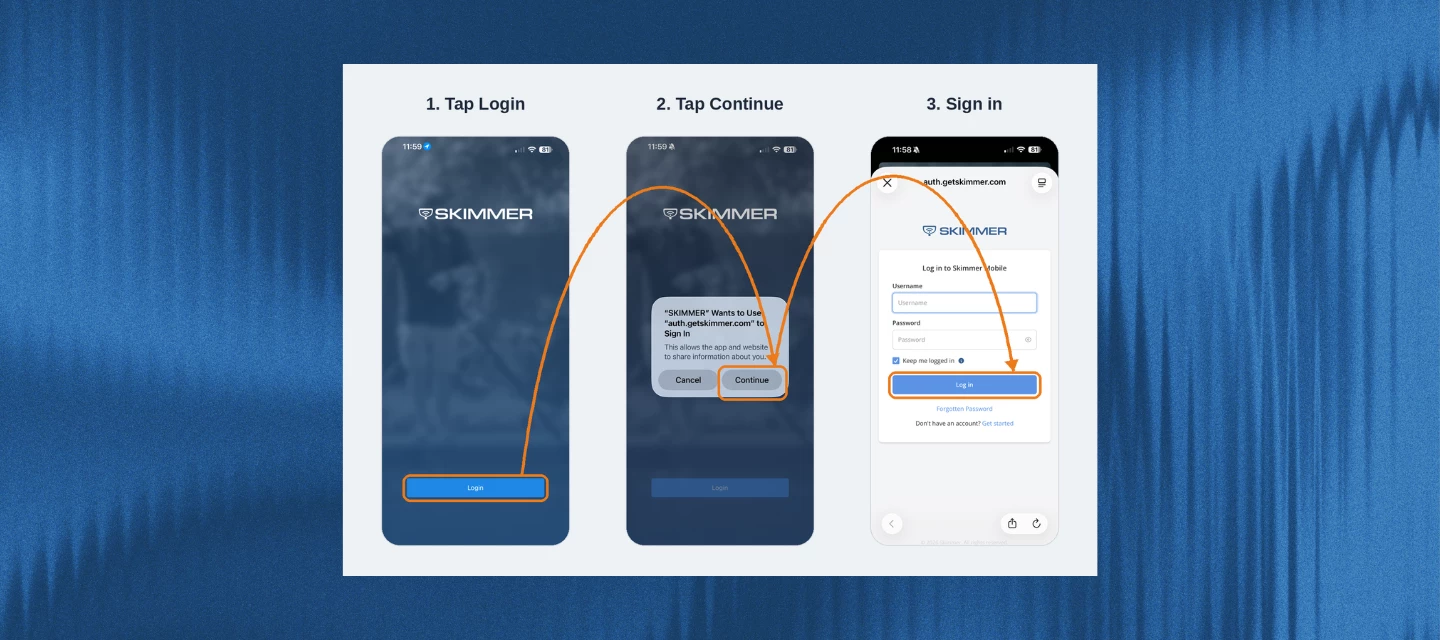
Skimmer's sign-in process is moving to a more secure system, the same upgrade that rolled out on the web app back in August. It keeps things familiar while running on more reliable technology behind the scenes.
Here's what changes on mobile:
- The login screen no longer has username and password fields. Instead, you'll tap Sign In and land on Skimmer's secure sign-in page to enter your credentials.
- After the update, everyone will need to log back in and set up biometric login (Face ID or fingerprint) again.
- If you're on iOS and don't use biometrics, you'll see an extra confirmation prompt each time you log in. Turning on biometric login is the only way to skip that extra tap.
- Skimmer also added new password protections: if your password shows up in a known data breach, or doesn't meet Skimmer's complexity requirements, you'll be prompted to set a new one right away.
Clearer messaging on diagnostic data
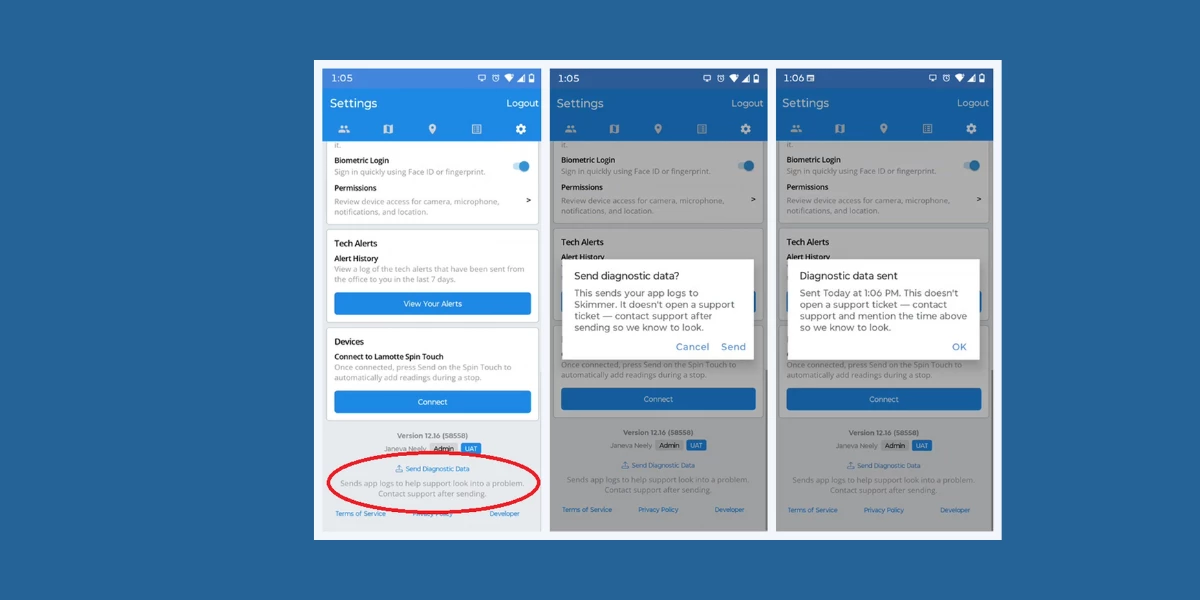
Based on feedback from pros, Skimmer cleaned up the language around the “Send Diagnostic Data” option in Settings. It now clearly explains that sending the data shares app logs with Skimmer — it doesn't open a support ticket or notify anyone automatically, so you'll still want to reach out to support separately. You'll also see a confirmation with the date and time once it's sent, and a clear message if sending fails.
More reliable syncing
Skimmer made several improvements under the hood to cut down on sync issues, especially around route stops and work orders. So now, if you undo an action, it stays undone, even if a conflicting change comes in at the same time.
Also in this release:
- Route optimization and travel-time estimates now run on an upgraded mapping engine for better accuracy.
- Upgraded core device-connection technology for better stability and security when connecting to devices like the Lamotte SpinTouch.
- The Settings screen now shows your actual role name instead of a generic label.
A heads up before you update
Skimmer Pro 12.16 is a larger download. iPhone users may see a pop-up saying the app exceeds 200 MB and asking whether to download now or wait for wifi. If you've got an unlimited data plan and don't want to see this message, you can turn it off in your iPhone settings.
That's it for this month's mobile update. More to come next release.
Make sure your team is on the latest version to get all of this: