


Managing leads has always been one of those things that falls through the cracks when you're running a busy service business. A prospect calls while you're on a route, leaves a voicemail, and by the time you get back to them, they've already moved on. Or they fill out a contact form on your website and the details end up in an email inbox nobody checks until Friday.
We wanted to fix that. So we built a public lead form that lives directly on your Customer Portal.
What's included
- A branded form hosted on your Customer Portal URL, with your company logo
- Captures name, email, phone, address, and an optional message
- Uses your customized lead sources so you can track where new business is coming from
- Creates a lead record in Skimmer automatically when submitted
- Sends you an instant email notification with the prospect's details and a link to their record
- If the prospect is already a customer, their message gets added to their existing record instead of creating a duplicate
- Built-in spam protection running silently in the background
How to turn it on
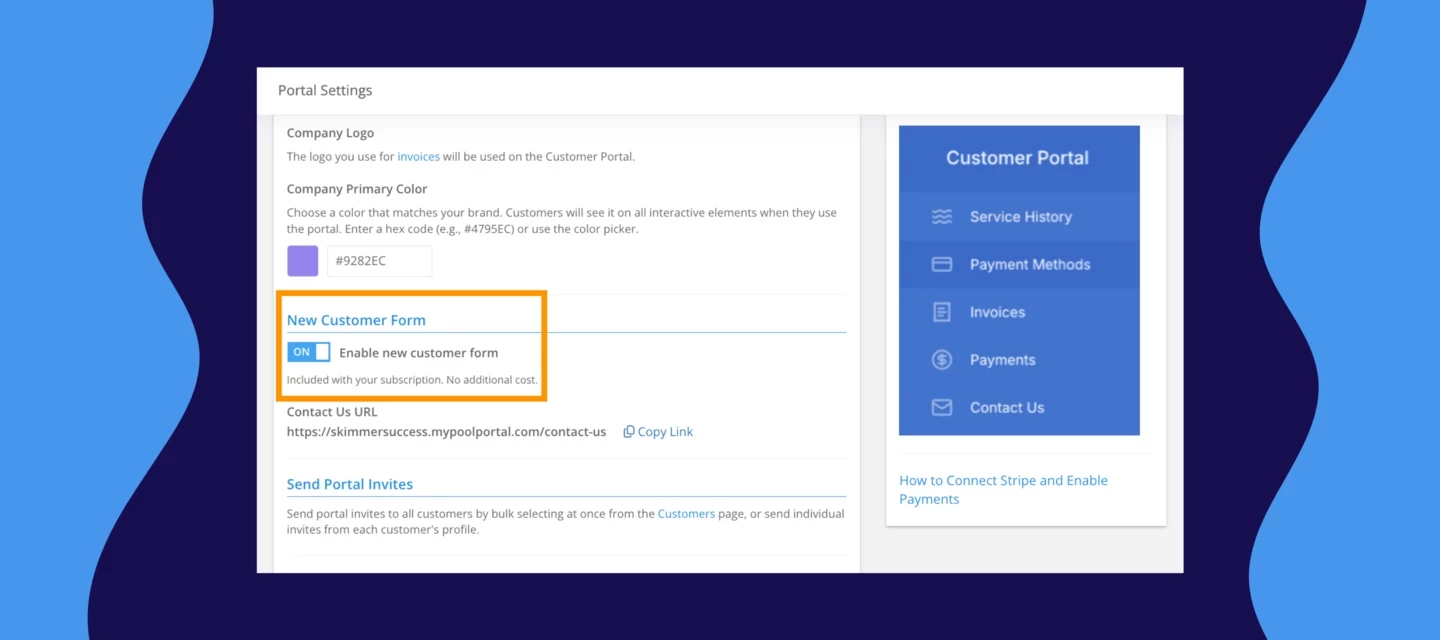
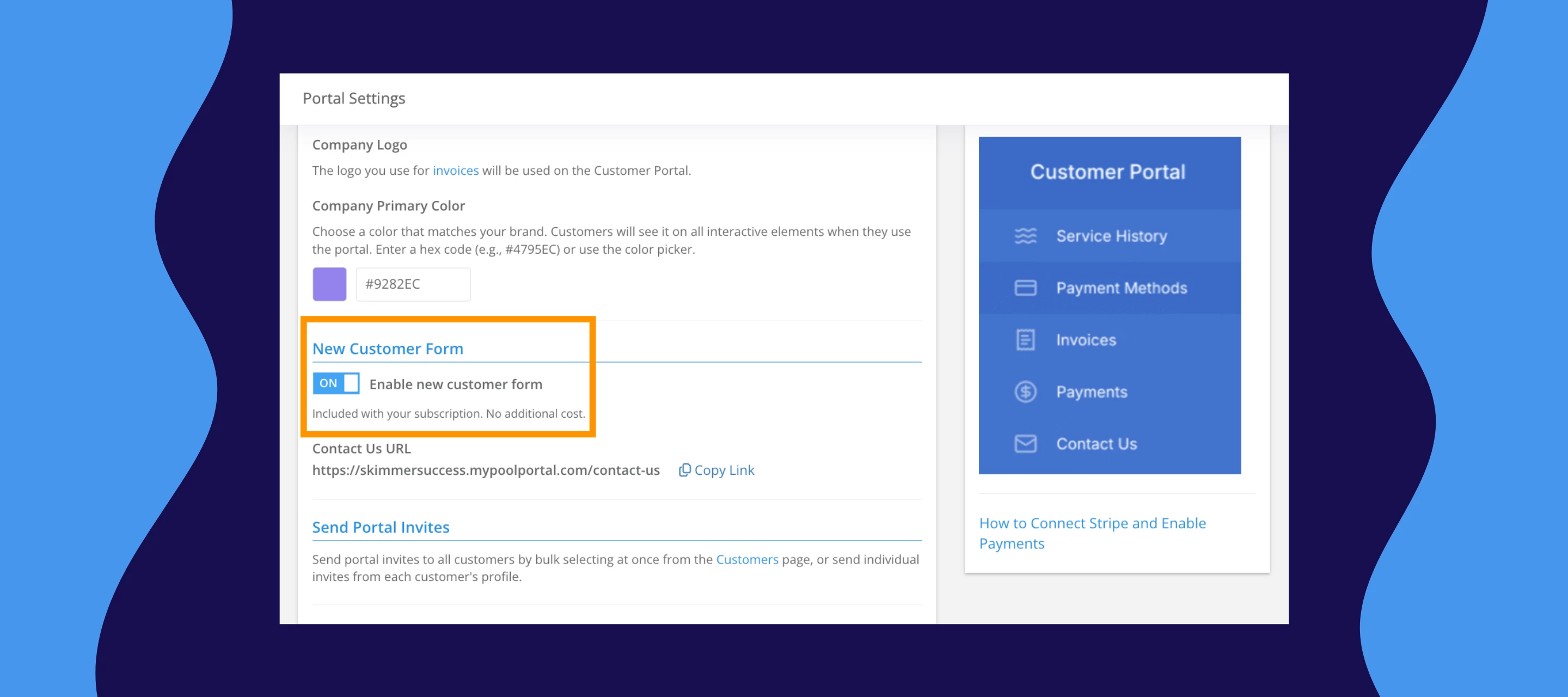
- Go to Settings > Customer Portal
- Toggle on "Enable new customer form," and copy the form URL.
- Share it wherever prospects might find you — your website, social profiles, email signature, wherever.
A few things to know
- Your Customer Portal needs to be active with a configured subdomain before the form will work. If you haven't set that up yet, start there.
- Duplicate detection requires an exact match — small differences in how an address or email is entered can create a new record instead of matching an existing one. Worth keeping an eye on as leads come in.
- The form creates a customer and service location automatically, but not a pool record. You'll need to add that manually once you're ready to move the lead forward.
- If you want to embed the form on your website, you can do that via iframe for now.
Give it a try and let us know what you think. Drop any questions in the comments below.