



Hey Pool Deck community,
We've heard this one a lot: you spot a repair need in the field, but by the time a quote makes it back to the customer, the moment's gone. We've been working on that.
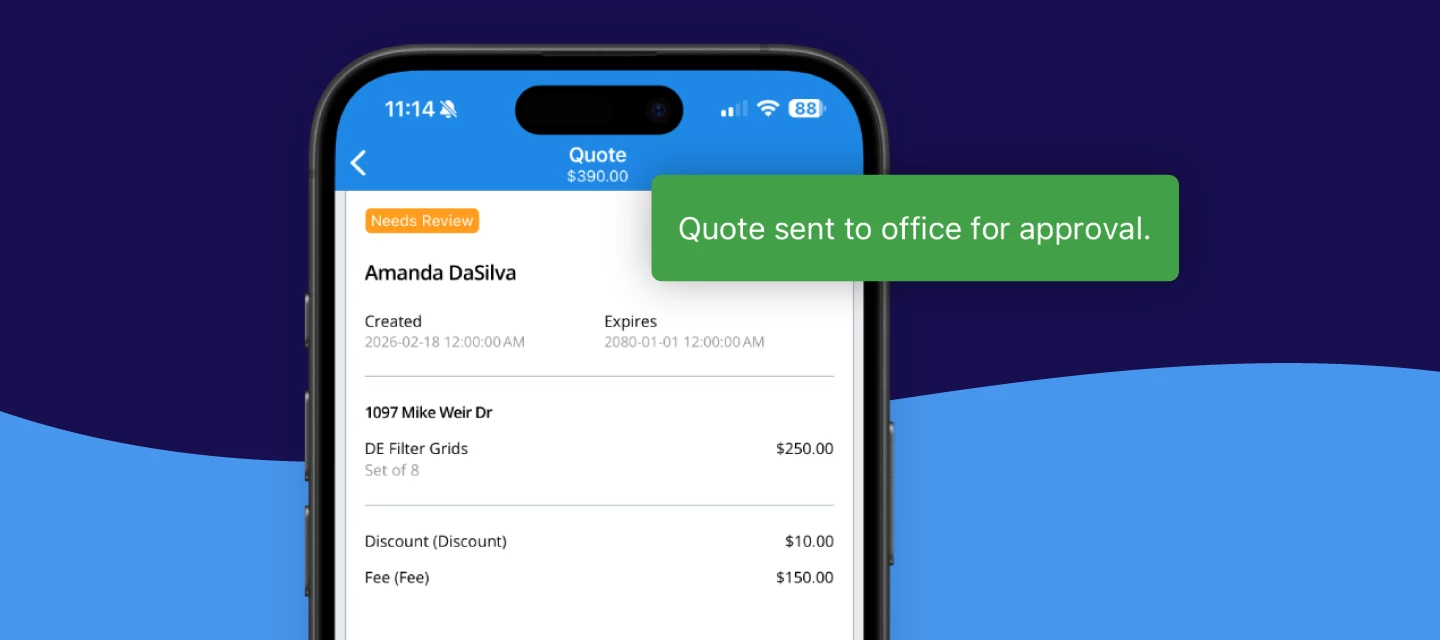
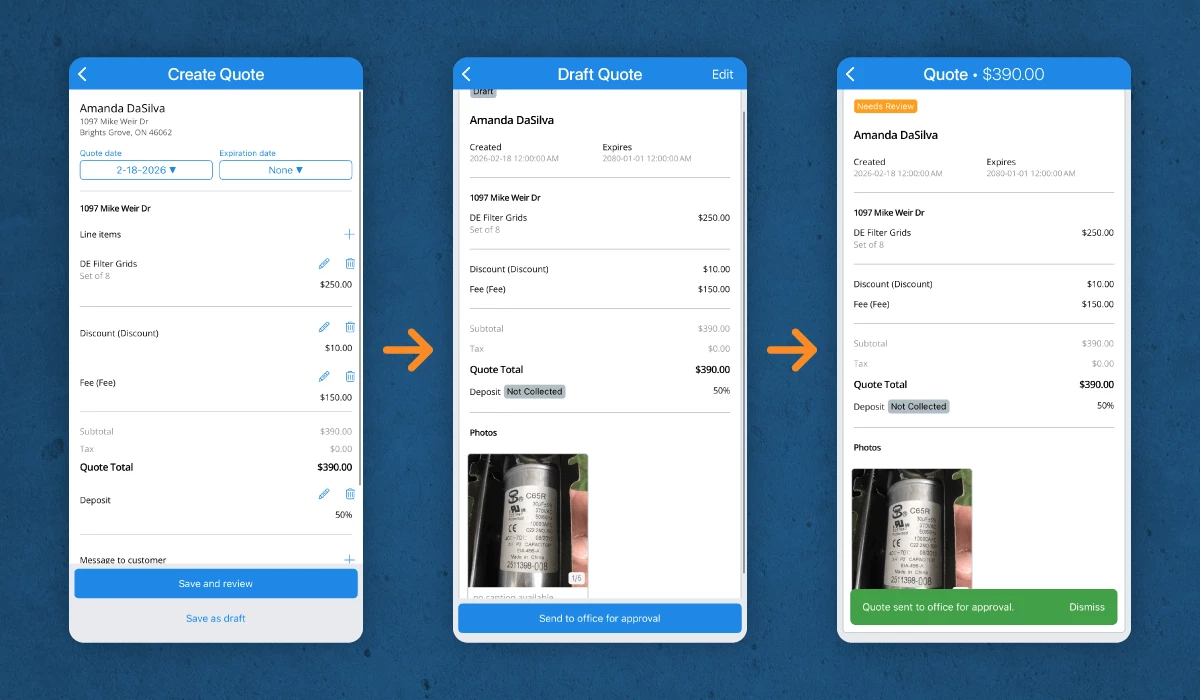
Mobile Quotes is now live in Skimmer. You can now build a complete quote from your phone — right there on-site — and either send it to your office for review, or hand your phone to the customer and get their signature on the spot.
See it in action — if you run the business solo
See it in action — if you have a back office or scheduler
Here's what you can do:
- Create quotes from the Route Dashboard, a Route Stop, or a Customer Profile
- Add line items, pricing, and pull photos from your camera roll (new!) or take one on the spot
- Apply discounts and set deposit requirements
- Send quotes to the back office for approval (if needed)
- Or send directly to customers and capture signatures on-device
- Work offline and sync when the connection returns
Admins, you're in control of who can do what - Under Settings > Roles & Permissions, you'll set at least one of two permission levels to your existing tech roles:
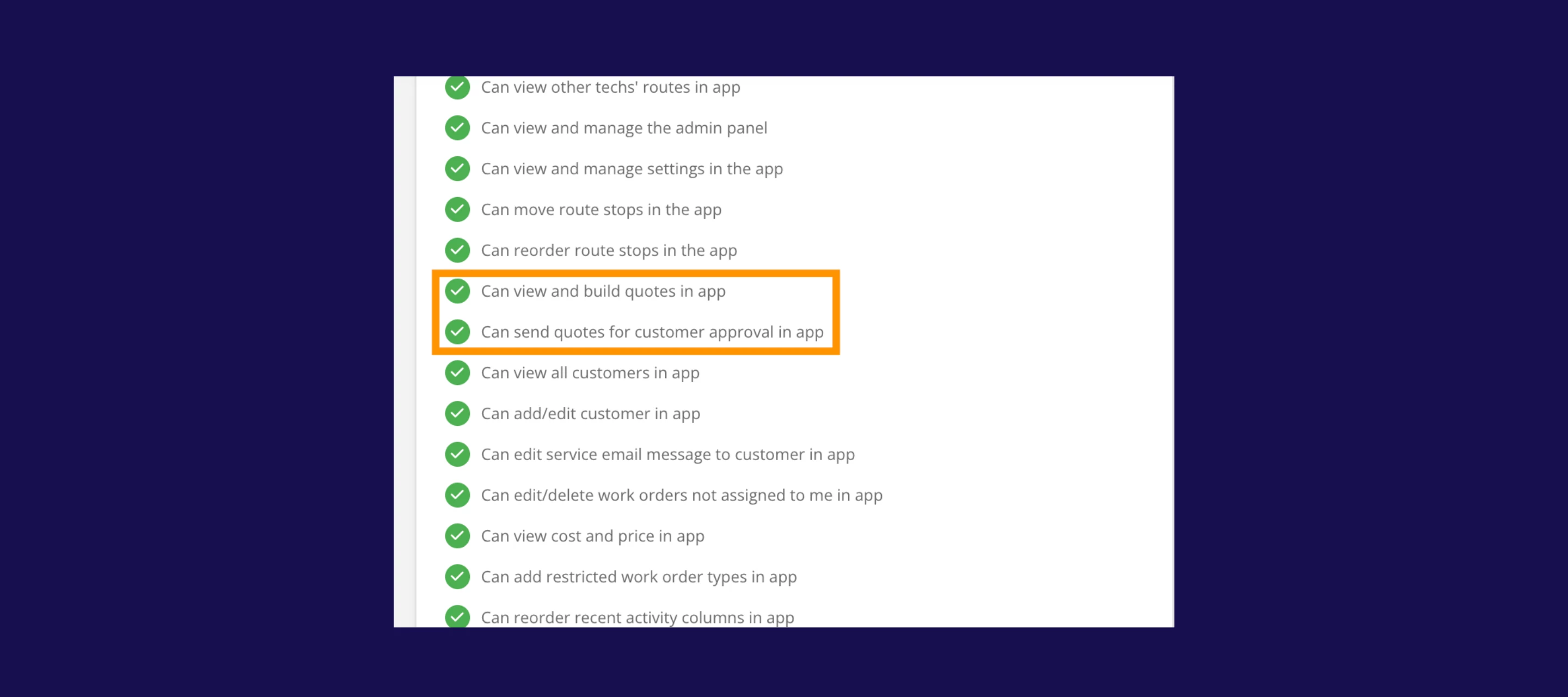
- "Can view and build quotes in app" — the tech builds and sends to the office for review. You approve, then send to the customer.
- "Send for customer approval in app" — the tech can send directly to the customer or capture their signature on-device.
Note: Mobile Quotes is included in the Scaling Up and Skimmer for Enterprise plans. Make sure your team is on Skimmer Pro v 12.12 or higher.
Why it matters
- Capture more repair revenue while the customer is ready — when the issue is right in front of them, timing is everything. Quote it on the spot and move the conversation forward before the moment passes.
- Cut the back-and-forth — no more calling the office, texting photos, or waiting until the end of day. Everything gets handled in the moment, with all the details already included.
- Speed up quote-to-cash — quotes go out faster, approvals happen sooner, and work gets scheduled. The whole process moves more quickly whether you route through the office or send directly from the field.
- Keep control where you want it — you decide who can send quotes directly and who needs approval first. Roll it out cautiously or empower your closers from day one.
Who's been waiting on this one? Drop a comment below — we want to hear how you're planning to use it, and what you'd want us to add next.
Ready to start using quotes in the field? Check out your Mobile Quotes toolkit below:
- Help article
- Getting started guide
- See it in action — if you run the business solo
- See it in action — if you have a back office or scheduler