



Setting your rates usually comes down to gut feel, what a neighbor charges, or a number you picked years ago. And if you’ve taken over someone else’s pricing, it’s hard to tell whether it holds up. Either way, you haven’t easily been able to tell if you’re charging what the market supports.
The new service rate benchmarks report gives you a reference point. It shows how your rates compare with what other pool businesses charge in the areas you already service, right inside Skimmer.
⚙️ Here are some things to note before getting started:
- Area rates refresh on the 1st of each month, using rates as of the last day of the previous month
- Only service locations with a rate type and a rate above $0 are included, so check that your service rates are set up - See this interactive video on how to get that set up!
- Find it in Reports > Service Rate Benchmarks
📊 Make informed pricing decisions
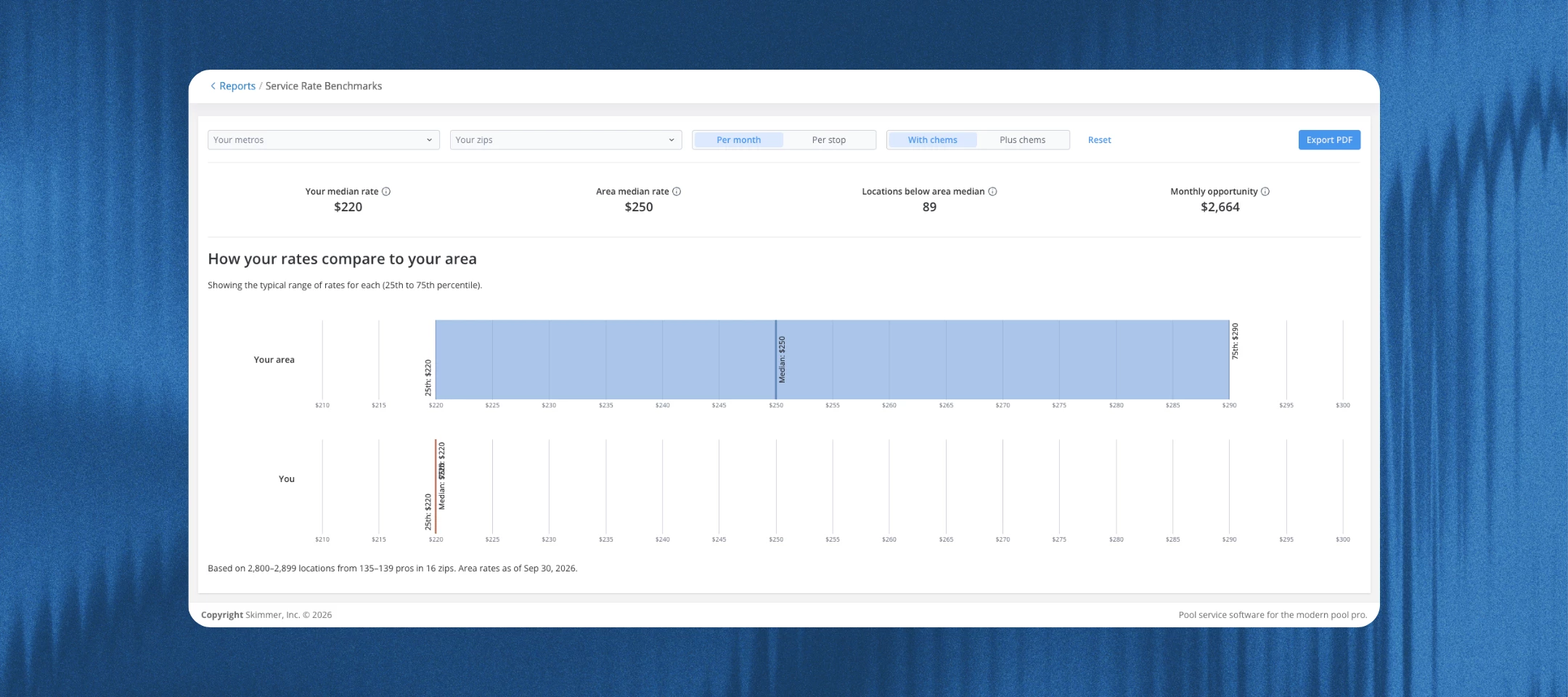
- Compares your median rate with the area median for each ZIP code you service, split by rate type (per month or per stop) and chemicals (with chems or plus chems)
- Shows the area’s typical range (25th to 75th percentile) next to your own
- Four tiles up top: your median rate, area median rate, service locations below area median, and monthly opportunity
- Filter by metro or ZIP code, and export to PDF
💲 Prioritize which customers to reprice
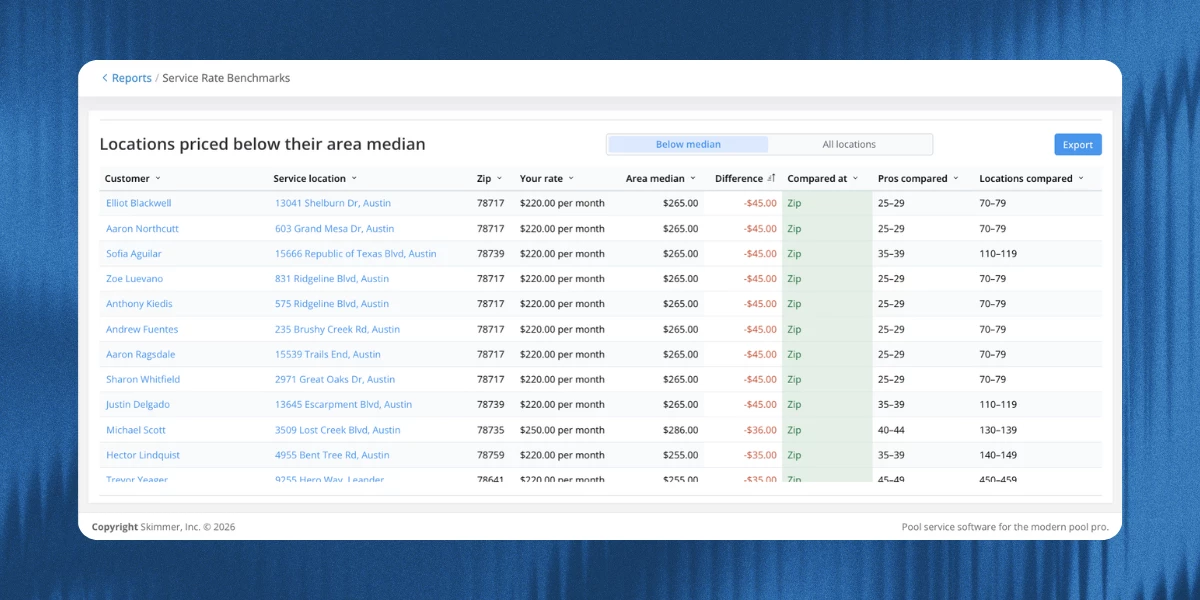
- Lists every service location priced below its area median, with your rate, the area median, and the difference
- The biggest gaps sit at the top, and a toggle shows all your service locations
- Monthly opportunity estimates the added revenue each month if every below-median service location were priced at its area median
- The report doesn’t change any rates or factor in pool size, extra services, or customer history, so some below-median rates may be right where they are
🔍 Sanity-check inherited pricing
- Toggle the list to show all your service locations, not just the ones below the median
- Check rates you didn’t set yourself against what the area charges
🔒 How rates are protected
- Other pros never see your company name, your customers, your service locations, or your rates
- Each area shows only three numbers: the median and the typical range around it
- A benchmark needs at least 5 pros and 30 service locations, and no single pro can make up more than 25% of it. If a ZIP code doesn’t qualify, the report uses the wider metro area (labeled “Metro”), then the state.
- Pro and service location counts show as ranges, like “5–9 pros,” so no one can work backward to a single company
- Rates from active pros are included automatically
Click the link below for more information about how it works.
https://help.getskimmer.com/article/368-service-rate-benchmarks-report