
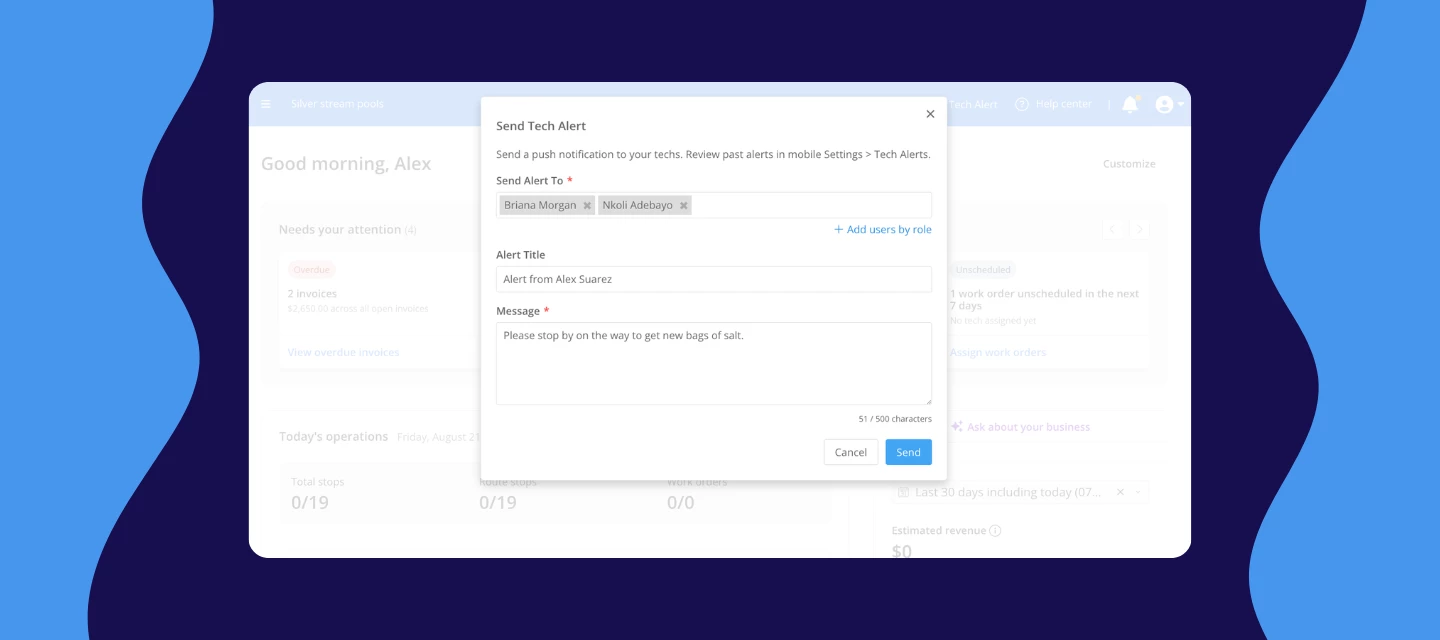



A schedule changes and one of your techs is already three stops in. You call. It goes to voicemail, because they're at a pool with wet hands. You text, and nothing comes back. Twenty minutes later they call you, and by then you've reshuffled the day around them anyway.
Now with tech alerts, you have somewhere to put that message. It goes straight to your tech's phone as a push notification, even when the Skimmer app is closed. You don't have to interrupt them, and you don't have to wait for a callback. The message is on their lock screen, and it's still in the app when they get to it.
WATCH VIDEO
How it works
- Look for the paper plane icon in your top navigation and choose “Send tech alert”
- Pick who needs it: one person, a few people, or everyone in a role. “Add users by role” grabs all your route techs at once
- Type your message, up to 500 characters. The title fills in with your name, and you can change it
- Send it. The alert lands on their phone right away
NOTE: If a tech misses it or swipes it away, it isn't gone. Every alert is saved on their phone under Settings › Tech alerts for 7 days.
Before this rolled out to everyone, a group of pros had been running tech alerts day to day. Some of it is urgent, but a lot of it is just the small stuff that used to mean a phone call, a missed call, or a note that got buried. That's the real value here: one less thing you have to chase down by voice.
Here's what showed up in their alerts:
- A route changed after the tech had already left
- A customer canceled or moved a stop
- Extra work got added at a stop
- Access details changed at a gate
- A quick heads-up to the whole team before the end of the day
- Walking a newer tech through something in the app
A few things to know
- Techs need version 12.15 or later of the Skimmer app. Anyone on an older version can't receive alerts at all, so ask them to update from the App Store or Google Play
- Each tech needs to open the app once with notifications allowed before alerts will reach them. If a tech says they're not getting alerts, that's almost always why.
- Alerts go one way. Techs can see your message but can't reply in the app
- There's no read receipt, so follow up on anything that has to be confirmed
- You can send to anyone on your team, not just techs. Office staff and managers too
- This feature is available on the Scaling Up and Enterprise plans.
Click the link below to learn more about how Tech Alert works👇🏼:
https://help.getskimmer.com/article/349-send-alerts-to-your-techs
This feature's only going to get better from here. Got a use case you'd love it to cover down the road? Drop it in the comments.