


You set up a reading alert two weeks ago and forgot about it. Then this morning, you received a notification that your tech recorded a chlorine level of 0.2 at a customer’s property. Twice in a row. Without an alert, you’d have found out when they called to complain. Instead, you caught it in time to act.
That’s what alerts & issues are built for.
Skimmer watches your operation in real time and tells you when something needs your attention — the moment it happens, not days later.
WATCH THE VIDEO TO SEE HOW IT WORKS!
🔔 Office alerts
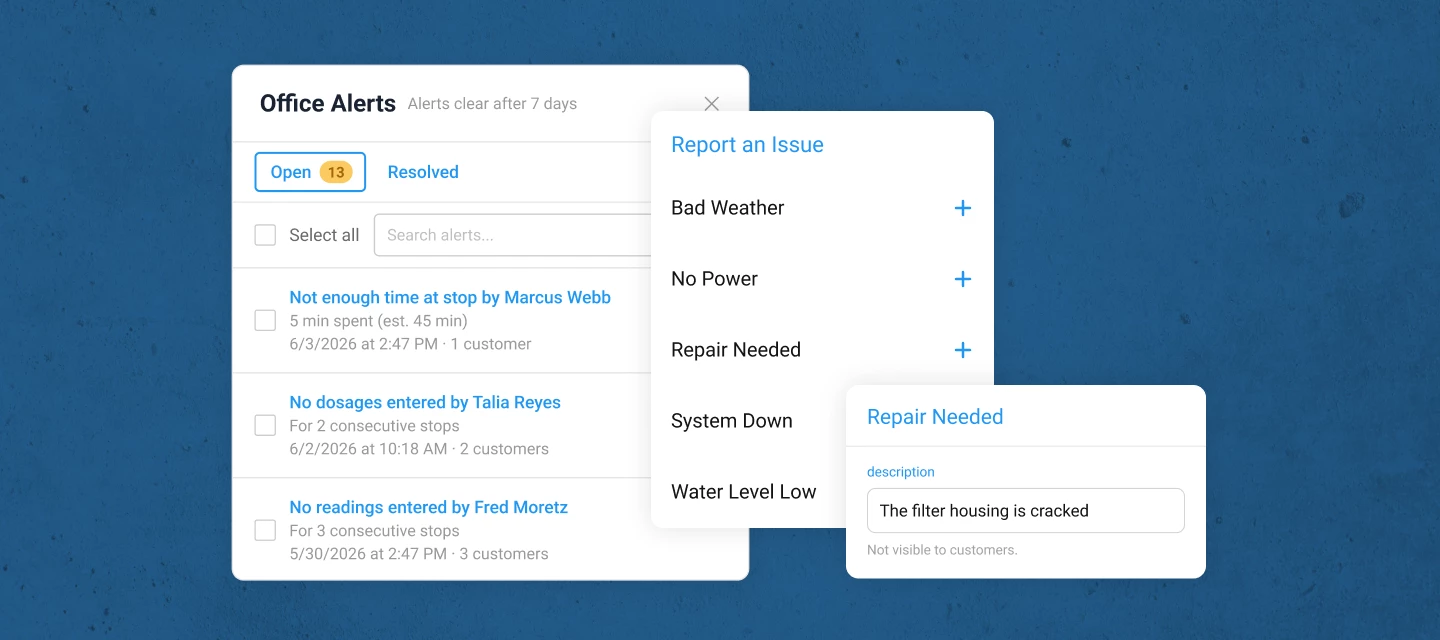
- Configure alerts for the conditions that matter to you — readings or dosages out of range, a tech who hasn’t started, a stop that got skipped, a route left unfinished, a payment that failed, a quote approved or rejected, and more
- Alerts land in a new bell-icon panel in your top nav, visible from anywhere in Skimmer — no separate page to navigate to
- Set urgency on any alert so the bell shows an orange dot when something needs immediate attention
- Mark alerts resolved (or reopen them), and your whole team sees the updated status — no duplicate follow-up
- Configure email delivery per alert type, including additional recipients for specific alerts (e.g., only your billing person gets payment alerts)
- New alerts default to panel-on, email-off — you opt in to email for the alerts that warrant it
📱 Issues
- Techs can now report structured field problems from mobile during any service stop or work order stop not just freeform service notes
- They select a pre-defined issue type (Water Level Low, System Down, No Power, Bad Weather, Repair Needed), add a description and up to 5 photos, and sync
- issues land in a dedicated issues tab on the Notes & issues page (previously Service Notes), separate from service notes, filterable, and trackable
- Office staff can review tech notes and photos, add an office note, and mark the issue resolved with a full audit trail of who handled what and when
- Optional: You can configure a customer-facing email to notify pool owners automatically when a specific issue type is reported at their property
- Export any filtered view to CSV for reporting, insurance documentation, or customer communication
⚙️ Setup
- Office alerts : go to Settings > Office alerts to configure your alert rules. Readings and dosage alerts need a one-time setup because Skimmer needs to know which readings you track and what thresholds matter to you — This takes about 5 minutes
- Issues: configure issue types in Settings > Office alerts . Default issue types are available but start off. Turn on and customize the ones you want before your techs start using them
- Admins and owners get panel access automatically. You can extend panel visibility to other roles under Settings > Roles & Permissions
Questions or early feedback? Please drop them in the comments :)