



August's updates focus on two things pool service businesses ask for most: clearer visibility into the money side of the business, and less manual work turning what your team reports in the field into something your office can act on. Here's everything that shipped:
Working Capital
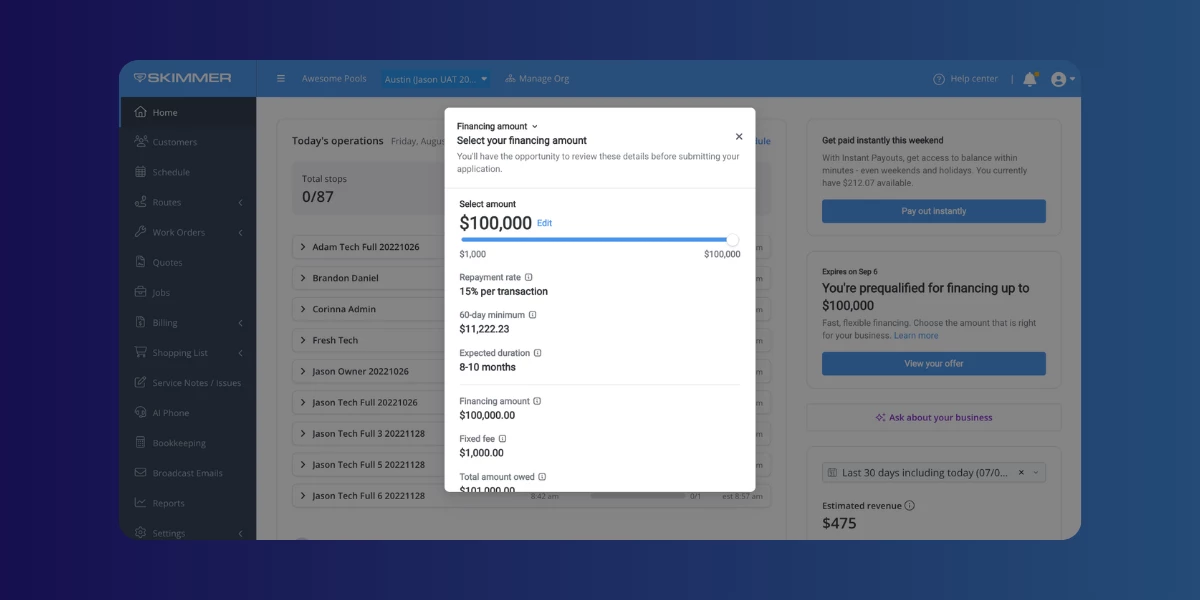
Eligible owners can now view and act on Stripe Capital financing offers right inside Skimmer. A tile on your Skimmer Home page introduces available offers, and you can add a Capital widget for a quick look at financing status anytime. Head to Billing > Capital for a closer look before deciding whether to apply. If you take a loan, repayments now show up in the Payouts report under a new Capital Deduction column.
Learn more -->
Office alerts updates
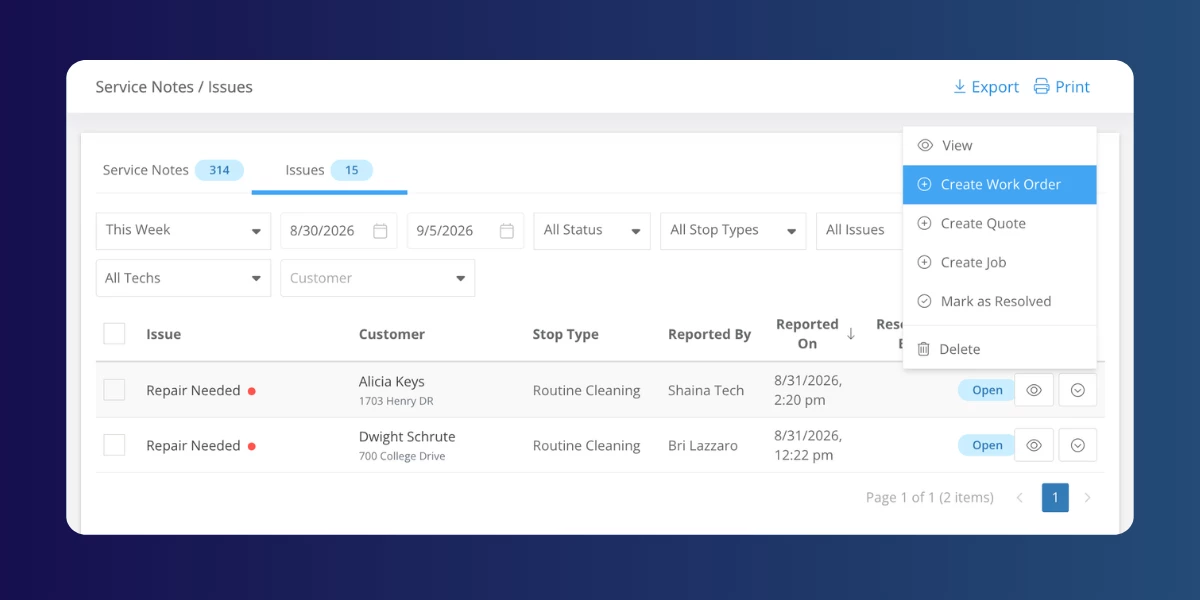
Three changes to office alerts this month.
- Create work orders, quotes, and jobs from alerts: When a tech flags something in the field, your office can now turn it into a work order, quote, or job without retyping a thing. Customer and service location details carry over automatically, and the new record links straight back to what the tech originally reported. Create from the Service Notes / Issues page, the Alerts panel, or a customer's Recent Activities section.
- Alert emails sent to your office now include the photos a technician attached to an issue, so your team can see what the tech saw without opening Skimmer.
- The “customer status change” alert, which used to only fire for changes made in the web app, now also triggers when a tech changes a customer's status from mobile, so your office stays in the loop no matter where the change happens.
Equipment management
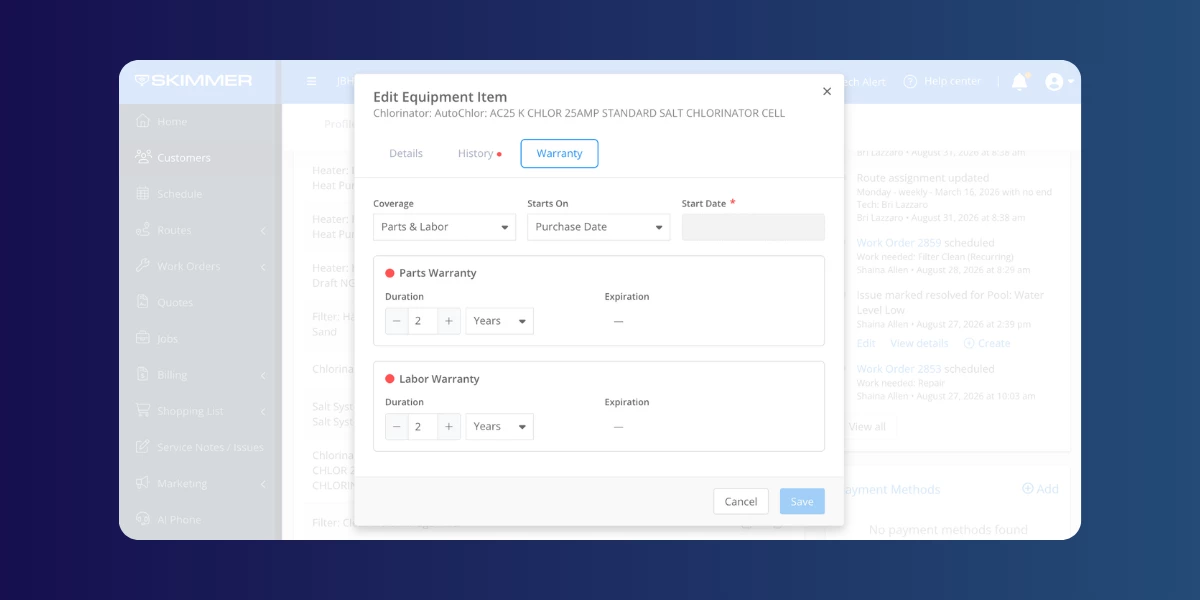
Equipment tracking is now live across web and mobile. Add or edit records using redesigned web forms with Details, History, and Warranty tabs, or track equipment right from a customer's Pool tab in Skimmer Mobile. Skimmer only shows the spec fields relevant to that equipment type, and warranty end dates calculate automatically once you set a coverage option. Equipment Type, Manufacturer, and Model lists now sort alphabetically too, so it's faster to find what you're looking for.
Heritage ordering updates
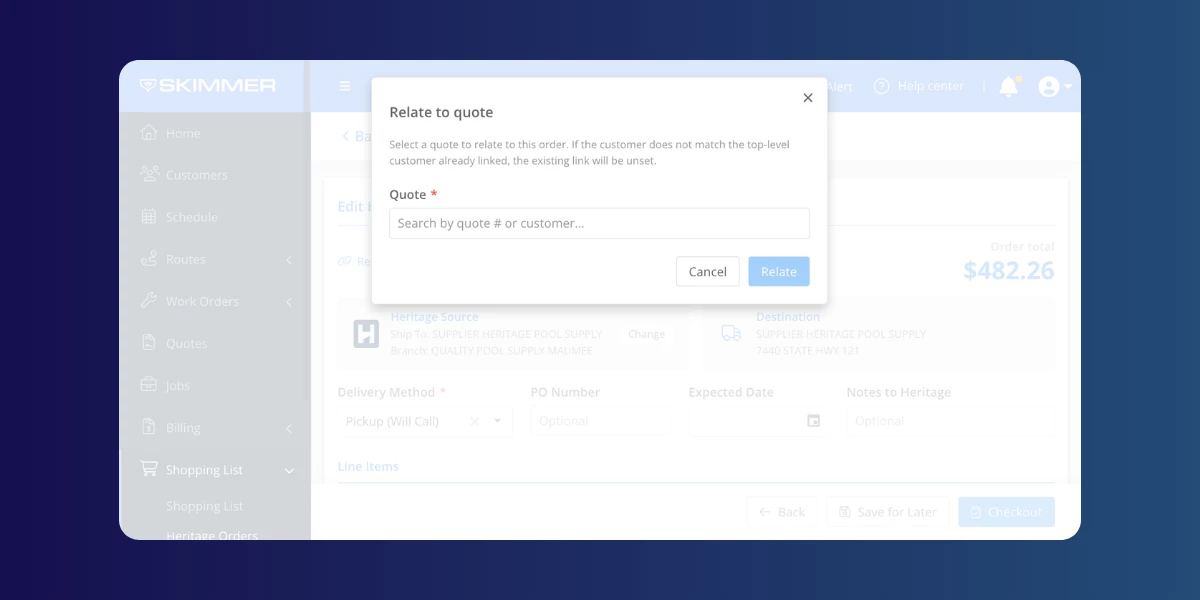
- Reordering supplies takes one click now. The new reorder button on the Heritage Orders page pulls up a past purchase with everything already filled in, instead of making you build it from scratch.
- Relating an order to a quote is now its own step, look for the “Relate to quote” link, and completed orders finally sort correctly under the Past tab.
- We also cleaned up the error messages: if a customer is missing an address Heritage needs, Skimmer now tells you exactly what's missing instead of showing a generic error.
Report improvements
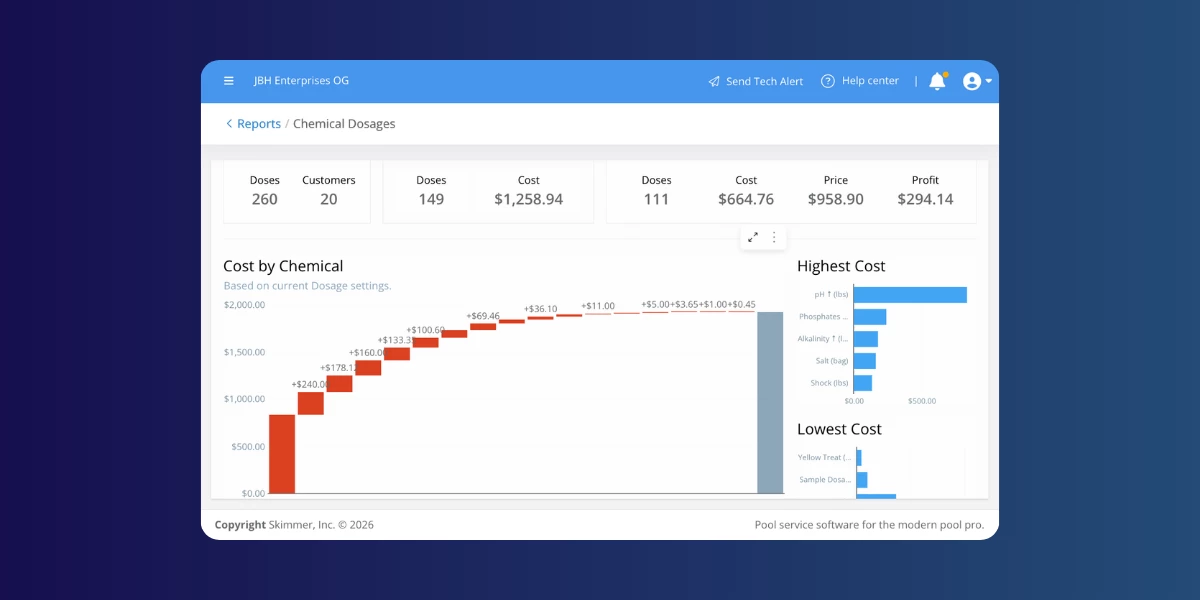
A handful of reports got a refresh this month.
- The Chemical Dosages report export now matches Skimmer's standard format, with Chemicals, Techs, Customers, and Pools tabs, each with its own export button.
- The Profit Report also has a new look, with Customers and Techs tabs plus a Summary/Details toggle.
- The Labor Report gained a Serviced Locations total and a Work Order Trends tab
- Invoice Details Report added City, State, and Tax columns
- The Payouts Report now shows Stripe Capital payouts as non-clickable entries.
- The nightly data export also now includes invoice category values, if your team relies on that for reporting or accounting.
New banners on Skimmer Home
If you're on a free trial, Skimmer Home now shows a banner counting down how many days you have left, so you always know where you stand. And if you haven't set up payments yet, you'll see a banner to help you get started collecting them.
A few more smaller updates
- Skimmer now requires version 12.10 or later of the mobile app to sign in. Update now so nothing interrupts your team in the field.
- Learn more about everything released in Mobile 12.15 here →
- Learn more about everything released in Mobile 12.15 here →
- Sign-in now runs on more reliable technology behind the scenes. The process works the same, but your account locks after 10 failed attempts in an hour. Resetting your password clears the lock right away.
- AI Insights got better at understanding reading-related questions, gives clearer messaging when there's no result, and handles more question types accurately, including scheduling boundaries and labor versus revenue figures.
- The AI phone agent can now update a service location's gate code during the call itself, so your office doesn't have to make the change afterward.
- Use the “Include in run” checkbox on the Invoice Details view to add or remove an invoice from the current billing run without leaving that screen.
- We renamed a couple of things: Service Types in Invoice Settings is now Pool Service Types, and the Service Type filter and column on the Service Notes / Issues page is now Stop Type. Just new names, nothing else changes.
That's all for August. More to come next month.
Don't forget to update your mobile app for the latest fixes and features:
Update for iOS → | Update for Android →