



July was very busy here at Skimmer HQ. These updates are about giving you more control with less manual work: order supplies without leaving Skimmer, get straight answers from AI Insights, move quote items to work orders without retyping them, and clear out alerts and issues in bulk instead of one at a time. Here's everything that shipped in July.
Heritage ordering
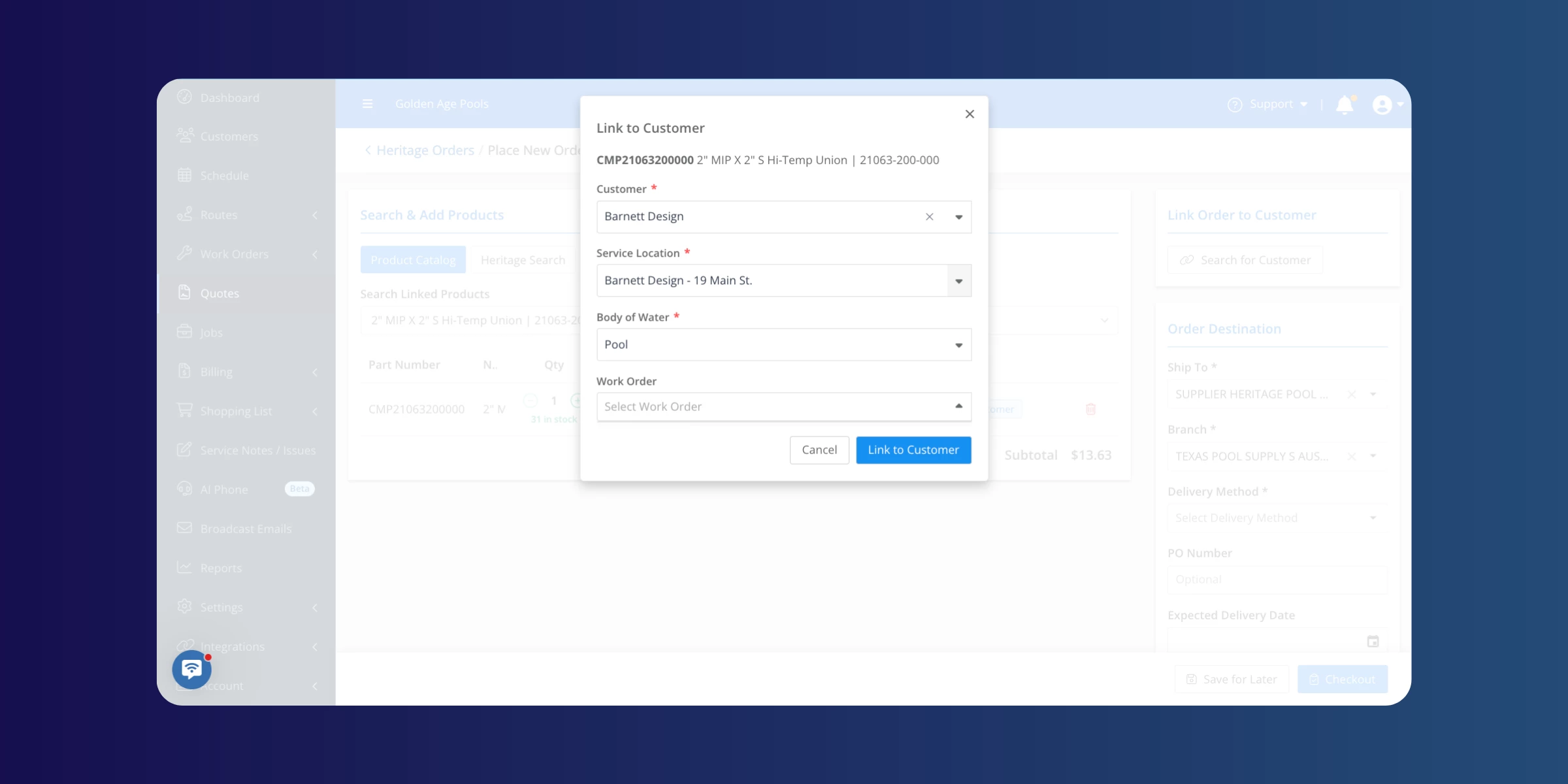
You can now order supplies directly from Heritage without leaving Skimmer, and link those orders to customers, quotes, and work orders. We also added a couple of safeguards: removing a line item from an order now asks you to confirm first, and leaving an order page with unsaved changes gives you a warning instead of silently losing your work. Want to see order history at a glance? There's now a procurement report, linked right from the reports page.
Learn more:
AI Insights
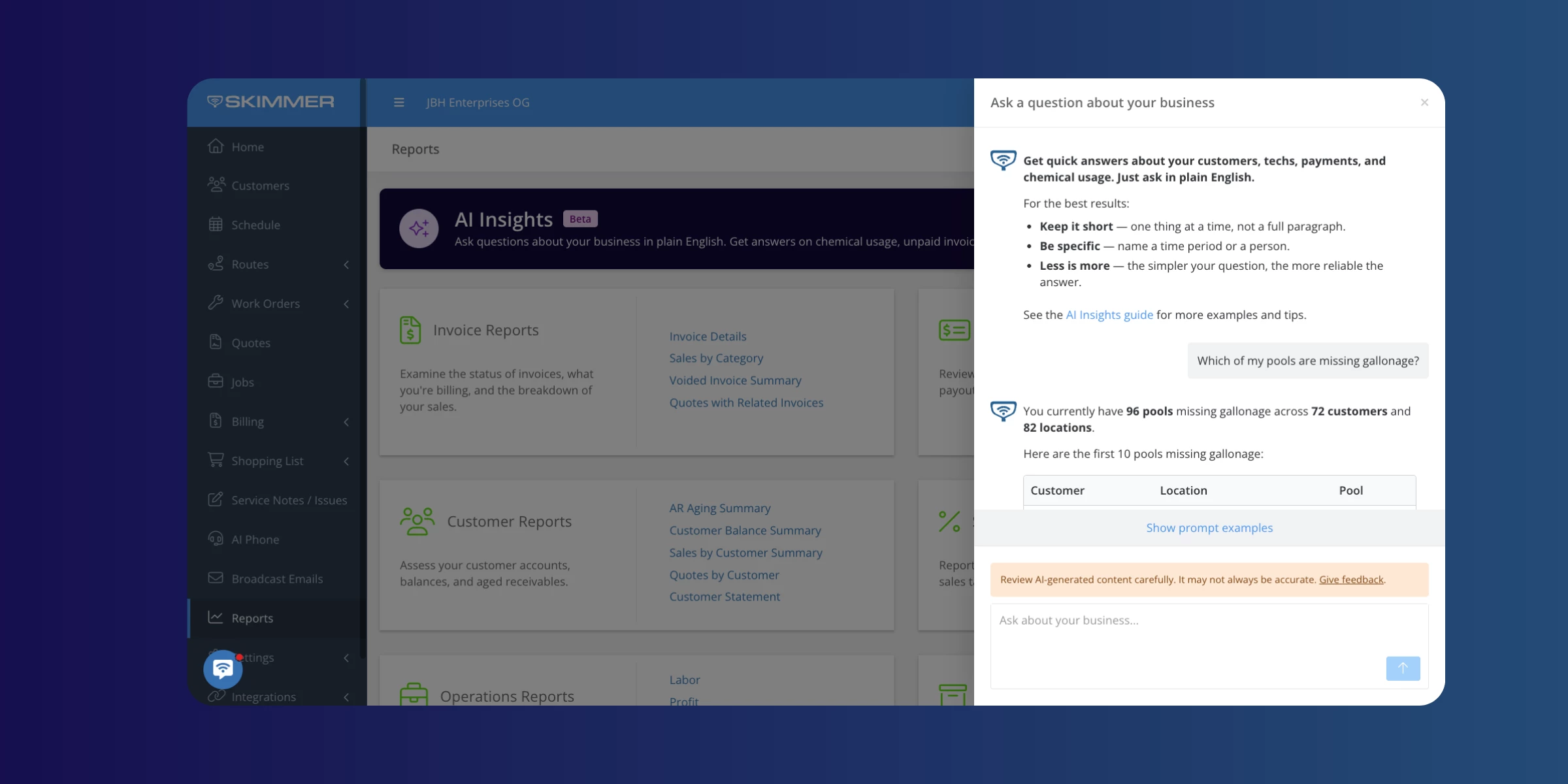
AI Insights is officially out of early access and available to everyone. Ask it a question about your business in plain language, like how many stops got skipped this week and why, what your profit looked like last month, or what you spent on chemicals, and get a straight answer instead of building a custom report. We also fixed the accuracy on future and scheduled work questions, and profit answers now come from a tested, consistent source every time.
Learn more:
Quote and job item handling
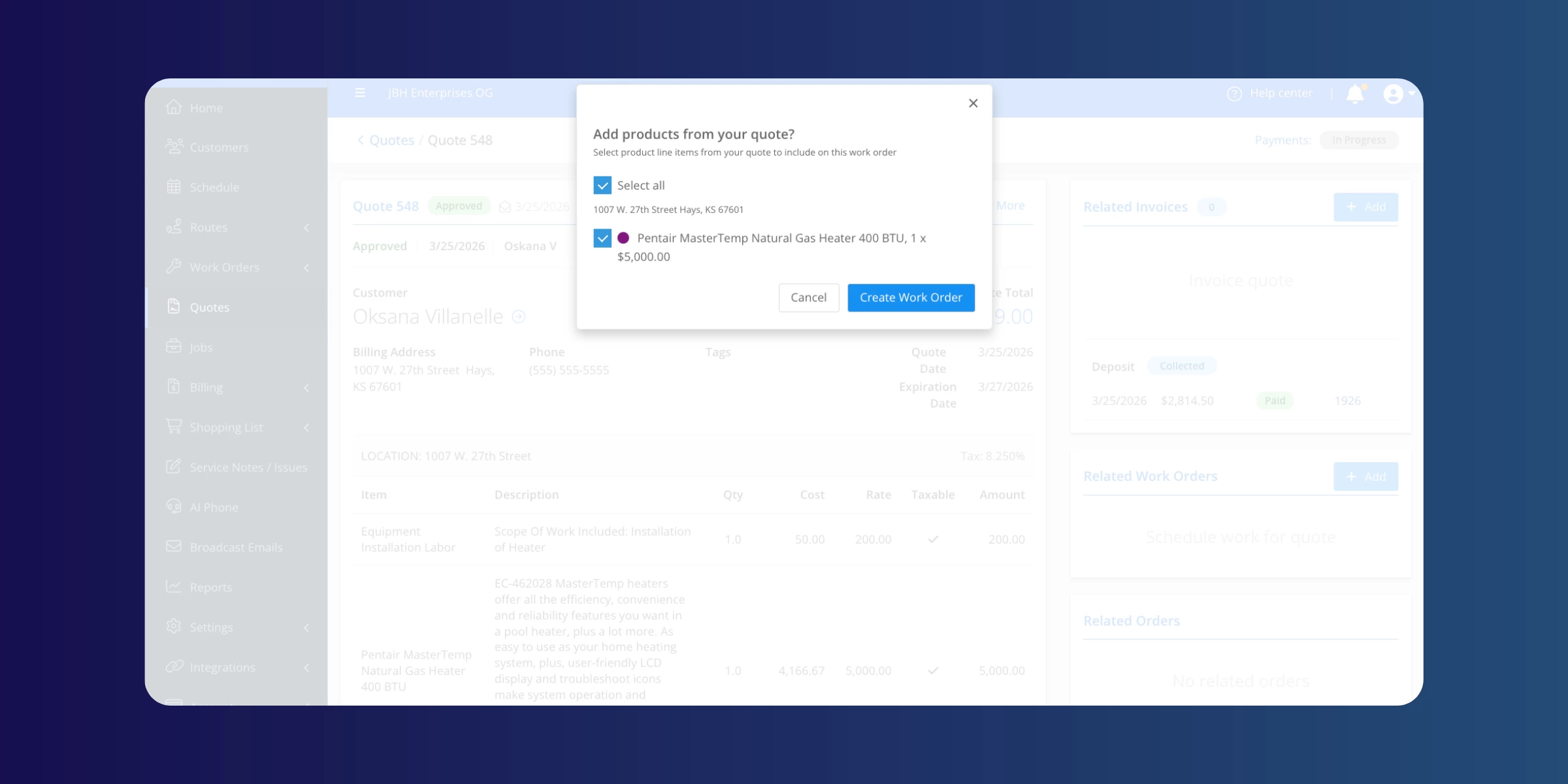
Picking line items off a quote and sending them straight to a work order or job is now built in. No more retyping what's already on the quote. Anything already taken care of is automatically hidden, so you only see what actually needs your attention. This also works in the mobile app starting with version 12.14.
Note: Available on Scaling Up and Enterprise plans.
WATCH VIDEO
Skimmer Home
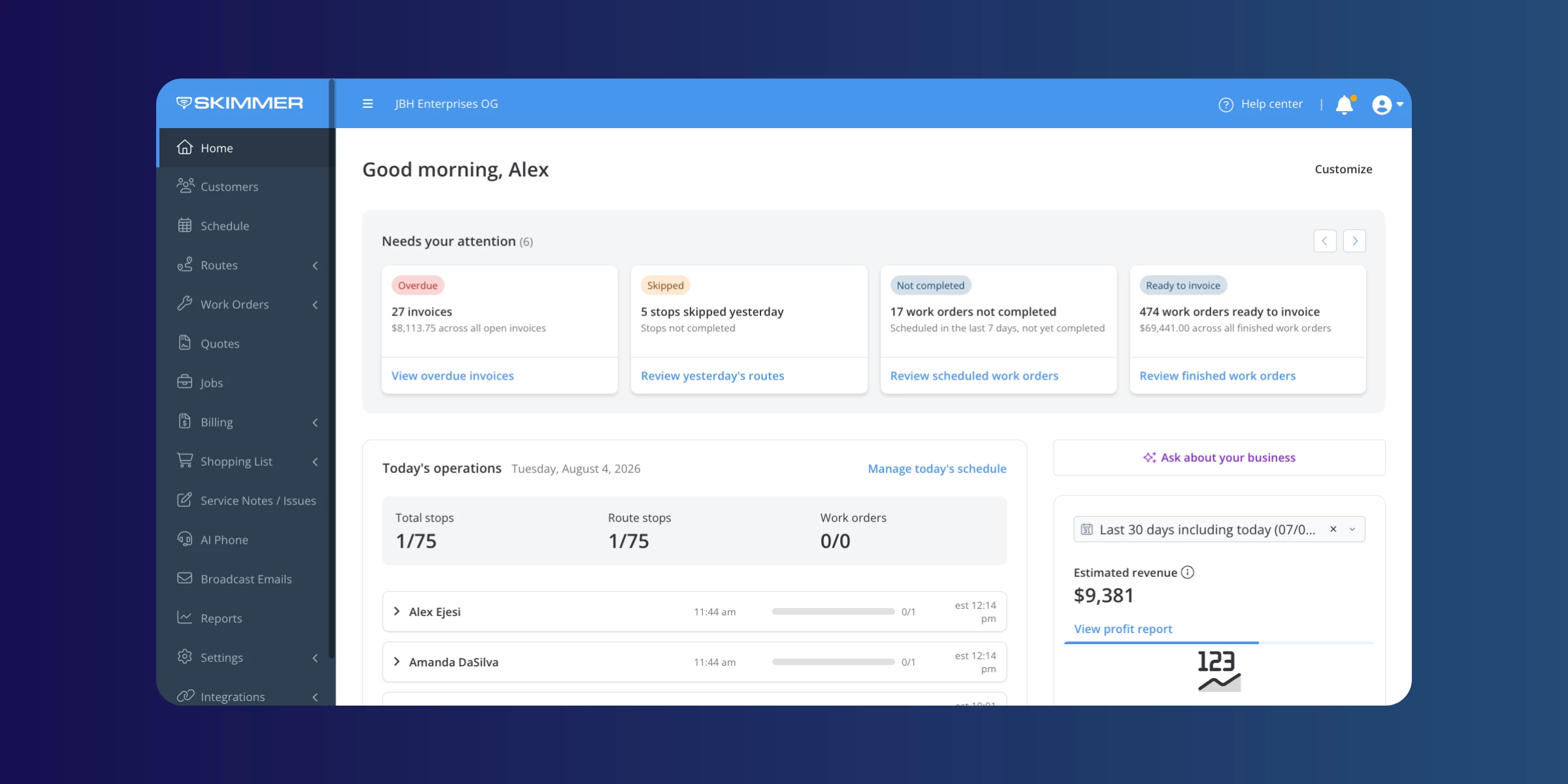
The Dashboard page has a new name and a new job: Skimmer Home. It's built to be your home base: new accounts get a getting started checklist, and everyone gets a view of what needs attention today, how routes are progressing, and how the business is doing overall.
Learn more:
Texting quotes
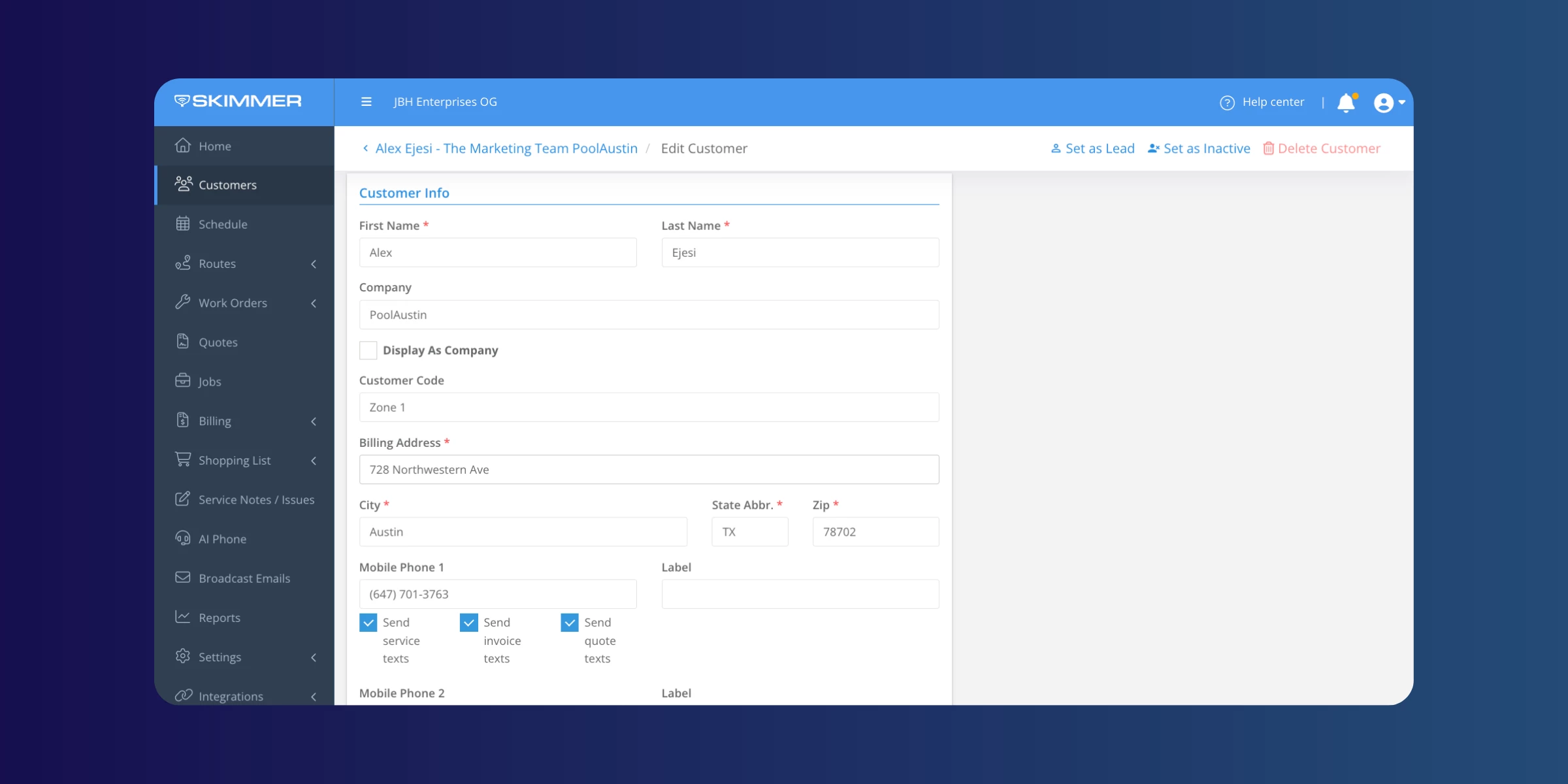
Quotes can now be sent to customers by text, just like invoices already are. If you've already got invoice texts turned on, quote texts get switched on for you automatically. Check the Service Text Settings if you want to change that.
Service notes and issues
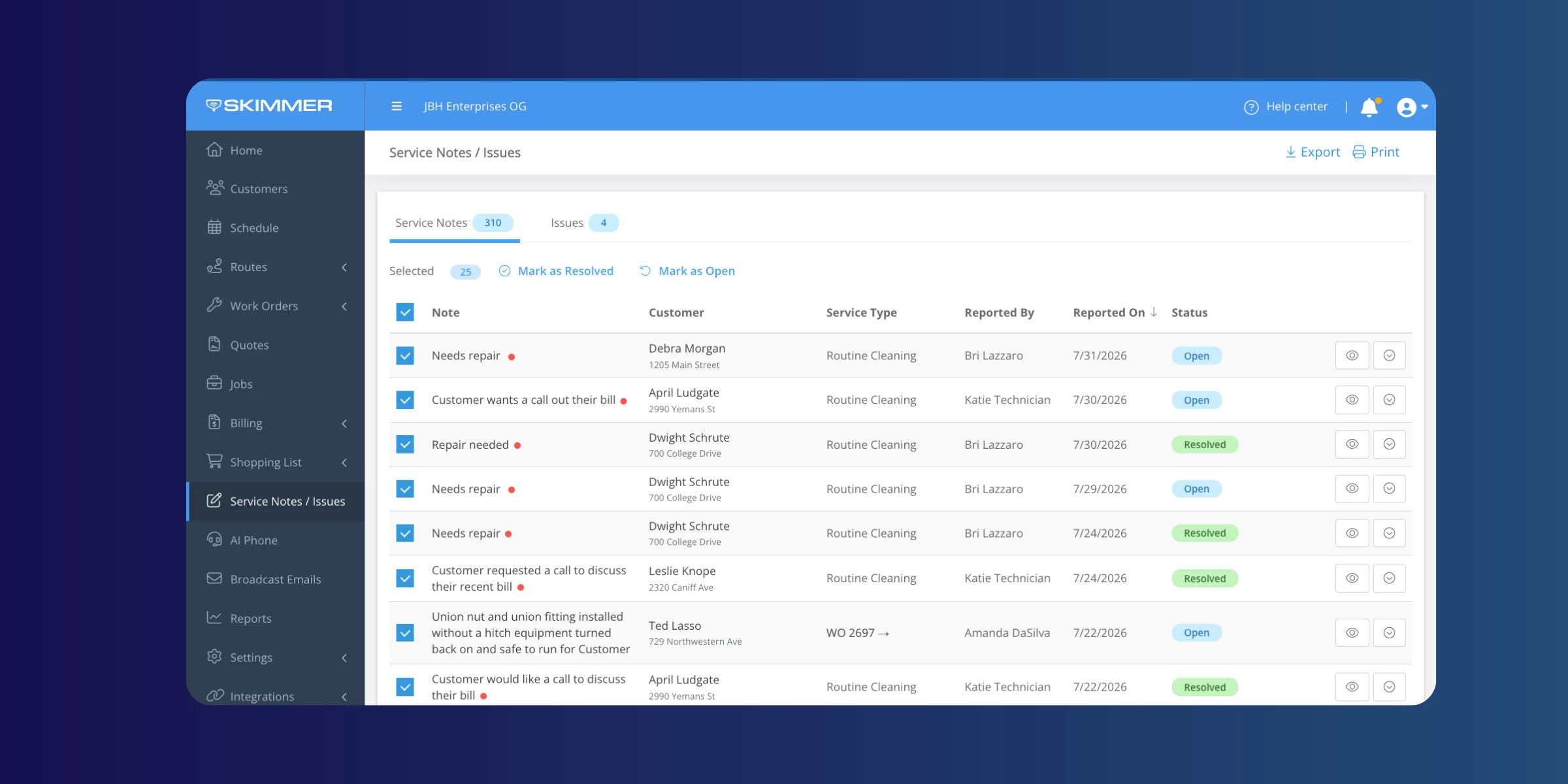
Clearing out notes and issues just got faster. Select several at once and mark them all as resolved or reopened in one action, and you'll get a quick confirmation showing how many were updated.
Office alerts
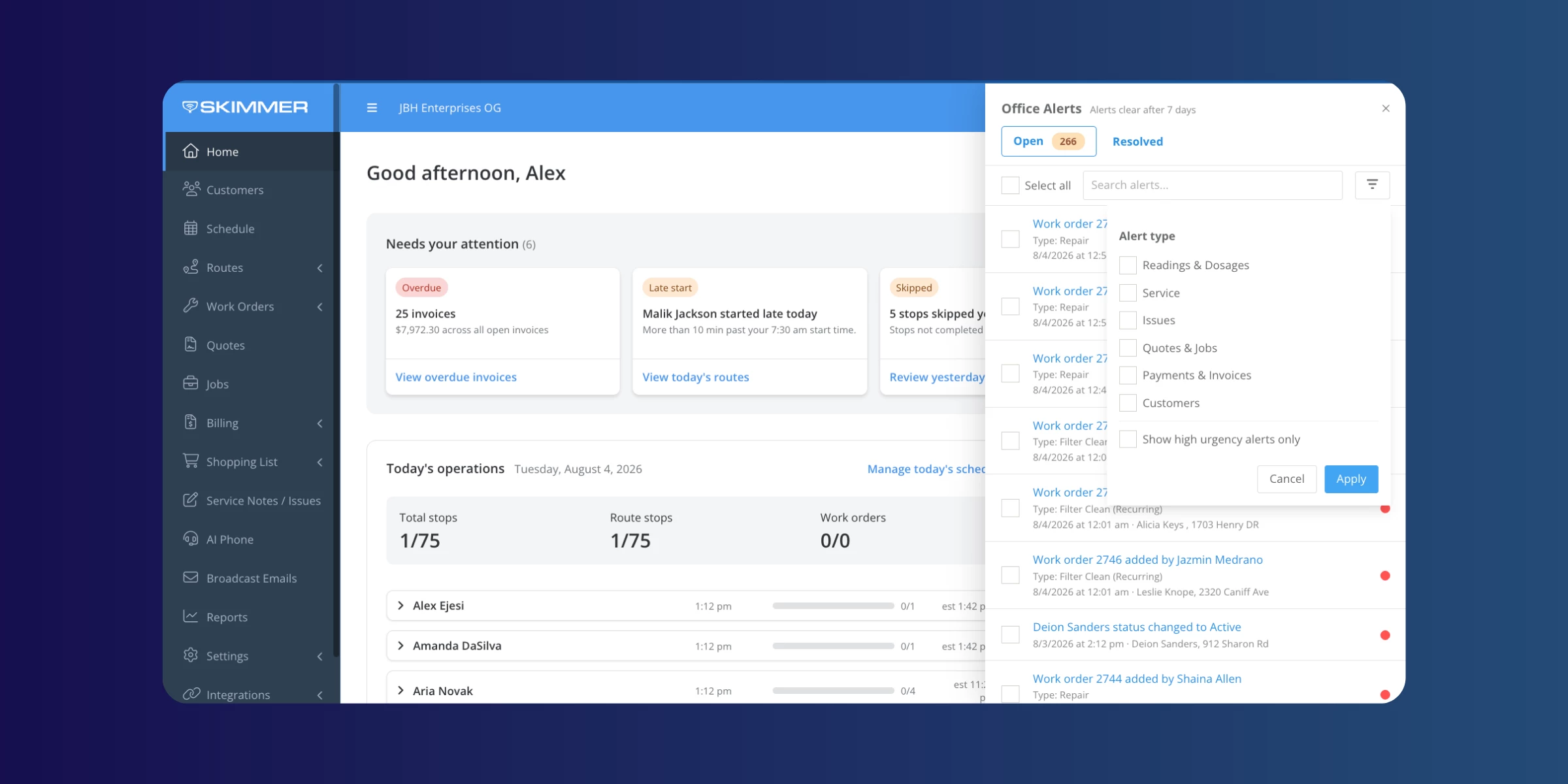
The alerts panel now updates instantly when a status changes, so you don't have to check two places. You can also filter the alerts bell and panel by type, and customer emails about an issue now include the service location's address.
QuickBooks Online (QBO) improvements
Pulling in products, services, categories, and accounts from QBO is faster now, especially if you've got a lot of data there. And if you haven't set up QBO payout sync yet, you can now pick a bank account for Payment Deposit To Account instead of being stuck until sync is configured.
API and export enhancements
A few improvements for anyone relying on Skimmer's API or automated exports: invoice queries and line items now carry more detail, and the nightly export includes customer activity log data.
Mobile app updates
Mobile release 12.14 landed with a batch of field-facing improvements. If you're living out of your phone all day, this one's worth a look:
- Biometric login. Log in with Face ID or a fingerprint instead of typing your username and password every time, especially handy when your hands are wet or you're wearing gloves.
- PDF attachments on quotes. Attach and view PDF documents, spec sheets, warranty paperwork, signed proposals, right from your phone or tablet, no trip back to a computer needed.
- Swipe-through photo viewer. Browse job photos in a carousel instead of tapping back to a gallery between each one.
- Faster video uploads on Android. Videos are compressed better, so they upload quicker and use less data in the field.
- Duplicate issue fix. If an issue's type gets reassigned on the web, both issues now show up on mobile instead of one silently disappearing from the list.
- Route Dashboard improvements. The "on my way" button is bigger and easier to tap one-handed, and Skimmer now catches and prevents duplicate route stops.
That's all for July. More to come next month.
Don't forget to update your mobile app for the latest fixes and features:
Update for iOS → | Update for Android →