



June's updates are about giving your team cleaner data and fewer dead ends — whether that's finding a customer faster, keeping your product list accurate, or getting a heads-up before a small problem becomes a big one.
Office alerts & issues
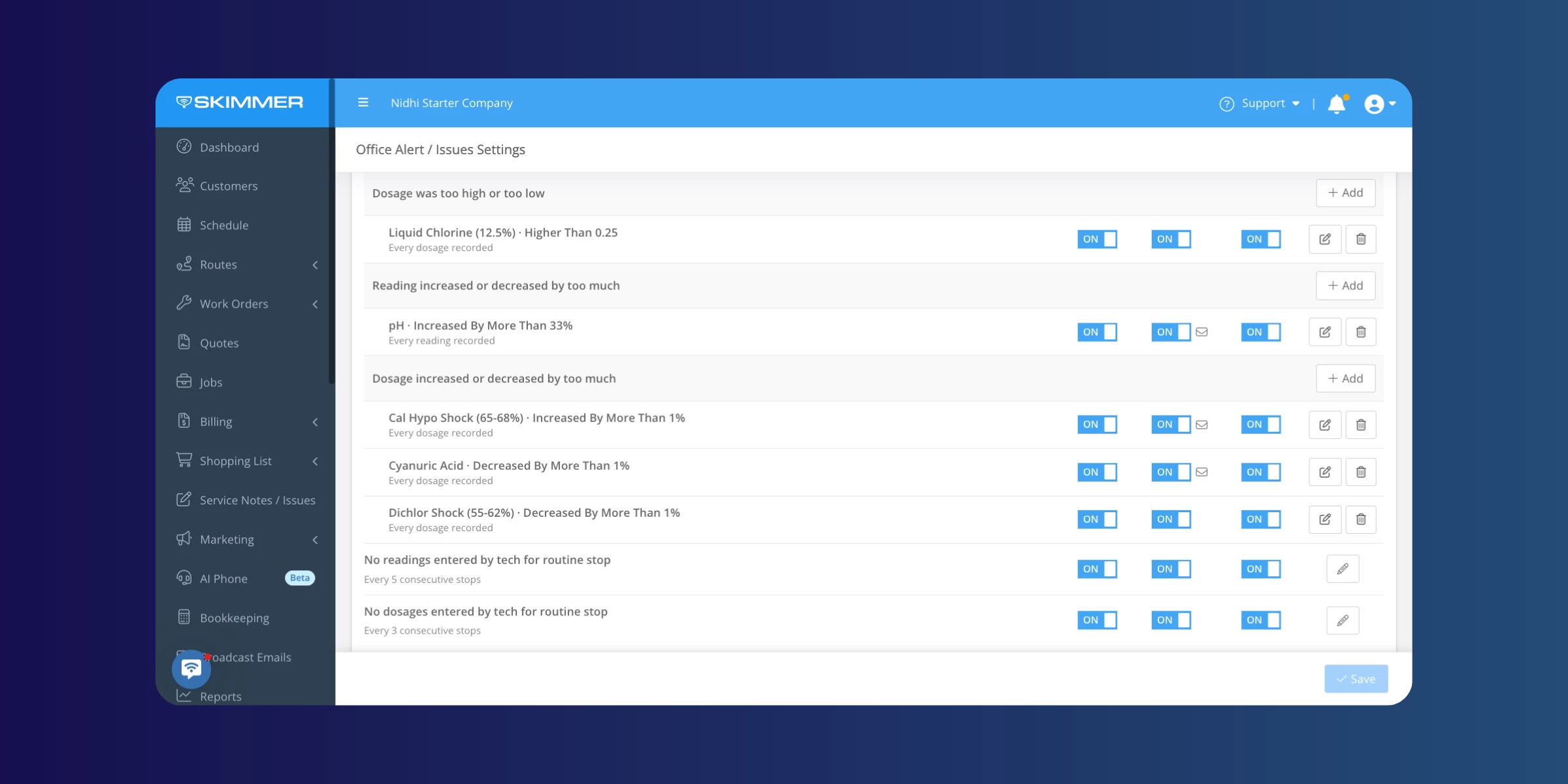
You asked for a way to know what's happening across your routes without waiting for a tech to tell you. Office alerts let you set up notifications for the things that matter most to your business — chemistry readings outside your thresholds, missed service stops, overdue invoices, and more.
At the same time, your techs can now log issues from the field directly in the mobile app, with a photo and description attached, so your office always has context when something goes wrong.
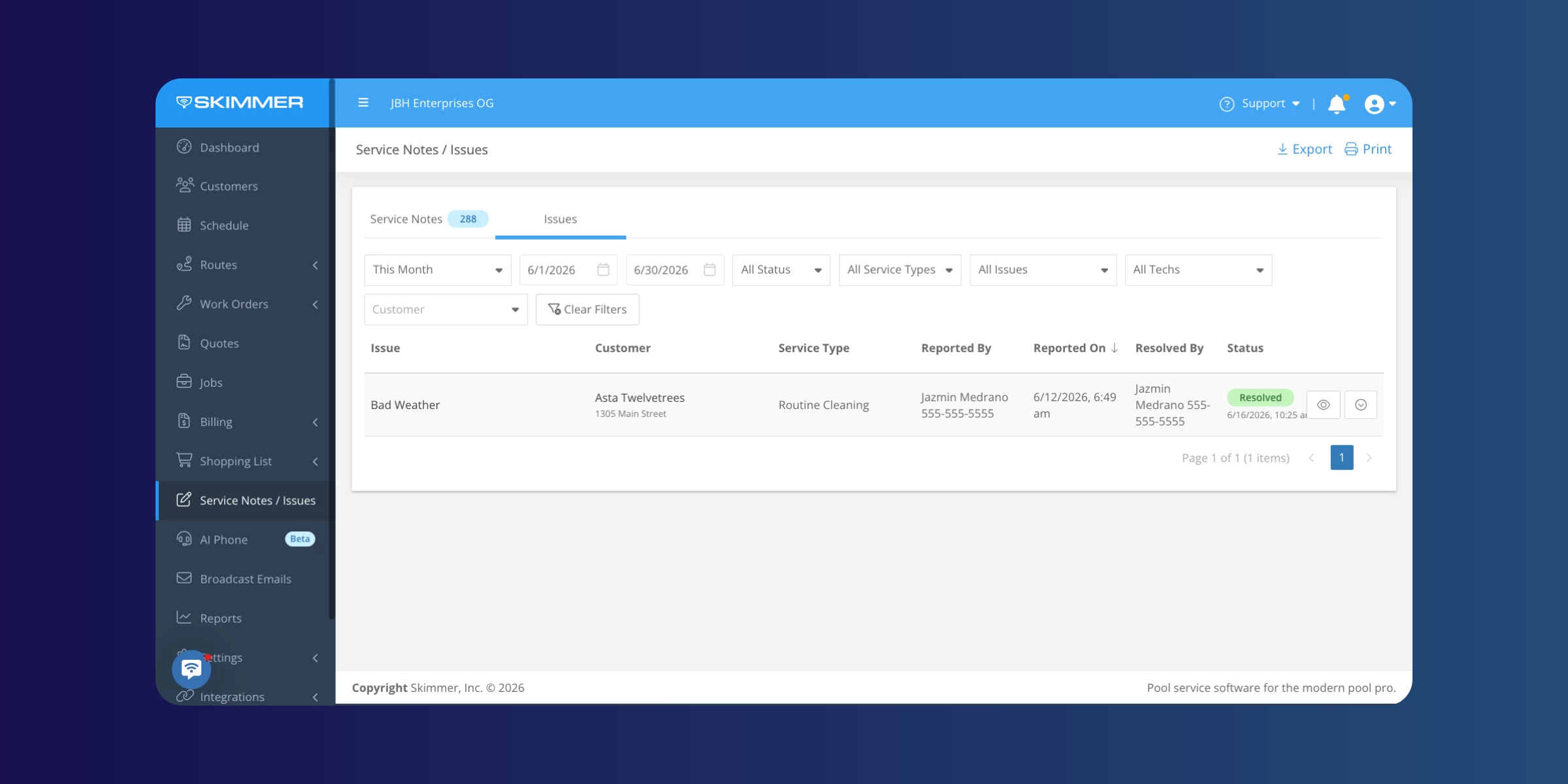
This is one of the bigger additions we've shipped in a while. If you want the full walkthrough, we put together a dedicated post with everything you need to get started.
[Learn more about alerts & issues →
Customer lead sources
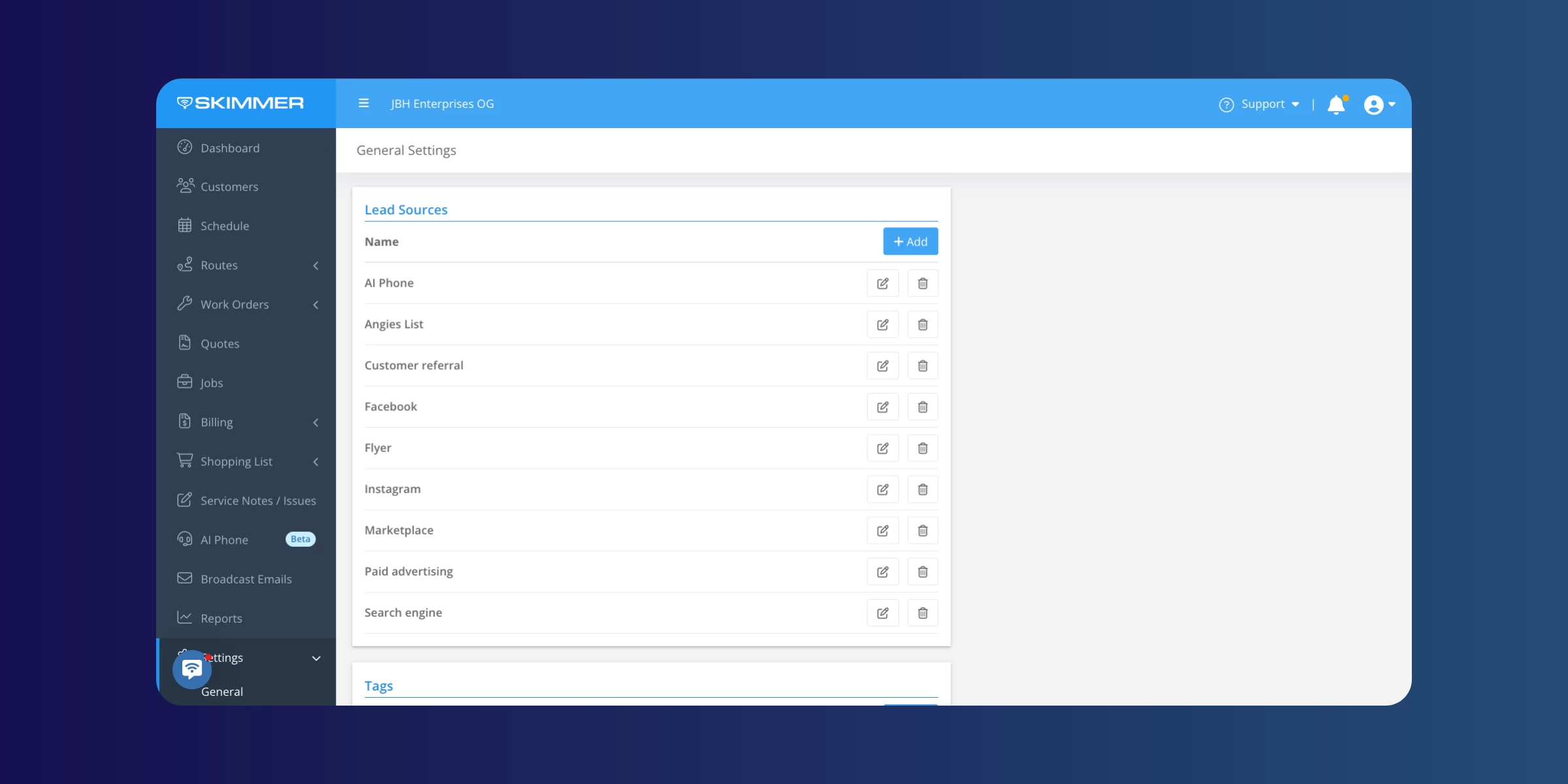
You can now create up to 50 lead sources, up from the previous limit of 25. If your business has grown past the old cap or you've been tracking lead sources outside Skimmer to work around it, this gives you more room to track where new customers are actually coming from.
Customer search by service location address
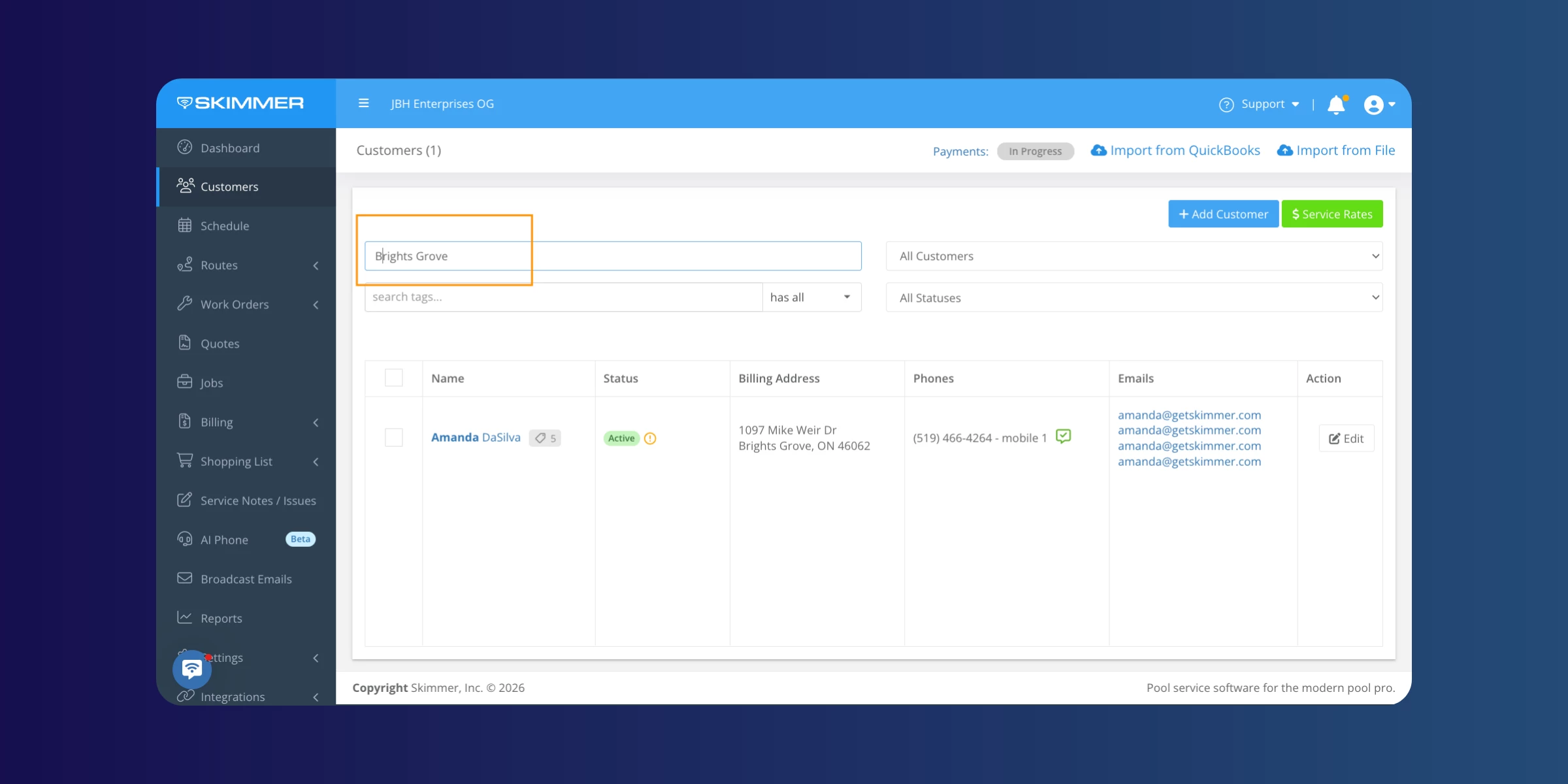
When you search for a customer, Skimmer now checks all service location addresses on the account, not just the billing address. If you know the pool address but not the account name, you can find it now with a quick search.
AI phone: revamped statistics and leads tabs
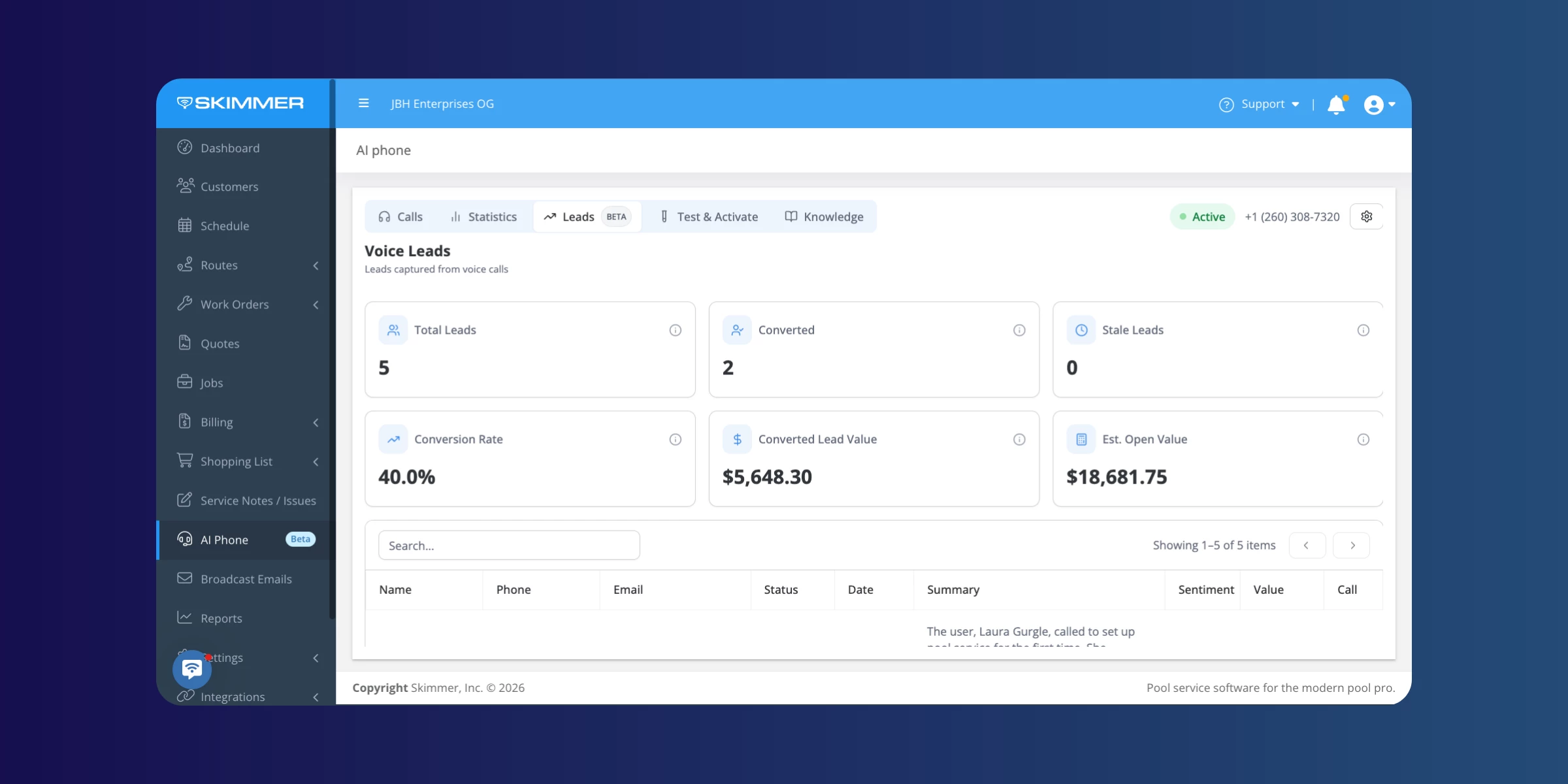
If you're using AI phone, a clearer picture awaits you. The statistics and leads tabs have been redesigned to show you exactly what AI phone is doing for your business — the revenue captured from calls you missed, the types of calls coming in, and when those opportunities happen most often.
Discontinued products
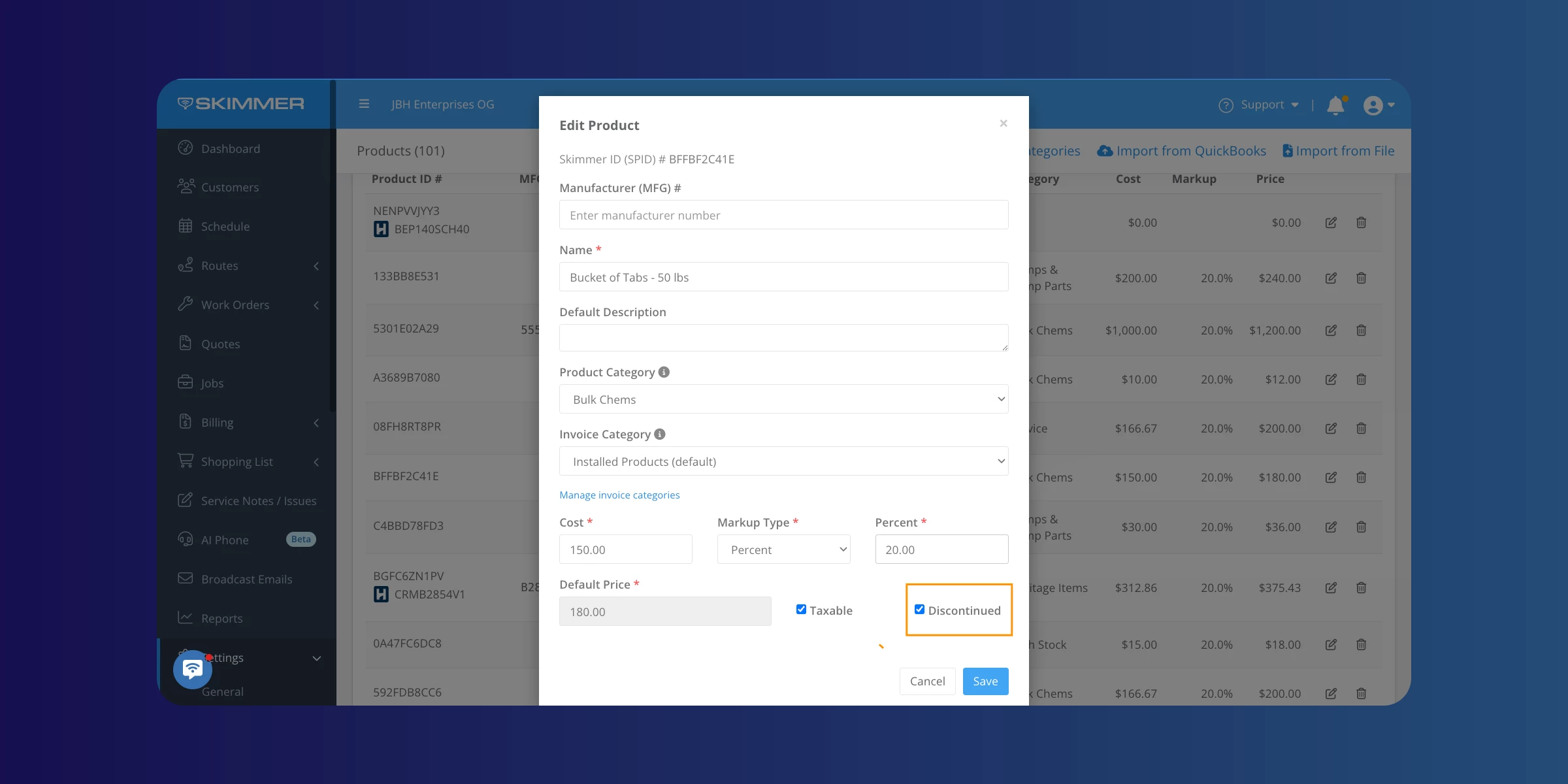
You can now mark a product as discontinued from the Add Product or Edit Product fields and also filter the product list to view active products, discontinued products, or both. Discontinued products remain visible on your Products page with a discontinued icon, so you know they're there, but they won't appear when you select products in quotes, work orders, shopping lists, or service stops on mobile.
NOTE: If a product was already added to an existing record before it was discontinued, it'll stay on that record — discontinuing only prevents new selections going forward.
Service types in the service rates page
You can now see and update the service type for each service location directly from the service rates page. Use the dropdown to update a single location on the spot, or use bulk edit to update multiple locations at once.
As always, don't forget to update your mobile app to the most current version for the latest improvements.
Update for iOS | Update for Android
More coming in July! 🚀🚀