  • 77 Product updates

Skimmer monthly release roundup: July 2026

Skimmer monthly release roundup: July 2026

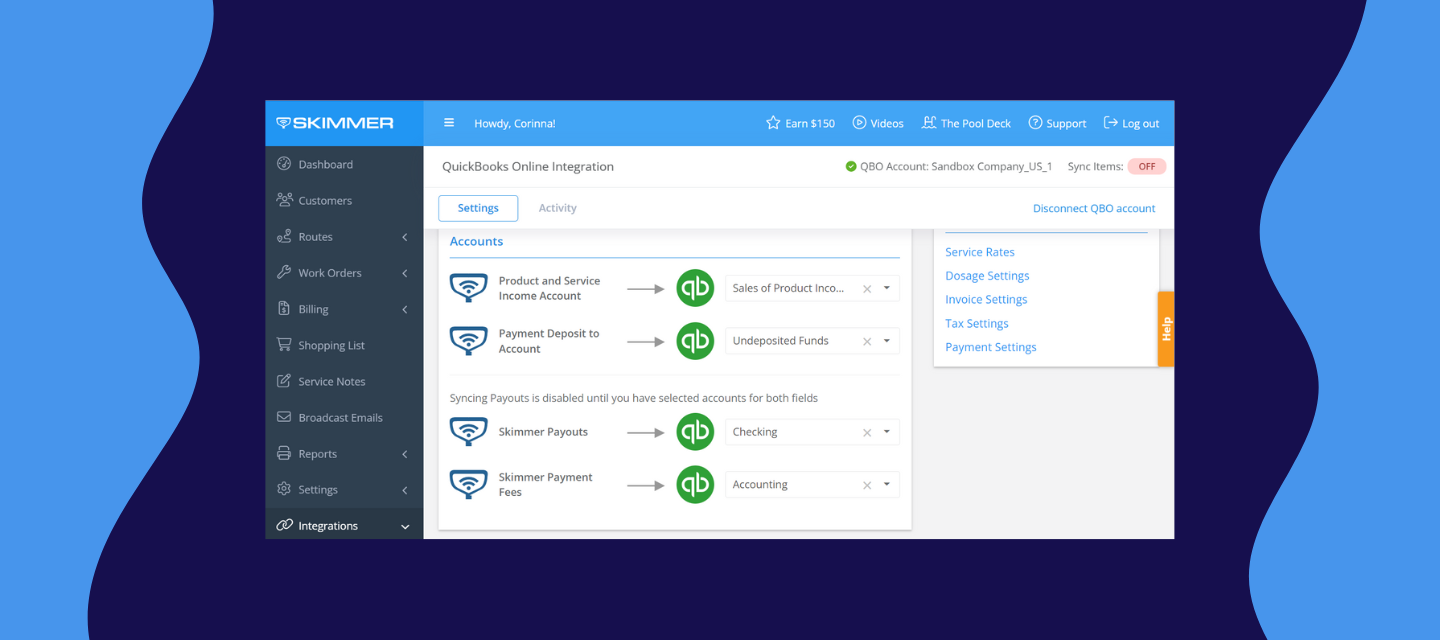
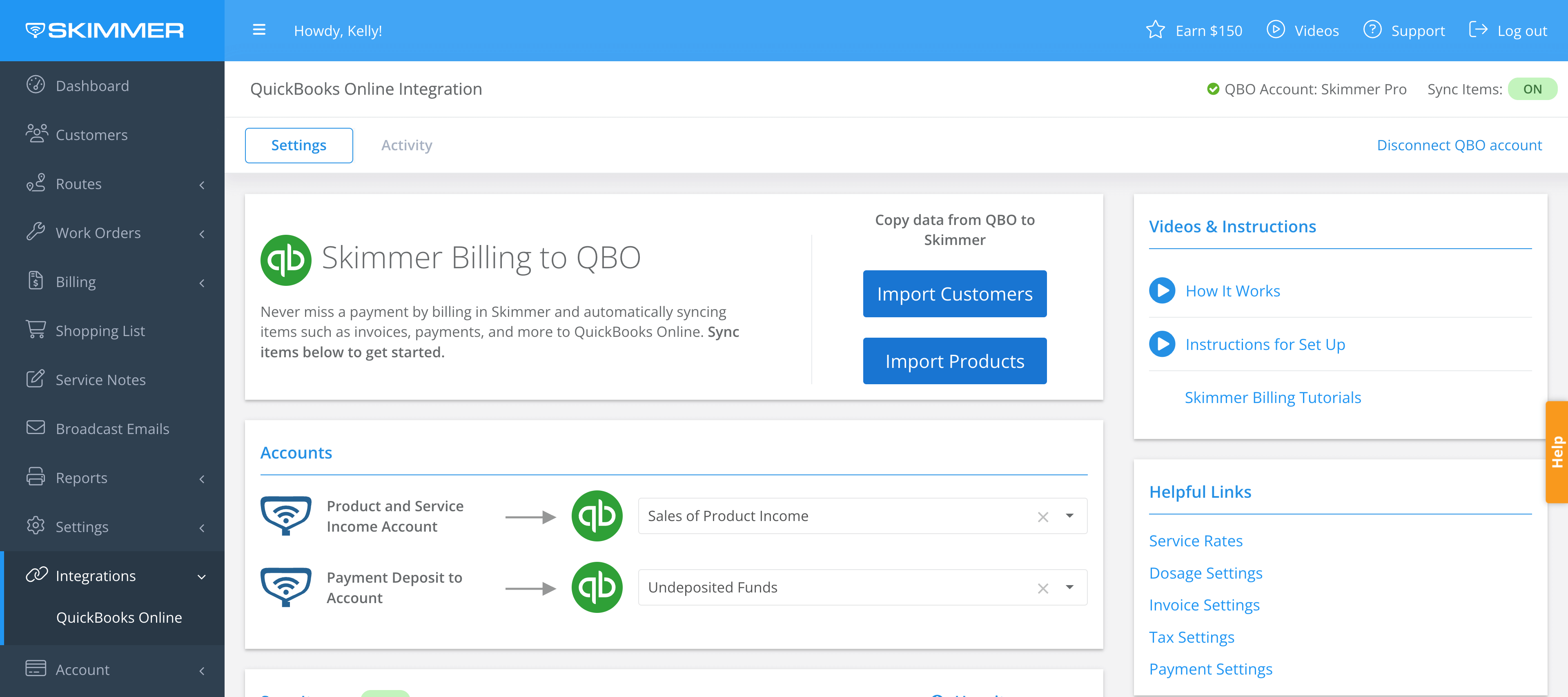
July was very busy here at Skimmer HQ. These updates are about giving you more control with less manual work: order supplies without leaving Skimmer, get straight answers from AI Insights, move quote items to work orders without retyping them, and clear out alerts and issues in bulk instead of one at a time. Here's everything that shipped in July. Heritage ordering You can now order supplies directly from Heritage without leaving Skimmer, and link those orders to customers, quotes, and work orders. We also added a couple of safeguards: removing a line item from an order now asks you to confirm first, and leaving an order page with unsaved changes gives you a warning instead of silently losing your work. Want to see order history at a glance? There's now a procurement report, linked right from the reports page.Learn more:   AI Insights  AI Insights is officially out of early access and available to everyone. Ask it a question about your business in plain language, like how many stops got skipped this week and why, what your profit looked like last month, or what you spent on chemicals, and get a straight answer instead of building a custom report. We also fixed the accuracy on future and scheduled work questions, and profit answers now come from a tested, consistent source every time.Learn more:  Quote and job item handling   Picking line items off a quote and sending them straight to a work order or job is now built in. No more retyping what's already on the quote. Anything already taken care of is automatically hidden, so you only see what actually needs your attention. This also works in the mobile app starting with version 12.14.Note: Available on Scaling Up and Enterprise plans.WATCH VIDEO   Skimmer Home The Dashboard page has a new name and a new job: Skimmer Home. It's built to be your home base: new accounts get a getting started checklist, and everyone gets a view of what needs attention today, how routes are progressing, and how the business is doing overall. Learn more: Texting quotes Quotes can now be sent to customers by text, just like invoices already are. If you've already got invoice texts turned on, quote texts get switched on for you automatically. Check the  Service Text Settings if you want to change that. Service notes and issues Clearing out notes and issues just got faster. Select several at once and mark them all as resolved or reopened in one action, and you'll get a quick confirmation showing how many were updated.  Office alerts The alerts panel now updates instantly when a status changes, so you don't have to check two places. You can also filter the alerts bell and panel by type, and customer emails about an issue now include the service location's address. QuickBooks Online (QBO) improvements Pulling in products, services, categories, and accounts from QBO is faster now, especially if you've got a lot of data there. And if you haven't set up QBO payout sync yet, you can now pick a bank account for Payment Deposit To Account instead of being stuck until sync is configured. Payout report access The Payouts report can now open straight to a specific payout or invoice from a link, so you can jump right to what you need. API and export enhancements A few improvements for anyone relying on Skimmer's API or automated exports: invoice queries and line items now carry more detail, and the nightly export includes customer activity log data. Customer import workbook Bulk importing customers? The import workbook now includes a column for overdue-invoice suspension, so you can set it for an entire batch at once. Mobile app updates Mobile release 12.14 landed with a batch of field-facing improvements. If you're living out of your phone all day, this one's worth a look:Biometric login. Log in with Face ID or a fingerprint instead of typing your username and password every time, especially handy when your hands are wet or you're wearing gloves. PDF attachments on quotes. Attach and view PDF documents, spec sheets, warranty paperwork, signed proposals, right from your phone or tablet, no trip back to a computer needed. Swipe-through photo viewer. Browse job photos in a carousel instead of tapping back to a gallery between each one. Faster video uploads on Android. Videos are compressed better, so they upload quicker and use less data in the field. Duplicate issue fix. If an issue's type gets reassigned on the web, both issues now show up on mobile instead of one silently disappearing from the list. Route Dashboard improvements. The "on my way" button is bigger and easier to tap one-handed, and Skimmer now catches and prevents duplicate route stops. That's all for July. More to come next month.Don't forget to update your mobile app for the latest fixes and features:Update for iOS → | Update for Android → 

Related products:Monthly release roundup
Your new Skimmer home is here!

Your new Skimmer home is here!

We rebuilt the first thing you see when you log in. Instead of jumping between screens to find what needs attention, Skimmer Home gives you one view of your day, your routes, and your business.Why it mattersMost mornings start with the same questions: What's overdue? Who's running behind? How's the business doing? Home answers all three in one place, so you can act before the day gets away from you.What you getNeeds your attention - Your morning gut check. It surfaces what's most likely to need action today: overdue invoices, failed payments, skipped stops, unscheduled work orders, quotes awaiting approval, new leads, and more. Each card shows a count or dollar amount and links straight to the list. Cards only show when there's something to act on, so an empty section means you're on track. Today's operations - A real-time look at how routes are progressing. See team totals for the day, plus each technician's start time with an on-time or late flag, stop count, estimated finish, and a progress bar. Click a tech for their full stop-by-stop timeline, or assign any work order that still needs a name on it. Business health - A quick snapshot of performance over the last 30 days: estimated revenue, customers serviced, skip rate, and chemical cost. Change the date range anytime, or click through to the full report. You can also ask about your business in plain language and get answers back.Ask about your businessBusiness health includes an AI insights drawer. Select Ask about your business and type a question in plain language, no reports to build or filters to set. Ask things like which customers you've lost this month or how your skip rate is trending, and get an answer back in seconds. It's available to anyone with the "Can view AI insights" permission.Make it yoursHit Customize in the top-right to turn sections and metrics on or off. Your setup is yours alone, so it won't change what anyone else on your account sees. Everything also follows your permissions, so you only see what you're cleared to see.AvailabilitySkimmer Home is live now for all accounts. Just log in to see it.Log in and take a look. Then tell us what you'd add next in the thread below.

New Feature! Heritage ordering: search, quote, order, and track, all without leaving Skimmer.

New Feature! Heritage ordering: search, quote, order, and track, all without leaving Skimmer.

Our Heritage integration lets you search Heritage's catalog, place orders, and track them directly in Skimmer, with every purchase tied to the correct work order, customer, and body of water. SEE IT IN ACTION BELOW Here’s what you can now do with the Heritage integration:🛒 OrderingSearch Heritage's full catalog or your linked Skimmer products by name or part number Place an order without leaving Skimmer: select products, quantities, and delivery method Set role-based permissions so techs can draft orders while admins review and submit so that spending stays controlled📋 Order managementTrack every order in one view with live status updates: draft, submitted, on hold, acknowledged, shipped, invoiced Track what your company buys through Heritage Orders and how much you're spending with the procurement report.📝 Quote-to-orderAdd Heritage items to a quote with live pricing The parts cost in your quote reflects what Heritage is actually charging, not what you looked up last week🔗 Job costingTie Heritage purchases to work orders, bodies of water, and customers Supports billing accuracy and gives you a record of what was installed and where One-off purchases are tracked through "other" so th Getting started: You'll need an active Heritage Pool+ account to place orders.If you're already using the Heritage integration, you're all set — log in and go to Heritage orders. New to Heritage in Skimmer?https://help.getskimmer.com/article/344-heritage-ordering walks you through how it works and how to set it up quickly Have questions? Drop them in the comments below :)  

Related products:Integrations
AI Insights is here — ask your business data anything

AI Insights is here — ask your business data anything

You know that question you answered three times this week — "how many customers do we have on AutoPay?" or "which pools have CYA over 100?" — the one where you had to open a report, filter it down, and still weren't sure you were looking at the right thing? AI Insights is built for exactly that.Starting today, AI Insights is available to all Skimmer customers on the web app. It's a data assistant you can access from your home page or the Reports page — you type a question about your business and get a clear, summarized answer back in seconds.  Here’s how you can use it for your business: 📋 Ask anything about your businessQuestions or statements both work — "which customers owe me money?" or "show me skipped stops this month" Covers customers, routes, stops, chemicals, dosages, invoices, work orders, and more For the sharpest answers, keep questions short and specific. Questions outside that scope get a clear fallback.⚡ Less digging, faster answersAnswers come back in seconds, not after navigating multiple screens Download results as a CSV (up to 10,000 rows) for deeper review Work order, invoice, and customer references are clickable — go straight to the detail page from your answer🔒 Built with privacy and security in mindAI Insights can only read your data, never change it Sensitive information — stored cards, gate codes — is blocked by design Your data stays scoped to your company only Getting startedLook for "Ask about your business" on your Skimmer home page, or find it under Reports. The more you use it, the better it gets. Use the thumbs up/thumbs down on each answer to let us know how it's doing.Need more guidance? Check out the link below to learn morehttps://help.getskimmer.com/article/332-ai-insights  

Related products:Reporting
Skimmer monthly release roundup: June 2026

Skimmer monthly release roundup: June 2026

June's updates are about giving your team cleaner data and fewer dead ends — whether that's finding a customer faster, keeping your product list accurate, or getting a heads-up before a small problem becomes a big one. Office alerts & issues You asked for a way to know what's happening across your routes without waiting for a tech to tell you. Office alerts let you set up notifications for the things that matter most to your business — chemistry readings outside your thresholds, missed service stops, overdue invoices, and more. At the same time, your techs can now log issues from the field directly in the mobile app, with a photo and description attached, so your office always has context when something goes wrong.This is one of the bigger additions we've shipped in a while. If you want the full walkthrough, we put together a dedicated post with everything you need to get started.[Learn more about alerts & issues →  Customer lead sources You can now create up to 50 lead sources, up from the previous limit of 25. If your business has grown past the old cap or you've been tracking lead sources outside Skimmer to work around it, this gives you more room to track where new customers are actually coming from.  Customer search by service location address When you search for a customer, Skimmer now checks all service location addresses on the account, not just the billing address. If you know the pool address but not the account name, you can find it now with a quick search.   AI phone: revamped statistics and leads tabs If you're using AI phone, a clearer picture awaits you. The statistics and leads tabs have been redesigned to show you exactly what AI phone is doing for your business — the revenue captured from calls you missed, the types of calls coming in, and when those opportunities happen most often.  Discontinued products You can now mark a product as discontinued from the Add Product or Edit Product fields and also filter the product list to view active products, discontinued products, or both. Discontinued products remain visible on your Products page with a discontinued icon, so you know they're there, but they won't appear when you select products in quotes, work orders, shopping lists, or service stops on mobile. NOTE: If a product was already added to an existing record before it was discontinued, it'll stay on that record — discontinuing only prevents new selections going forward. Service types in the service rates pageYou can now see and update the service type for each service location directly from the service rates page. Use the dropdown to update a single location on the spot, or use bulk edit to update multiple locations at once. As always, don't forget to update your mobile app to the most current version for the latest improvements.Update for iOS | Update for AndroidMore coming in July! 🚀🚀 

Related products:Monthly release roundup
Office alerts and issues starter packs are here — catch problems before they cost you

Office alerts and issues starter packs are here — catch problems before they cost you

Hey community!We just launched Alerts & Issues and we know that sometimes the hardest part isn't turning it on — it's knowing where to start.So ​@cshalli put together something that makes that easy: starter packs. Each one is a small group of alerts and issues built around a specific problem your business already has, and tells you exactly what to turn on and what you get for it.The packsProtect the relationship(start here) — field-reported issues only. Your tech flags a problem, your customer gets a heads-up email automatically. No more finding out when they call you. Protect the margin(popular) — alerts for over-dosing, too much time at a stop, and aging equipment. Catches the things quietly eating into your profit.. Cover your back — timestamped photos and notes when something was already broken before your tech got there. Documented proof, every time. Green pool prevention(popular) — low chlorine, high CYA, and cloudy water issues all in one pack. Catch a pool going bad before the customer sees it. Cash flow — get notified when a payment fails, AutoPay turns off, or a card expires. Stop losing money because nobody noticed Eyes for the pipeline — aging equipment, cracked plaster, heaters not firing. Turns every stop into a chance to find your next repair job. Did the work actually happen — alerts when a stop was too short or readings weren't entered. Good for making sure service actually happened the way it should. Don't forget to invoice — get notified when a work order finishes or a job wraps up. Nothing falls through before you send invoices. Where to start If you're new to this, turn on the protect-the-relationship pack and the don't-forget-to-invoice pack first. They solve the two things every pool company feels: customers calling angry and money left on the table.Once those are running, you can layer in the rest.The setup guidesEverything you need to get started are covered in the links below:Starter guide to Skimmer Alerts & Issues — all the packs with full detail How to set up alerts Alert inspiration: thresholds worth considering How to set up issues Customer email templates for issues Let us know what alert types you’ve set up so far in the comments! 

NEW FEATURES: Office alerts and issues

NEW FEATURES: Office alerts and issues

You set up a reading alert two weeks ago and forgot about it. Then this morning, you received a notification that your tech recorded a chlorine level of 0.2 at a customer’s property. Twice in a row. Without an alert, you’d have found out when they called to complain. Instead, you caught it in time to act.That’s what alerts & issues are built for. Skimmer watches your operation in real time and tells you when something needs your attention — the moment it happens, not days later.WATCH THE VIDEO TO SEE HOW IT WORKS!  🔔 Office alerts Configure alerts for the conditions that matter to you — readings or dosages out of range, a tech who hasn’t started, a stop that got skipped, a route left unfinished, a payment that failed, a quote approved or rejected, and more Alerts land in a new bell-icon panel in your top nav, visible from anywhere in Skimmer — no separate page to navigate to Set urgency on any alert so the bell shows an orange dot when something needs immediate attention Mark alerts resolved (or reopen them), and your whole team sees the updated status — no duplicate follow-up Configure email delivery per alert type, including additional recipients for specific alerts (e.g., only your billing person gets payment alerts) New alerts default to panel-on, email-off — you opt in to email for the alerts that warrant it 📱 IssuesTechs can now report structured field problems from mobile during any service stop or work order stop not just freeform service notes They select a pre-defined issue type (Water Level Low, System Down, No Power, Bad Weather, Repair Needed), add a description and up to 5 photos, and sync issues land in a dedicated issues tab on the Notes & issues page (previously Service Notes), separate from service notes, filterable, and trackable Office staff can review tech notes and photos, add an office note, and mark the issue resolved with a full audit trail of who handled what and when Optional: You can configure a customer-facing email to notify pool owners automatically when a specific issue type is reported at their property Export any filtered view to CSV for reporting, insurance documentation, or customer communication ⚙️ SetupOffice alerts : go to Settings > Office alerts  to configure your alert rules. Readings and dosage alerts need a one-time setup because Skimmer needs to know which readings you track and what thresholds matter to you — This takes about 5 minutes Issues: configure issue types in Settings > Office alerts . Default issue types are available but start off. Turn on and customize the ones you want before your techs start using them Admins and owners get panel access automatically. You can extend panel visibility to other roles under Settings > Roles & Permissions Questions or early feedback? Please drop them in the comments :)  

AI phone: What we are seeing after 30 days.

AI phone: What we are seeing after 30 days.

When we launched AI phone in April, we said it would handle the calls that pool pros don't have time for. We are over 30 days post-launch and we’d love to share what we’ve seen so far. Across pool pros using AI phone:12,000+ calls answered. 99% of incoming calls were picked up, including nights, weekends, and during routes. 3-6 hours saved per pool pro, per month on phone time and data entry. That's a full workday of phone time back, every month. 4-6 missed leads captured per pool pro. These are calls that would've gone to voicemail and never gotten a callback. ~$200k in captured revenue, from calls AI phone answered. 96.6% positive or neutral customer interactions. Very few pool owners even knew it was an AI. Most importantly, pool owners are getting what they need when their pool pros are busy. Here’s feedback from a pool pro like you:"Holy cow, what an amazing system. We set it up last week, and within 3 to 5 minutes after I finished setting it up, I had 2 calls. Both were sales. AI phone picked it up, took in all the information of the new clients, and put it in the system. All I had to do was schedule it. It's paid for itself already for at least the next 7 months, just off 2 sales that I missed."Larry, Bluewater Pools AZ Why this will be useful for your business:It's built into Skimmer, so it already knows your customers, your route, and your schedule It's trained on proprietary pool service data and language, not generic call center scripts 10-minute setup, no extra apps to wire up If you haven't turned on AI phone yet, here's the experiment we'd suggest: turn it on for 30 days, see your own numbers, and decide from there. [Turn on AI phone in your Skimmer account] Not considering using AI phone? We would love to hear why below. 

Related products:AI phone
Skimmer monthly release roundup: May 2026

Skimmer monthly release roundup: May 2026

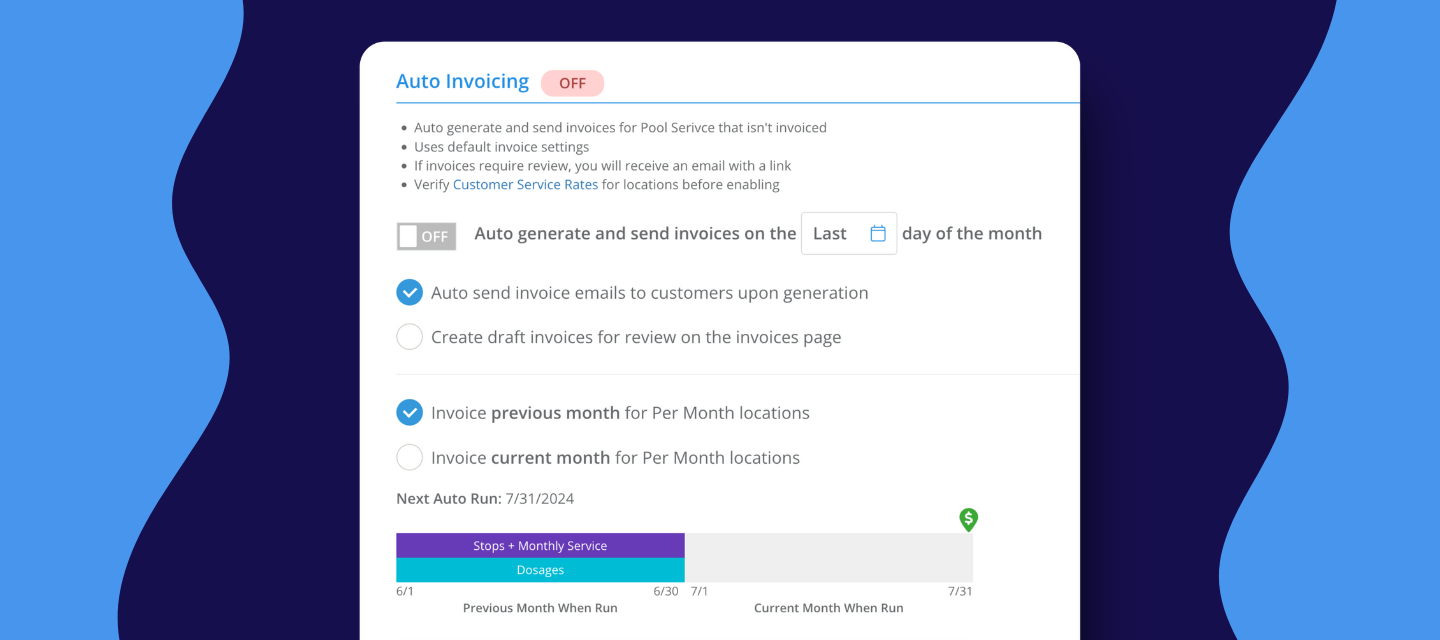
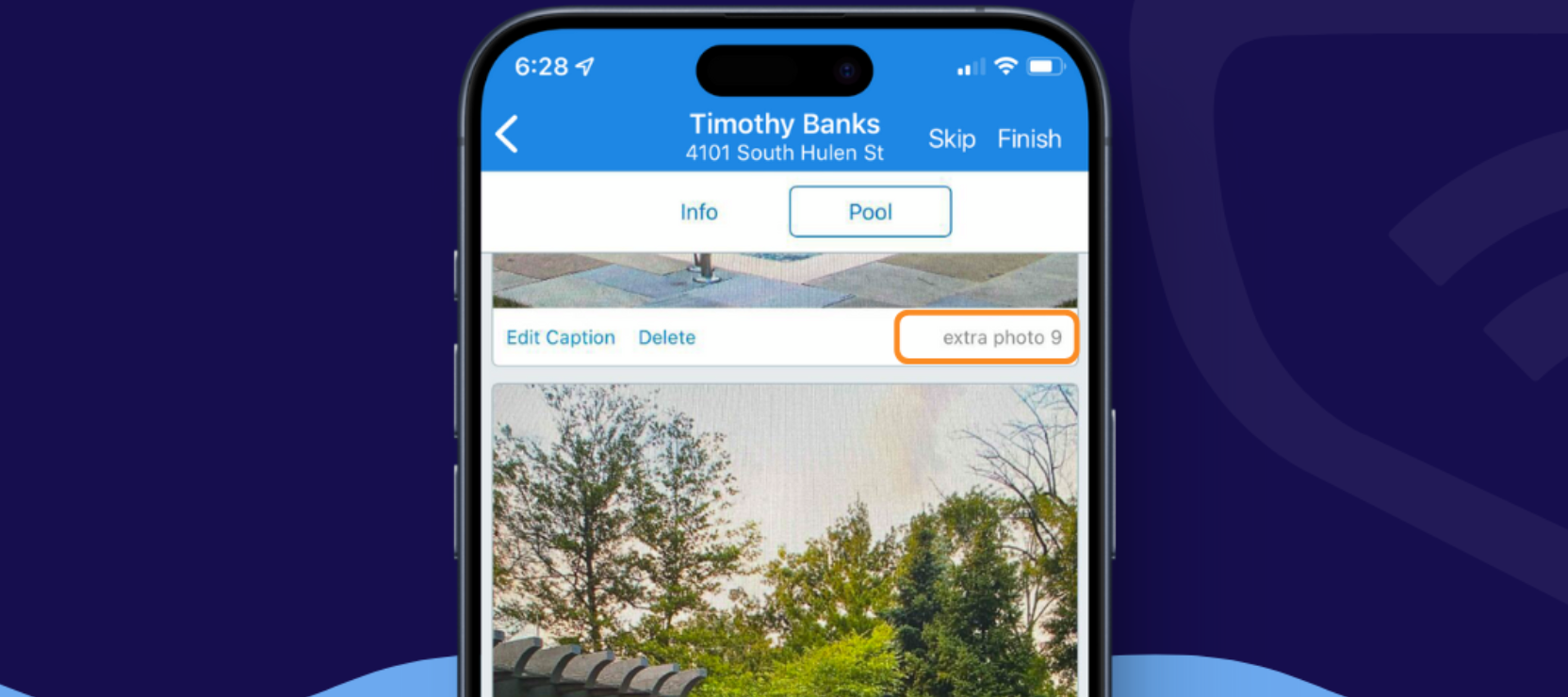
May's releases are focused on the field — giving techs better tools to document what they find, communicate it clearly, and keep the back office informed in real time. Alongside that, two significant invoicing updates give pool service businesses more control over how they bill. Here's what's new: Mobile 12.13:  A significant mobile update shipped this month with several improvements worth knowing about.Video attachments on quotes — Techs can now record and attach up to two videos directly from the mobile app when building a quote. Equipment noise, leaks, water flow issues — anything that's easier to show than describe. Videos are compressed on the device before uploading and queue automatically when a connection becomes available.Note: video recordings include audio, so techs should be mindful of what's captured.Confirmation before deleting media — A confirmation prompt now appears before a photo or video is permanently deleted from a quote. Date and time stamp on all service photos — Every photo taken through the mobile app now includes a timestamp printed directly on the image, reflecting the device's local time at the moment it was taken,  even if it was taken offline and synced later.Photos and videos now open in the browser — Media links from emails and other sources now open in-line in the browser instead of triggering a file download. Additional image types now viewable in the app — WebP, GIF, and BMP images added to quotes on the web now display correctly in the mobile app. Product catalog updates — The Add Product and Edit Product screens now include cost, markup type, markup value, default price, manufacturer ID, and Heritage ID fields. Techs can also mark products as discontinued from the mobile app. Discontinued products are automatically hidden from product selection screens to prevent accidental additions.[Update for iOS ] | [Update for Android ]Learn more here →  Auto invoicing by customer date  Pros can now bill each customer on their own day of the month instead of running all invoices on a single company-wide date. Once configured, Skimmer automatically creates invoices for the right customers on the right day — no manual runs needed. Invoice categories and pool service types New custom invoice categories and pool service types give pros finer control over how revenue is organized, reported, and synced to QuickBooks Online. Set up the categories that match how your business operates, and Skimmer routes revenue to the right place automatically. AI phone updates When AI phone is deactivated, the account owner now receives an automatic email confirming the agent is no longer answering calls, notifying them that Skimmer will retain their AI agent and phone number for 30 days, and explaining how to remove call forwarding.  Additionally, Skimmer now automatically creates an AI phone lead source and assigns it to any customer created through an AI phone call,  making it easy to track which customers came in through this channel. Turn off invoice texts for individual customers   Admins can now disable invoice text message notifications for a single customer without changing the company-wide setting. You can find it under the mobile phone field on the customer record. Customer intake form — embed code   The customer intake form can now be embedded directly on a website using a copy-paste embed code, available in Settings > Customer Portal. The "No additional cost" label has also been removed from that page. Reporting updates The Payment Methods on File report and the Labor report have both been updated to match Skimmer's standardized report design. You can expect consistent color coding, updated button alignment, Excel and CSV export options, and improved filter behavior.Learn more here → API update The Public API invoice endpoints now include a ‘Deleted’ field, allowing connected integrations to identify and handle deleted invoices in Skimmer.Learn more here → As always, don't forget to update your mobile app to the most current version for the latest improvements.[Update for iOS ] | [Update for Android ]That's a big one for May. More coming next month. 🚀🚀 

Related products:Monthly release roundup
New invoicing features you should know about

New invoicing features you should know about

We just shipped three updates to invoicing that work together to give you a clearer picture of where your money is actually coming from and more control over how and when your customers get billed. Service types You can now label the type of work each customer receives — full service, chems only, gold package, whatever your tiers look like and tie those labels directly to how revenue is categorized in your reporting and QBO sync.Before this, everything landed in one bucket. If you run multiple service tiers across a few routes, there was no clean way to see which service type was driving revenue at the end of the month. Now you can — without touching a spreadsheet. Invoice categories We’ve added custom invoice categories,  so your billing reflects how your business actually reports on income. Instead of everything collapsing into a generic "pool service" or "repairs" line, you can break income down into the categories that matter to you — residential repairs, commercial repairs, different service tiers.For larger operations managing multiple service lines or crews, this is a significant addition. It's the difference between Skimmer feeling like a field tool and actually running your business out of it.TIP : Service types and invoice categories work together — set them up once and they categorize automatically at invoicing time. Auto invoicing by customer date  Invoice each customer on their own billing day, automatically. No more forcing everyone onto one company-wide date.This is especially useful if your customers are on different billing agreements — the 1st for some, the 15th for others. It also makes a real difference if you've acquired another book of business. The last thing you want when bringing on new customers is to change their billing date on day one. This lets you honor the dates they're already used to, keeping the transition smooth. Questions about setup? Leave them below and we'll help you get going.

Related products:Monthly release roundup
Mobile 12.13 is here — record and attach videos in your mobile quotes

Mobile 12.13 is here — record and attach videos in your mobile quotes

Mobile 12.13 is live, and the headline feature is one we've heard from you for a while: you can now record and attach a video directly to a quote from the Skimmer app. Record video from quotes Sometimes a photo doesn't cut it. A gurgling pump, a slow leak, equipment that only acts up when it's running — these are the moments where video does the work. Now your techs can capture up to two videos per quote, right from the app. Videos compress on the device before uploading and queue automatically if they're offline and attached videos show up as downloadable files on web.A quick heads up: video records audio too. Great for capturing pump sounds, but worth keeping in mind if there's side conversation happening at the job site. What else is new in 12.13Photos taken in the app now have a date and time stamp printed directly on them — including photos taken offline. It appears in the top right corner wherever the photo is displayed.Photos and videos now open directly in the browser instead of prompting a file download when accessed from a link. WebP, GIF, and BMP images added to quotes on the web now also display correctly in the mobile app. A confirmation prompt now appears before deleting any photo or video from a quote, so nothing gets removed by accident. The product catalog on mobile now matches the web more closely — cost, markup, and manufacturer ID fields are all there, and you can mark products as discontinued directly from the app. Error messages now surface clearly when an action fails, so techs aren't left wondering whether something went through. Required fields are now consistently marked with a red asterisk across all forms.Make sure you've updated to the latest version to get all of this.[Update for iOS ] | [Update for Android ]Are you already using the video feature? Drop a comment — always good to hear how you're using it in the field.

Related products:Mobile app
Skimmer monthly release roundup: April 2026

Skimmer monthly release roundup: April 2026

April's updates are focused on two things: giving pool pros back time they shouldn't be spending in the first place, and making the financial side of the business easier to manage. From AI-powered call handling to a cleaner reporting experience, here's what's new: AI phoneCustomers can now call in and get answers without waiting for your team. Forward calls to an embedded AI agent that uses your customer data and a configurable knowledge base to respond — so routine questions are handled automatically, around the clock. 30-day free trial ends June 1st, and the launch price is $99/month after that. This video shows you how easy it is to set it up!  Reporting updates: Several reports got meaningful upgrades this month:The Service Credits Report is now available directly from the Reports page The AR Aging Summary report now defaults to yesterday's date automatically The Income by Category report has been updated with consistent color coding, a right-aligned Export button with an Excel option, and an empty state message Voided payments are now included in the Payouts Report You can now jump directly to a customer's statement from their Customer Details page The Reports menu has been tidied up — old links removed, "New" labels cleared Lead form updatesEnabling or disabling the form now saves instantly when you flip the toggle — no more saving the entire page to apply the change. API enhancements Several new fields are now available on Product endpoints, including ManufacturerSku, HeritagePartNumber, MarkupType, and more.  New endpoints let you search all work orders and pull all work order types via the API. Rate limiting documentation has been added to the developer portal.Learn more here → Customer export updateThe customer export now includes the suspended customer flag, so you can see which customers have overdue invoices without pulling a separate report. As always, don’t forget to update your mobile app to the most current version for the latest improvements.Update for iOS Update for Android That’s all for April’s updates. Keep an eye out next month 🚀🚀 

Related products:Monthly release roundup
Bonus drop: Your AI Phone Enablement Kit

Bonus drop: Your AI Phone Enablement Kit

I wanted to share two resources created by our workshop training guru ​@cshalli to help you get the new AI Phone feature actually working for your business. Not just turned on. Really working for your business!1. AI Phone Getting Started Guide [ACCESS HERE]This guide walks you through the full setup in under 30 minutes, covering how to train your agent, configure transfer rules, set up call forwarding, and test before you go live.A few things worth knowing before you dive in:AI Phone is a safety net, not a replacement. It's designed to catch the calls you can't get to. Don't forward 100% of calls to it as your only call handling strategy. The Knowledge Base is everything. The AI answers based entirely on what you train it. The more specific you make it, the better it performs. Test before you activate. Call the number, walk through a new lead scenario, an existing customer question, and an urgent situation. Check the recording after each one, and you'll spot gaps fast.2. Knowledge Base & Transfer Rules Starter Kit [ACCESS HERE]This is a plug-and-play library of ready-to-copy entries for the calls you get every day: new lead intake, equipment repair triage, billing questions, water chemistry, leak inquiries, and more.Every card has a title and prompt ready to paste straight into AI Phone > Knowledge > Add Knowledge. The red cards are Transfer Rules, and those go in the Gear Icon > Transfer Rules instead.Pick what fits your business, skip what doesn't, and edit anything before you add it. These are starting points, not a script.Some of what's in the kit:Full new lead and equipment repair intake flows Responses for the most common current customer questions Billing self-serve guidance pointing customers to their portal A complete set of Transfer Rules for electrical hazards, billing disputes, angry callers, and anyone who asks to speak to a real personOne pro tip from the guide worth calling out: Check your calls each morning and follow up with any new leads from the day before. The faster you respond, the higher your close rate.Drop any setup questions below or share how it’s working for your business so far👇

New feature: AI phone is officially live!

New feature: AI phone is officially live!

Hey Pool Deck,If you've ever finished a job, checked your phone, and seen a missed call from a number you don't recognize, you already know the problem this solves. That caller didn't leave a voicemail. They called someone else. AI phone was built to make sure that doesn't happen again.It's 24/7 call answering built directly into Skimmer. When you can't get to the phone — because you're changing a filter, driving between stops, or it's 9pm on a Saturday — it picks up. It answers using your real business data, handles the call the way you'd want it handled, and logs everything back into your account automatically.Our in-house expert @CShalli created this video that walks you through how AI phone works.   Here's everything it can do: 🏊 Pool-specific knowledgeTrained on pool industry knowledge — chemical readings, equipment types, service terminology, and seasonal patterns Recognizes your customers, your services, and how your business works  Custom knowledge layer: add your specific pricing, service areas, and procedures Auto-categorizes and summarizes every call so you can scan at a glance what needs action📞 Call handlingWorks through your existing phone number — no new number needed Missed calls mode(recommended): your phone rings first, AI phone picks up if you don't answer All calls mode: every inbound call goes to AI phone first  24/7 availability — nights, weekends, holidays, peak season🔀 Call transfersYou can set up to 10 routing rules to escalate calls to the right person based on call type Before connecting, AI phone lets you know who's calling and why.🧠 Customer intelligenceRecognizes existing customers by number and greets them by name Captures new lead info automatically — name, contact, pool type, reason for calling — and creates a lead in Skimmer Email alerts after every new caller so you can follow up fast⚙️ Setup and controlLive in under 30 minutes using your existing Skimmer data and website Choose whether the agent identifies itself as AI or not. Pick your agent's name and voice Block spam numbers, listen back to any call, adjust anytime Getting started takes about 5 minutes. Log into Skimmer, go to AI Phone, and the setup wizard walks you through the rest.Skimmer customers on a paid plan can also try it free for 30 days — but the free trial offer closes June 1st. After that, it’s $99/month at our launch price.We'd love to hear what you think in the comments.   

Skimmer monthly release roundup: March 2026

Skimmer monthly release roundup: March 2026

March is a big one. We launched mobile quotes, service credits, a new lead capture form, organization management for multi-company operators, and a whole lot more. Whether you're running a single crew or managing multiple locations, there's something here that'll make your day-to-day a little smoother. Here's what's new: Mobile quotes You can now create and send quotes directly from the Skimmer mobile app. Build a quote on-site, present it to the customer, collect their signature on your screen, and send — all before you leave the job. Quotes can go straight to the customer or route through the office for review first, depending on your permissions setup. Available on Scaling up and Enterprise plans and must have the latest version of the mobile app. Learn more here →  Service credits You can now issue formal service credits directly in Skimmer. Whether it's an overcharge, a missed visit, or a goodwill gesture, service credits give you a clean, documented way to make the correction — with line items, tax calculations, a stated reason, and automatic QuickBooks sync as a credit memo. Service credits also now appear in the customer statement report, so you have a complete picture of every customer's billing history in one place.Learn more here →  Lead form  There's now a public-facing form on your Customer Portal where prospects can submit their contact and address info to request service. When someone fills it out, a Lead record is created in Skimmer automatically and you get an email notification right away. Enable it in Settings > Customer Portal.Learn more here →  Organization management Pool service companies that operate multiple Skimmer accounts can now manage users across all of them from one place. Org admins can grant a single user access to multiple companies, set their role per company, and switch between companies without logging out. Contact support@getskimmer.com to learn more. Jobs updates  Two updates to jobs this month. First, you can now create a job manually without needing an approved quote first — useful for work that comes in outside of the quoting workflow. Second, the job listing page now shows suspended and past due status next to customer names, so your team can spot account issues at a glance before heading out. Surcharging — no more waiting period If your business is eligible for surcharging, you can now enable it immediately. The previous waiting period of 30 days has been removed, so there's no delay between applying and being able to use it. CRM enhancements — activity feed updates The customer activity feed keeps getting more complete. Admins can now view broadcast emails, jobs, work orders, and route assignments directly in the feed. You can also view and edit service notes from the activity feed, and service notes have been backfilled so historical entries are visible too.Learn more here →  Manufacturing ID on products  There's now a manufacturing ID field when adding or editing a product in Skimmer. Helpful for keeping your catalog organized and matching products to supplier records. Public API update Enterprise customers using Skimmer's public API can now update work orders via the API.Learn more here → https://devportal.getskimmer.com/ As always, don’t forget to update your mobile app to the most current version for the latest improvements.Update for iOS Update for Android That’s all for March’s updates. Keep an eye out next month — we’ve got a packed lineup coming your way to keep you in the loop on everything Skimmer. 🚀🚀 

Related products:Monthly release roundup
New Feature - Mobile Quotes

New Feature - Mobile Quotes

Hey Pool Deck community,We've heard this one a lot: you spot a repair need in the field, but by the time a quote makes it back to the customer, the moment's gone. We've been working on that.Mobile Quotes is now live in Skimmer. You can now build a complete quote from your phone — right there on-site — and either send it to your office for review, or hand your phone to the customer and get their signature on the spot. See it in action — if you run the business solo  See it in action — if you have a back office or scheduler  Here's what you can do:Create quotes from the Route Dashboard, a Route Stop, or a Customer Profile Add line items, pricing, and pull photos from your camera roll (new!) or take one on the spot Apply discounts and set deposit requirements Send quotes to the back office for approval (if needed) Or send directly to customers and capture signatures on-device Work offline and sync when the connection returns  Admins, you're in control of who can do what - Under Settings > Roles & Permissions, you'll set at least one of two permission levels to your existing tech roles: "Can view and build quotes in app" — the tech builds and sends to the office for review. You approve, then send to the customer. "Send for customer approval in app" — the tech can send directly to the customer or capture their signature on-device.Note: Mobile Quotes is included in the Scaling Up and Skimmer for Enterprise plans. Make sure your team is on Skimmer Pro v 12.12 or higher. Why it matters Capture more repair revenue while the customer is ready — when the issue is right in front of them, timing is everything. Quote it on the spot and move the conversation forward before the moment passes. Cut the back-and-forth — no more calling the office, texting photos, or waiting until the end of day. Everything gets handled in the moment, with all the details already included. Speed up quote-to-cash — quotes go out faster, approvals happen sooner, and work gets scheduled. The whole process moves more quickly whether you route through the office or send directly from the field. Keep control where you want it — you decide who can send quotes directly and who needs approval first. Roll it out cautiously or empower your closers from day one. Who's been waiting on this one? Drop a comment below — we want to hear how you're planning to use it, and what you'd want us to add next. Ready to start using quotes in the field? Check out your Mobile Quotes toolkit below:Help article Getting started guide See it in action — if you run the business solo See it in action — if you have a back office or scheduler 

Related products:BillingQuotes
New feature: Capture leads automatically with your customer portal

New feature: Capture leads automatically with your customer portal

 Managing leads has always been one of those things that falls through the cracks when you're running a busy service business. A prospect calls while you're on a route, leaves a voicemail, and by the time you get back to them, they've already moved on. Or they fill out a contact form on your website and the details end up in an email inbox nobody checks until Friday.We wanted to fix that. So we built a public lead form that lives directly on your Customer Portal. What's includedA branded form hosted on your Customer Portal URL, with your company logo Captures name, email, phone, address, and an optional message Uses your customized lead sources so you can track where new business is coming from Creates a lead record in Skimmer automatically when submitted Sends you an instant email notification with the prospect's details and a link to their record If the prospect is already a customer, their message gets added to their existing record instead of creating a duplicate Built-in spam protection running silently in the background How to turn it onGo to Settings > Customer Portal Toggle on "Enable new customer form," and copy the form URL. Share it wherever prospects might find you — your website, social profiles, email signature, wherever.A few things to knowYour Customer Portal needs to be active with a configured subdomain before the form will work. If you haven't set that up yet, start there. Duplicate detection requires an exact match — small differences in how an address or email is entered can create a new record instead of matching an existing one. Worth keeping an eye on as leads come in. The form creates a customer and service location automatically, but not a pool record. You'll need to add that manually once you're ready to move the lead forward. If you want to embed the form on your website, you can do that via iframe for now. Give it a try and let us know what you think. Drop any questions in the comments below. 

Related products:Customer portal
New: Issue service credits right from Skimmer

New: Issue service credits right from Skimmer

We just launched service credits — and if you've ever manually adjusted an invoice, created a negative line item, or jumped into QuickBooks just to fix a billing mistake, this is going to make your life easier. What's a service credit?A service credit is how you issue a credit to a customer without touching cash. Think of it as a reverse invoice — it corrects the revenue in your books without requiring a refund or reopening a closed period. It's different from an account credit, which is for prepayments. Service credits are for corrections, missed services, goodwill gestures, and promotions. How it works:Create a service credit from the customer's billing page, add your line items (same structure as an invoice), pick a reason, and you're done. The credit gets added to the customer's account balance and automatically applies to their next invoice. If you're connected to QuickBooks Online, it syncs over as a credit memo — no double entry.One tip: when you're creating the credit, select the same item you're crediting the customer for. Crediting them for a missed pool service? Pick pool service. This keeps everything routing to the right place in your chart of accounts. What's included:Line item support with quantities, rates, and taxable/non-taxable settings Reason categories: overcharge, service issue, billing error, goodwill, referral, or other Automatic tax calculation using the service location's tax rate Credits apply to the customer's account balance and auto-apply to their next invoice QuickBooks sync as a credit memo — no manual entry on either side Reflected in your sales tax reports (accrual and cash basis)***Works for promotions too. Running a "first month 50% off" deal? Create a service credit when the customer signs up and it'll auto-apply to their first invoice. No need to remember to add it later.A few things to know:Customers get an email when the credit is created, and a receipt when it's applied to an invoice — they'll see it on there. If an invoice already went out before you created the credit, it won't auto-apply to that one. You'll need to apply it manually, or it'll roll to the next invoice automatically. Service credits and account credits merge into one balance. They're used first-in, first-out — but practically speaking, it all just works as one bucket.Not sure whether to use a service credit or an account credit?Here are a couple of quick examples:A customer paid for the whole year upfront and you're holding that balance for future invoices → account credit Your tech missed a visit and you want to make it right without issuing a refund → service credit Drop any questions below — happy to help!

Related products:Billing
Skimmer monthly release roundup: February 2026

Skimmer monthly release roundup: February 2026

In February, we launched multi-tech work orders, a Heritage Pool Supply integration, CRM enhancements, reporting upgrades, and more. These enhancements help growing teams coordinate more efficiently, keep data accurate, and get a clearer picture of their business. Here’s what’s new: Heritage + Skimmer Integration  Connect your Heritage Pool Supply account directly to Skimmer to keep your product catalog automatically accurate. Your most-purchased products sync nightly from your selected Heritage branch, so when costs change, your pricing stays up to date without manual updates.Learn more here -> Multi-tech work orders  You can now assign multiple technicians to a single work order, making it easier to manage equipment installs, major repairs, and any job that needs more than one set of hands. Each tech gets their own instructions and time allocation, while the lead tech retains full control over readings, chemicals, and completion. All work rolls into a single service record and invoice when the job is done. NOTE: Available on Scaling Up and Skimmer for Enterprise plans.Learn more here → Customer Relationship Management (CRM) enhancements  Manage your full customer lifecycle directly in Skimmer. Segment customers by status (Lead, Active, or Inactive), track where new customers are coming from with lead source tracking, and view a complete activity timeline on each customer's detail page. Leads automatically convert to active customers when a quote or job is created.Note: The activity feed is currently available on web only.Learn more here→ Reporting updates Several reports including Sales by Category, Income by Category, Voided Invoice Summary, Quotes with Related Invoices, and Payment Methods on File have been upgraded with a new look, better export options, and additional filter. The legacy versions of these reports will be removed on March 19, 2026. No functionality is being removed, just a cleaner experience with more ways to export and filter your data. Payment history page update  When viewing the payment history page, clicking "View Invoice" will now redirect to a hosted invoice page where you can download a PDF copy. The options to send by email or print directly from this page have been removed, as the downloadable PDF covers those needs. As always, don’t forget to update your mobile app to the most current version for the latest improvements.Update for iOS Update for Android That’s all for February’s updates. Keep an eye out next month — we’ve got a packed lineup coming your way to keep you in the loop on everything Skimmer. 🚀🚀   

New feature: CRM enhancements to your customer list in Skimmer

New feature: CRM enhancements to your customer list in Skimmer

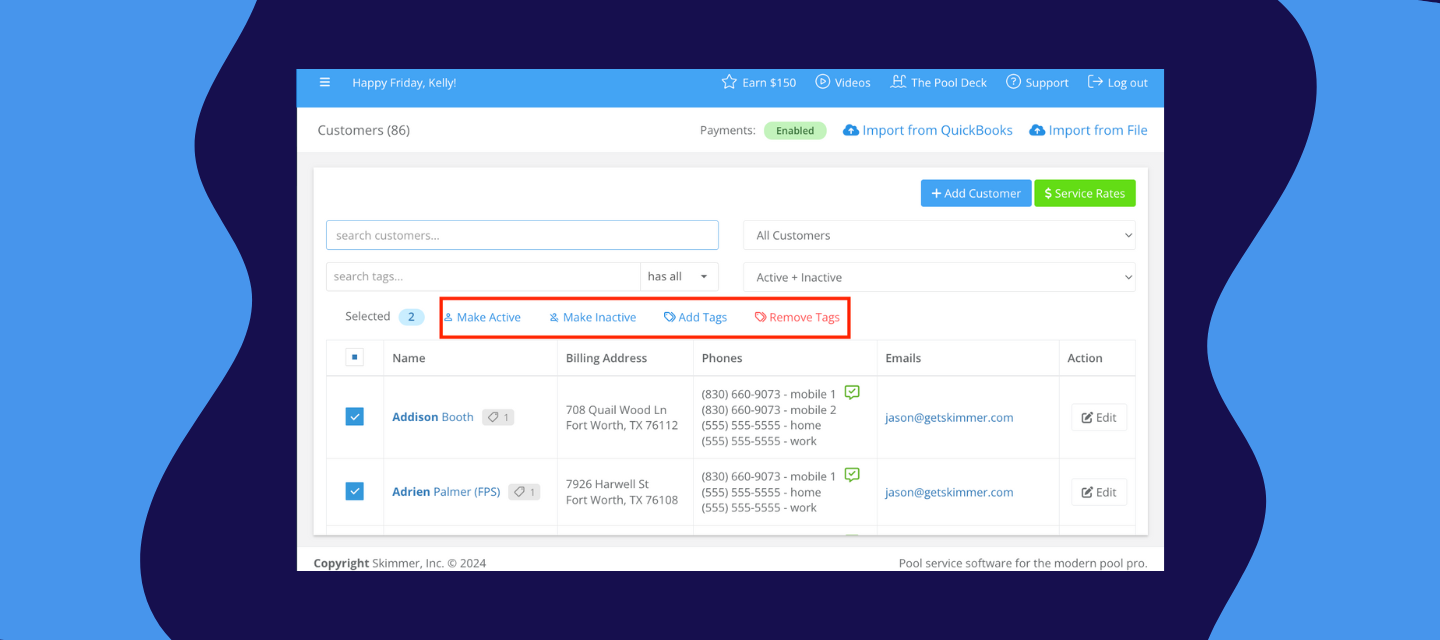
Until now, Skimmer didn't have a clear way to distinguish between potential and active customers. Leads, inactive accounts, and current customers were all on the same list, with no easy way to tell them apart or track how they got there. These new enhancements change that. Customer status and lead tracking You can now segment customers by status: Lead, Active, or Inactive. This makes it easier to manage your pipeline, follow up on prospects, and keep your customer list organized.When you add a new contact who isn't a customer yet, you can mark them as a Lead. You can track where they came from using lead sources, helping you understand which marketing or referral channels are actually driving new business. Leads automatically convert to Active when a quote or job is created, so your data stays accurate without extra manual steps. You can also bulk-update statuses directly from the customer listing. Customer activity feed Each customer's detail page now includes an activity feed — a centralized timeline of every interaction in Skimmer. Quotes, invoices, payments, and customer portal invites all show up in one place, in chronological order. And this is just the beginning — we'll be adding more activity types to the feed as we continue rolling out new capabilities.This is especially useful when you need a quick read on a customer's history without jumping between different parts of the app. A few things to know about the activity feed: It's currently available on web only.  You can have up to 10 lead sources per company. These updates are available to all Skimmer customers.This is just the start of how we're building out customer management in Skimmer. We'd love to hear what's working and what you'd like to see next. Share your thoughts in the comments. 

New feature: Heritage integration now available—sync products and costs automatically

New feature: Heritage integration now available—sync products and costs automatically

If you buy from Heritage Pool Supply, you now have a simpler way to keep product costs and details up to date in Skimmer.With the new Heritage Product Integration, you can connect your Heritage account to Skimmer and automatically sync key product information for the items you buy most. Instead of manually checking prices or updating costs when Heritage makes changes, Skimmer handles it for you.NOTE: You'll need a Heritage Pool+ account to use this integration.  Want to see it in action? Watch the walk-through video below.  Here's what it means for your business:Your most frequently purchased Heritage products can be pulled directly into your Skimmer catalog Product names, descriptions, and costs sync nightly(11:59 pm) from your selected Heritage home branch When costs change, Skimmer updates them so your pricing stays accurate automatically You choose which products stay linked and which ones you manage manually This launch focuses on keeping product information accurate and cutting down manual catalog work. We’re actively building toward deeper Heritage functionality, including inventory visibility and ordering directly from Skimmer, as part of our ongoing partnership. Getting started is simpleConnect using your Heritage customer ID and API key, select your home branch and Skimmer will pull in your 75 most-purchased Heritage products based on your actual order history. From there, you can match products to your existing catalog or import new ones. Questions or feedback? Drop them below — we’re happy to help.  

Related products:Integrations
New Feature Improvement: Assign Multiple Techs to a Single Work Order

New Feature Improvement: Assign Multiple Techs to a Single Work Order

Let’s talk about multi-tech jobs for a second.If you’re running installs, major repairs, or any job that needs more than one tech, you probably know the drill: duplicate work orders, schedule changes that require three updates, texts flying back and forth to confirm who’s actually showing up, and service records scattered across multiple jobs.It adds up fast. And it pulls time away from actually running the business.You’ve been asking for a better way to coordinate crews, and now it’s here. With multi-tech work orders in Skimmer, you can assign multiple technicians to a single work order, making it easier to handle equipment replacements, major repairs, and any job that needs more than one set of hands.NOTE: The Multi-tech work orders feature is included in the Scaling Up and Skimmer for Enterprise plans What’s new:Take on bigger jobs with confidenceAssign your entire crew to one work order. Everyone can see who’s on the job, what they’re responsible for, and when they need to be there. No more guessing if everyone’s aligned.Finish complex work in fewer visitsWhen coordination is easier, work gets done faster. Jobs that used to take multiple trips can often be wrapped up in one. Better for your schedule, better for your customers.Cut down on office timeSchedule once. Need to move the job? Shift the whole crew in seconds. Need to swap a tech? Change one assignment without reworking everything. Less admin, fewer headaches.Keep records cleanAll work rolls into a single service history entry and one invoice. When you need to review the job or explain it to a customer, everything’s in one place instead of spread across multiple work orders.How it worksAssign a full tech and up to 8 crew techs to any work order. Each person gets their own instructions and time allocation. The full tech oversees the finishing of the job and handles readings, chemicals, and parts. Crew techs can add their own work notes without accidentally finishing the job or modifying critical details.Everything works on both web and mobile, with full offline support. When the job's done, you get one service record and one invoice.Check out the walkthrough video below to see it in action:  Want to learn more? Click the links below to get startedNow we’re curious:What kind of jobs are you most excited to use multi-tech work orders for? Let us know in the comments!!

Related products:Work orders
Skimmer monthly release roundup: January 2026

Skimmer monthly release roundup: January 2026

In January, we rolled out several updates designed to support growing pool businesses—especially teams taking on larger jobs, managing more technicians, and needing clearer visibility across operations. This release focuses on better collaboration, more control, and improved reporting, all while keeping everyday workflows simple. Here’s what’s new: Consumer financing You can now offer customers flexible payment options directly within Skimmer. Consumer financing helps remove friction at checkout and makes it easier for customers to move forward on larger repairs or installs without changing how you manage billing or payments.Learn more here-> Advanced roles and permissions As teams grow, access control matters more. Advanced roles and permissions give you greater control over who can view, create, or manage different parts of Skimmer, helping keep responsibilities clear across office and field teams.Learn more here→ Enhanced work order creation and finish experience We’ve redesigned how work orders are created, updated, and finished to make them faster and easier to manage. You can now add items, photos, and instructions throughout the lifecycle of a work order, track item status more clearly, and complete jobs with better accuracy from both Schedule and the Route Dashboard.These updates lay the groundwork for a bigger improvement to Work Orders→ Multi-Tech Work Orders.Coming on Monday, Feb 9. Learn more here→ Reporting improvements We are continuing to improve the reporting experience in Skimmer. These new updates bring more flexibility and clarity. New filters let you view data by item, technician, customer, and service type, while visual indicators make it easier to understand what’s happening at a glance. These updates are especially helpful for tracking installs and technician commissions. All reports are now accessible from a single Reports page.  Billing Reports have moved into this new hub, and the old Billing > Billing Reports link will be removed on February 12. Public API updatesYou can now search customers by phone number or email and create work orders directly through the API, making integrations more powerful and reliable. As always, don’t forget to update your mobile app to the most current version for the latest improvements.Update for iOS Update for Android That’s it for January’s roundup. Keep an eye out next month — we’ve got a packed lineup coming your way to keep you in the loop on everything Skimmer. 🚀🚀  

Related products:Monthly release roundup
New feature: Advanced roles and permissions are here!

New feature: Advanced roles and permissions are here!

Quick question: Have you ever wished you could give someone almost admin access… without actually making them an admin? For a long time, Skimmer had two main role levels: Admin and Tech. That worked well for smaller teams. But as businesses grow, roles get more nuanced. Maybe you’ve got a repair contractor who doesn’t need to see billing data. Or a senior tech who needs more access than the rest of the crew. Forcing everyone into one of two boxes starts to feel limiting fast, so it became clear we needed a better way to match access to how teams actually work. Why this matters for your growing businessWith advanced roles and permissions, you can now control exactly what each team member can see and do across both desktop and mobile. There are over 100 individual permissions you can toggle on or off, covering everything from customers and routes to invoices, reports, settings, and more.   Curious what that looks like in practice? Check out the walkthrough video below to see it in action:   Here's how it works:Start with one of six default roles (like Admin, Tech, Route Manager, or Billing Specialist) and use them as-is, or duplicate and customize them to fit your team.  NOTE: You can also create unlimited custom roles with any name and access level that makes sense for your business. You can delete any role whenever you choose to. Assign roles to existing users to expand or limit access as needed. Update roles over time as responsibilities change NOTE: When updating roles or permissions, it’s a good idea to let your team know what’s changing and why. A quick heads-up helps avoid confusion and makes it clear when access has been intentionally updated. Good news: nothing changes on day one. Current legacy admins and techs keep the same access they have today, and you can start customizing when it makes sense for your team. We’ve put together this 👉 permissions help sheet that organizes each permission by category, so you can review what’s available before you start.  Want the full setup details?Read the help article → Now we want to hear from you: Which role on your team could benefit most from more tailored access?And if you’ve got questions, drop them in the comments. Chances are someone else is wondering the same thing, and we’ll answer them here so everyone can benefit. 

Everything pros want to know about Consumer Financing (powered by Sunbit)

Everything pros want to know about Consumer Financing (powered by Sunbit)

During our recent webinar, hundreds of pool pros joined us to learn how Consumer Financing powered by Sunbit can help close more jobs and speed up payments. The questions that followed were practical, thoughtful, and right on point. Below, we’ve pulled together the most common questions we heard and answered them clearly so you can decide if and when financing makes sense for your business. Do I need to use Skimmer Payments?Yes. Consumer Financing is integrated directly with Skimmer's invoicing and payment tools as a payment method. How does financing work with deposits?Consumer Financing works with your existing deposit workflow, and there are two common ways pool pros use it.Option 1: Customer pays the deposit, finances the remainderIf you require a deposit, the customer can pay that portion using a standard payment method (card, ACH, etc.). When the final invoice is sent, they can choose Consumer Financing to pay the remaining balance over time.Option 2: Customer finances the full job across invoicesIf you split a job into a deposit invoice and a final invoice, the customer can choose Consumer Financing for each invoice. This means they may apply for financing more than once, but each application is fast, and they can select available payment plans each time.In both cases, financing follows your existing invoicing structure. You don’t need to change how you quote or bill — customers simply choose how they want to pay when each invoice is due. Can my customers pre-qualify before I send a quote or invoice?Yes. You can send them this link: https://apply.sunbit.com/YourPoolPro-gv466urt Who pays the 5.5% fee?The pool pro. The fee cannot be passed on to the customer. Are there any other monthly or setup fees?No. There are no setup fees, integration fees, or monthly fees. Is there an additional processing fee(credit card or ACH) in addition to the Sunbit fee?No. Sunbit transactions only include the 5.5% financing fee. Can I charge different prices based on payment method?No. Financing rules do not allow adding surcharges, price increases, or different pricing when a customer chooses Sunbit. What interest rates do customers pay?Rates vary based on creditworthiness and range from 0% to 35.99%. Can customers use 0% financing for different milestones on a larger job?Yes, in many cases. Customers can have multiple Sunbit loans at the same time. They do not need to pay off an existing loan before applying again. If a customer is approved, each new loan issued includes access to the 3-month 0% interest option, even if another Sunbit payment plan is already in progress.For example, a customer could finance a $3,000 phase of an $8, 000 project using the 3-month 0% plan, then apply again for financing on the next phase and receive another 3-month 0% option if approved. Is 0% interest available?Yes. Every approved customer has access to a 3-month 0% APR option. Can the 0% plan be extended beyond 3 months?No. The 0% interest option applies only to the 3-month plan. Longer plans, up to 18 months, include interest. How long can customers pay over time?Payment plans range from 3 to 18 months. What is the minimum and maximum amount that can be financed?Sunbit supports invoices from $60 up to $20,000. Can I choose which jobs or invoices offer financing?No. The pay over time option appears automatically on all eligible quotes and quote-based invoices.  When do I get paid?Once your customer submits a payment through Sunbit, payment is initiated. Funds typically arrive within 1–5 business days, depending on your bank, similar to other payment methods. Does Skimmer share my ACH or bank information with Sunbit?No. Sunbit payments run through the same tool(Skimmer) you already use. Your bank and payout information stays within Skimmer and Sunbit payments are included in your existing payouts just like card or ACH payments. What happens if the customer doesn’t pay Sunbit?You are still paid in full. Sunbit handles all customer repayment and collections. Does Sunbit run a hard credit check?No. Only a soft credit check is used during the application process. Is pre-approval tied to the deposit amount?No. Pre-approval is not tied to the quote or deposit amount. What if I need to issue a refund?Refunds follow Skimmer’s existing refund process and are coordinated with Sunbit. Where does the financing option appear?On quotes and invoices created from quotes or jobs. Does the customer still need a payment method on file?It depends on your settings. A payment method may be required to approve the quote, but when it’s time to pay the invoice, the customer can choose to use Sunbit instead. What types of work can be financed?Any invoice created from a quote or job, including labor, repairs, equipment, and upgrades. Can I use this for retail sales like hot tubs?Yes, as long as those transactions are quoted and invoiced through Skimmer. Why can’t I pass the Sunbit fee to customers if I can surcharge credit cards?Financing fees follow different rules from credit card payments. Sunbit fees cannot be passed on to customers, regardless of state surcharging laws. Can I turn Consumer Financing on or off?Yes. You can enable or disable it at any time, but it can’t be controlled per customer or per invoice. If you’re curious how Consumer Financing could fit into your workflow, the best next step is to learn more and see how it works in practice. We’ve put together detailed guidance to walk you through when to use financing, how to present it to customers, and what to expect once it’s enabled.If you’re already using Skimmer for invoicing and payments and want help getting started, or if you’re still billing outside Skimmer and want to understand what’s required, our Payments team is here to help you think it through and decide what makes sense for your business.Ready to learn more? Check out the links below:Help article Consumer financing toolkitTalk to an expertBook time with a Skimmer Payments expert to discuss eligibility, setup, and best practices 

Related products:Billing